


Connect Meta Conversions API to your landing pages in LanderLab to send server-side conversion events directly to Meta and improve tracking accuracy for your ad campaigns.
What is Meta CAPI?
Meta Pixel tracks conversions through the visitor’s browser, but ad blockers, privacy settings, and cookie restrictions can prevent it from firing correctly. This means some conversions are never reported to Meta. Meta Conversions API (CAPI) solves this problem by sending conversion events directly from the server to Meta, without relying on the visitor’s browser. Since the data is sent server-side, it is not affected by ad blockers, cookie restrictions, or browser privacy settings. Setting up Meta CAPI in LanderLab helps you get more accurate conversion data, better ad optimization, and improved campaign performance across Facebook and Instagram ads.Once you add a Meta CAPI integration, it is saved globally in your account. You can reuse it across multiple landing pages without entering the same credentials again.
How to Add Meta CAPI Integration
1
Go to your landing page
Navigate to Landing Pages and click the name of the landing page where you want to add Meta CAPI tracking.
2
Open the Integrations tab
Click Add Integration to open the integrations panel. This is where you connect external tracking and marketing tools to your landing page.
3
Select Meta CAPI
From the list of available integrations, select Meta CAPI. This will open the tracking configuration form.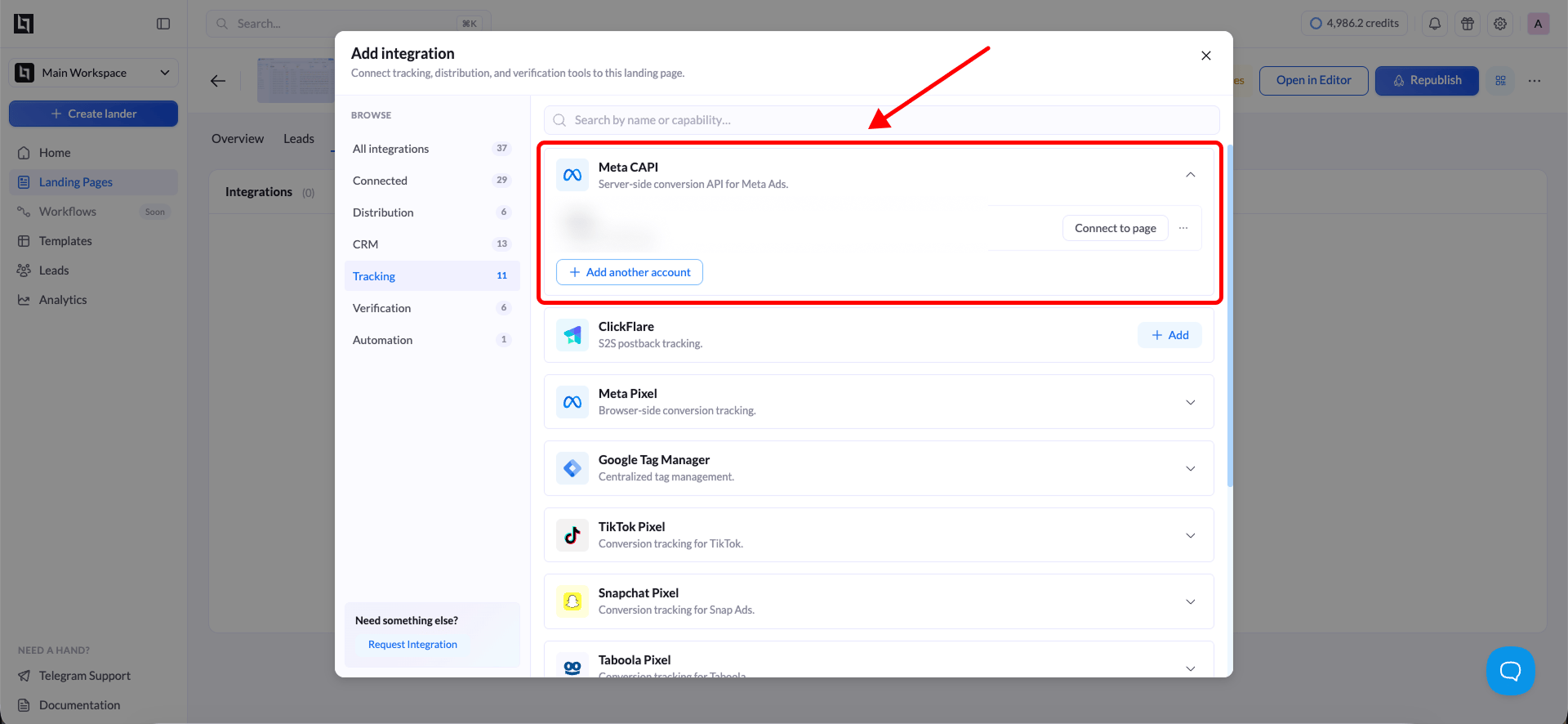
4
Fill in the required fields
Enter the following details from your Meta Business account:
5
Save the integration
Click Save to store the integration. LanderLab saves this configuration globally, so you can connect it to other landing pages later without re-entering the details.
Connect Meta CAPI to Another Landing Page
Since Meta CAPI integrations are saved globally, you do not need to create a new one for every landing page. You can reuse an existing integration across multiple pages.1
Open a different landing page
Go to Landing Pages and click the name of the landing page where you want to use the same Meta CAPI integration.
2
Add Integration
Click Add Integration and select your previously saved Meta CAPI configuration from the list.
3
Select variants (if applicable)
If your landing page has multiple A/B test variants, a modal will appear asking you to choose which variants should use this integration. Select the variants you want to track and confirm your selection.
The variant selection modal only appears when your landing page has more than one active variant. If there is only one variant, the integration is applied automatically.
4
Save and publish
Click Save, then Publish or Republish your landing page to activate Meta CAPI tracking on the selected variants.
Why Use Meta CAPI
Server-side tracking through Meta CAPI offers several advantages over browser-only pixel tracking:- Better data accuracy - Events are sent directly from the server, bypassing ad blockers and browser restrictions that can prevent pixel fires.
- Improved ad optimization - More complete conversion data helps Meta’s algorithm optimize your campaigns and find better audiences.
- Stronger event matching - Server-side events support advanced matching parameters, which increases the match rate between conversions and ad interactions.
- Privacy compliance - Server-side tracking reduces reliance on browser cookies and provides a more privacy-friendly setup that aligns with current data regulations.