

Set Credit Limits
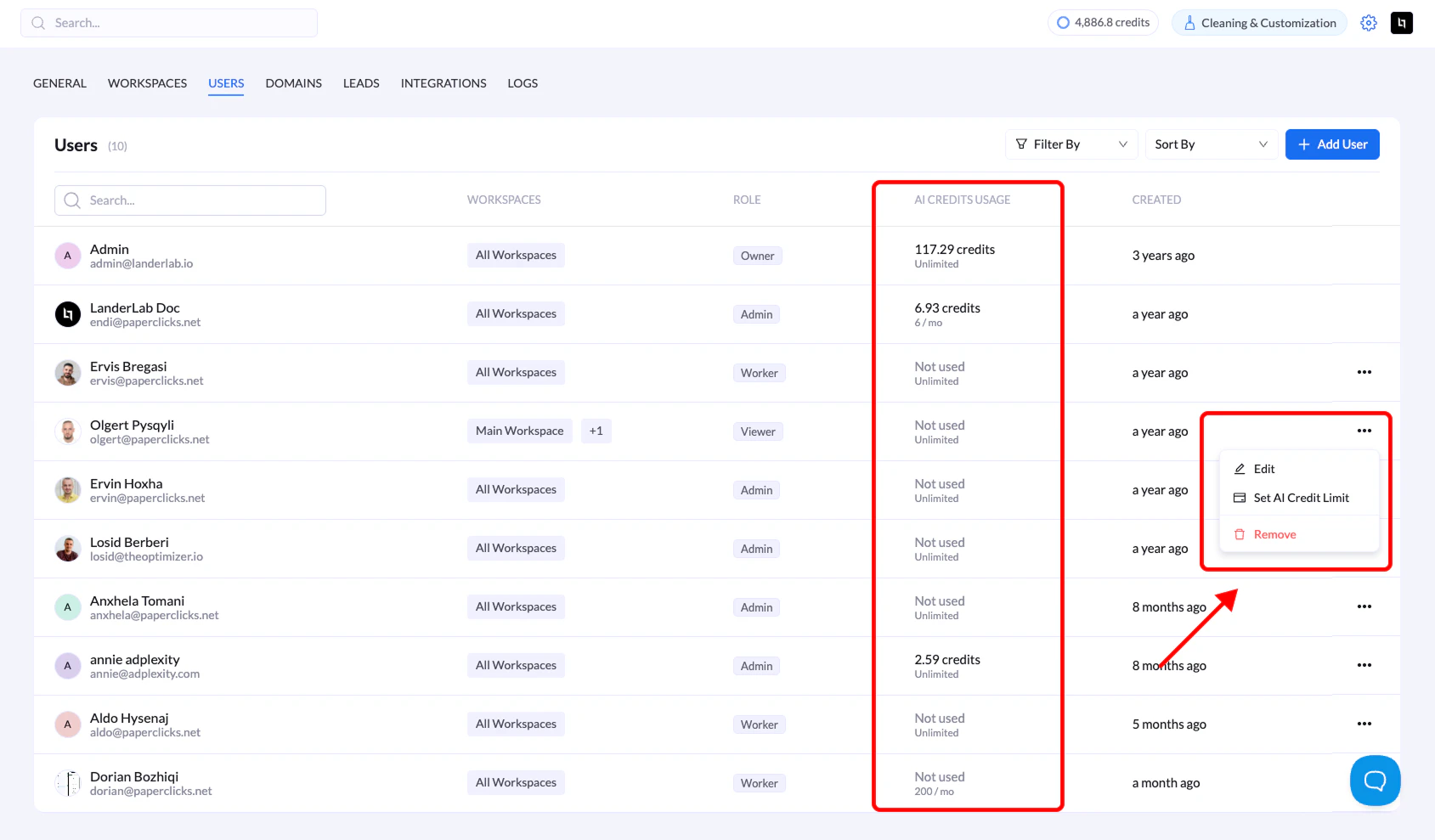
- Go to Settings → Users
- Click the three dots (•••) next to a user’s name
- Select Set AI Credit Limit
- Enter the monthly limit or leave blank for unlimited
- Click Save
Monitor Usage
Check the AI CREDITS USAGE column in the Users list to see:- Credits consumed per user
- Monthly allocation (e.g., “6.93 / 100” or “Unlimited”)
Key Points
- Leave blank = unlimited access to your organization’s allocation
- Credits are consumed by AI-powered features (page generation, text/image generation, background removal)
- Monthly reset is automatic on the 1st of each month
- Adjust limits anytime through the same menu
Troubleshooting
User can’t access AI features?- Check their credit usage in the Users list
- Wait for monthly reset if limit is reached