

Where to find Sessions
1
Open your settings
Click the gear icon in the top right corner of the dashboard.
2
Go to Profile
In the left sidebar, under Account, click Profile.
3
Scroll to Security
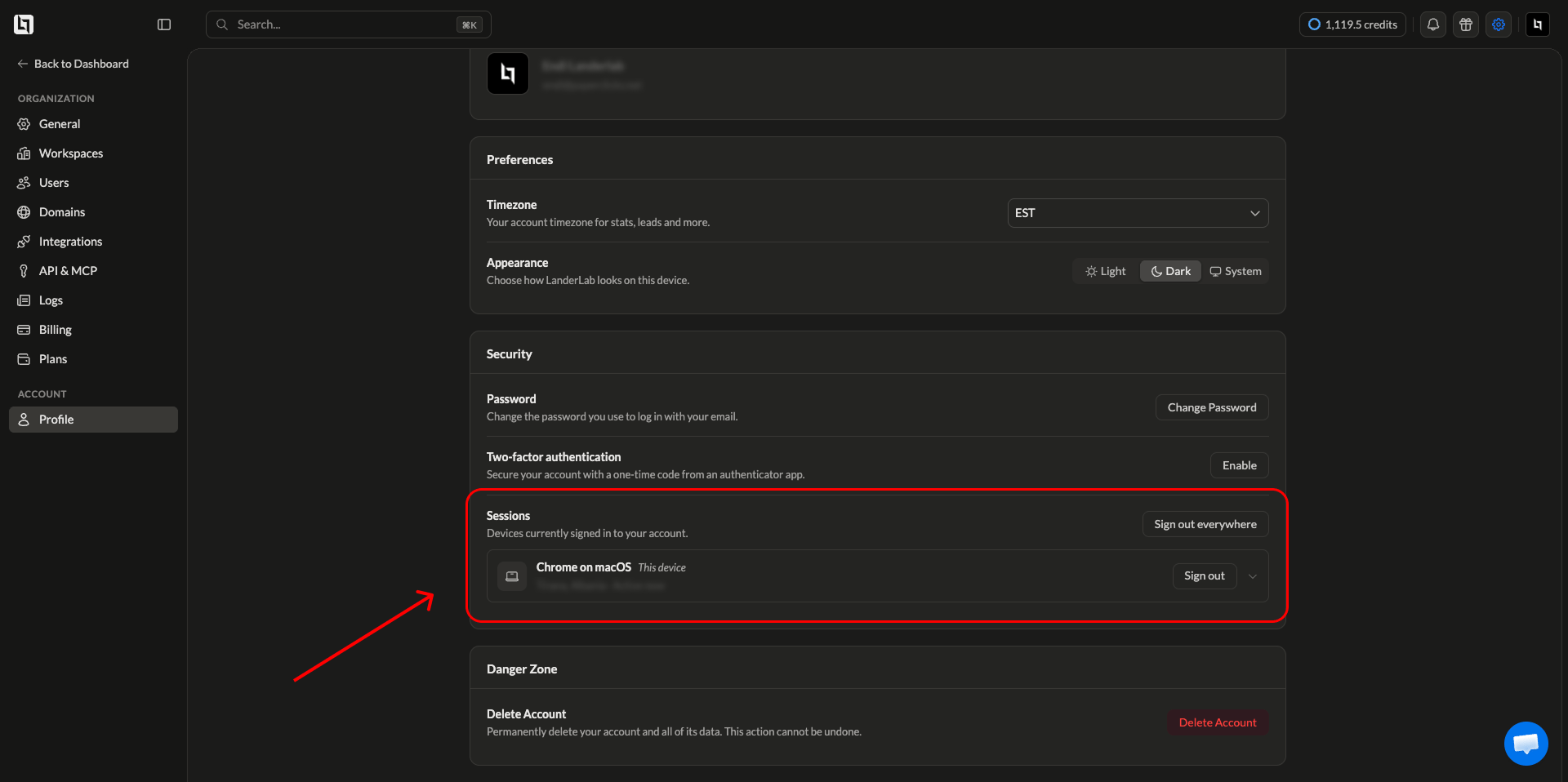
Find the Security card. Sessions is listed under Password and Two-factor authentication.
What each session shows
Every signed in device appears as its own row with:
Click the arrow on the right side of a session row to expand it and see more detail about that device.
Location is estimated from the IP address, so it can show a nearby city instead of your exact one. A VPN or mobile network can also place a session in a different country.
Sign out of a single device
1
Find the session
Look through the list and identify the device you want to remove.
2
Click Sign out
Click Sign out on that row. The session ends immediately and the device is asked to log in again the next time it opens LanderLab.
Sign out of all devices
Click Sign out everywhere at the top of the Sessions section to end every active session on your account. Use this when you are not sure which device is which, when you have lost a phone or laptop, or right after changing your password.When to review your sessions
Check your session list if you notice any of the following:- A login from a city or country you have not visited
- A browser or operating system you do not use
- Activity on your account at a time you were not working
- A device you no longer own or have given away
Frequently asked questions
Why does the same device appear more than once?
Why does the same device appear more than once?
Each browser creates its own session. Signing in with Chrome and Safari on the same laptop, or using a private window, creates separate entries. Signing out of one does not affect the others.
Does signing out delete any of my work?
Does signing out delete any of my work?
No. Signing out only ends access on that device. Your landing pages, leads, and settings are untouched.
How long does a session stay active?
How long does a session stay active?
A session stays active until you sign out of it, sign out everywhere, or it expires after a long period of inactivity.
Can I see sessions for other users in my organization?
Can I see sessions for other users in my organization?
No. The Sessions list only covers your own account. To review activity across your whole organization, use the audit log under Settings > Logs.