

How Variables Work
Variables are created automatically when a user interacts with certain blocks. Supported blocks include:- Choices → Multiple Choice, Image Choice
- Inputs → Text, Email, Phone, Long Text, Select, Checkbox, Number, Date, Zip Code, Range Slider, Hidden Field
Variable Naming
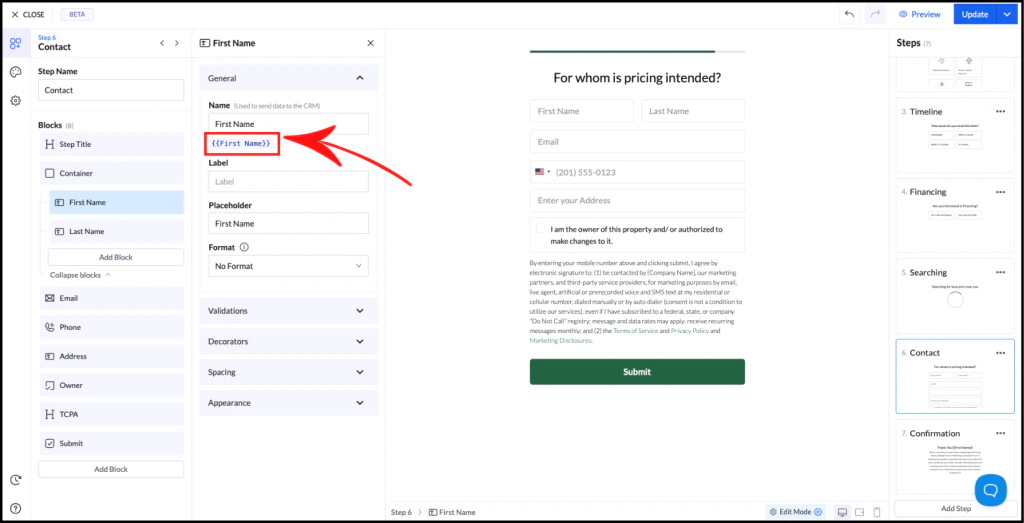
- The field name = variable name
- Variables are written like this:
If your field is named First Name, the variable becomes:
Using Variables
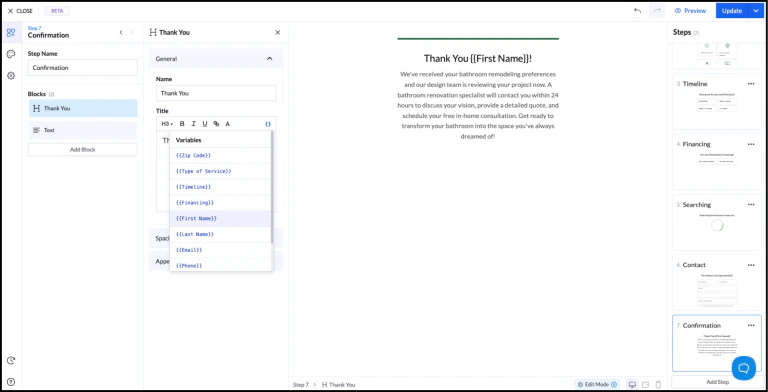
1. Manual input
Type the variable directly:2. Variable picker
Use the icon in the text editor to insert variables.Example
Step 1: User enters their nameStep 2: Show personalized message Output:
Important Rules
- Variables can only be used in later steps, not the same step
- Variable names must be unique
- Values are stored as text
Best Practices
- Use clear and consistent field names
- Avoid duplicate names across fields
- Plan your step order to use variables effectively