

Where Custom Code Can Be Added
Inside the Custom Code settings you will find two script placement areas:How to Add Custom Code
Follow the steps below to add custom JavaScript to your landing page.1. Open your landing page
Go to Landing Pages and click the name of the landing page you want to edit.2. Open the Settings panel
Click the Settings tab on the landing page overview screen.3. Go to Custom Code
From the settings menu on the left side, select Custom Code.4. Add your script
Paste your JavaScript code into one of the available fields:- Custom Code inside
<head> - Custom Code before
</body>
<script></script> tags.
5. Save your changes
Click Save Settings to apply the custom code.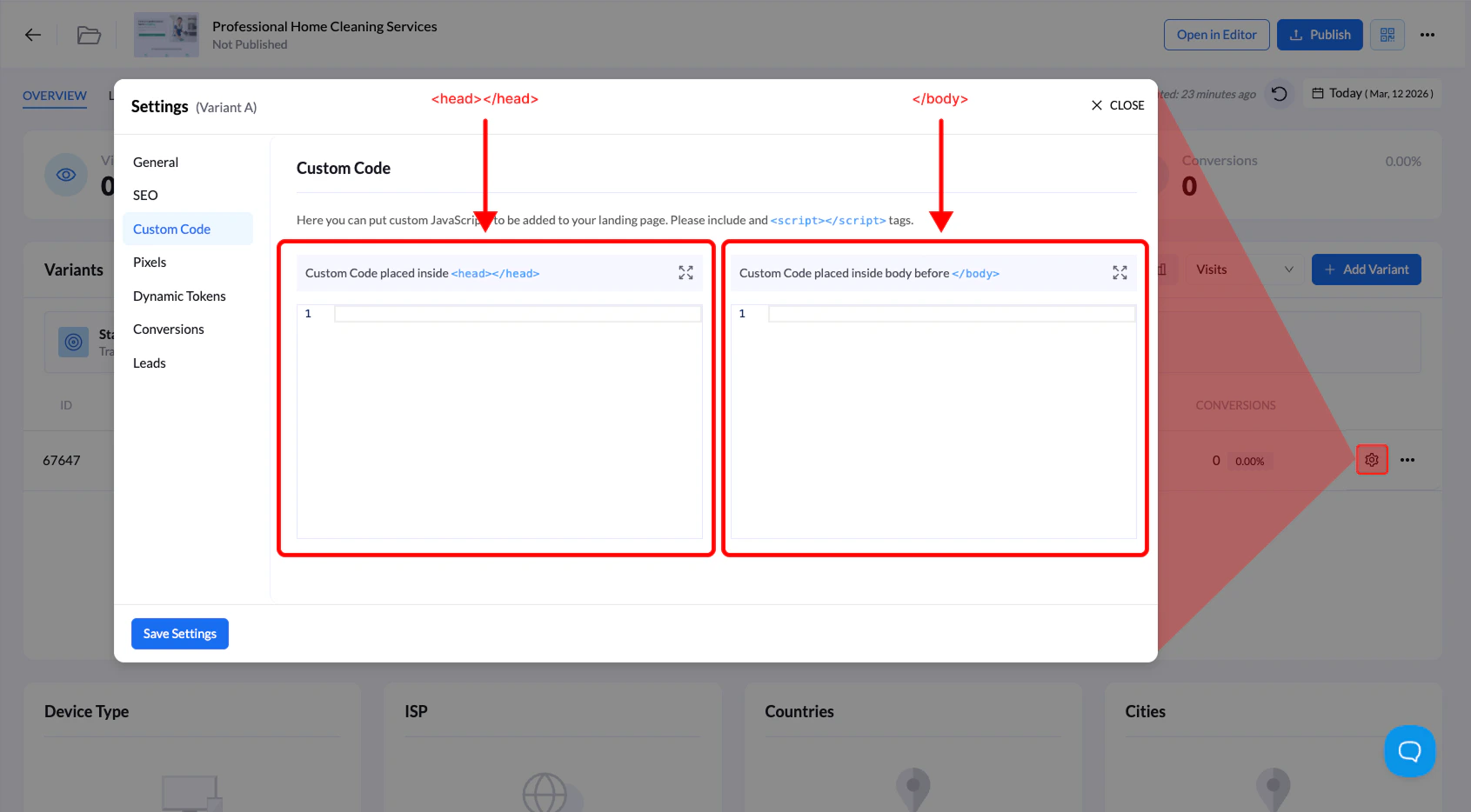
When to Use Custom Code
Custom code is commonly used for:- Click tracking scripts
- Analytics tools (Google Analytics, etc.)
- Third-party widgets
- Conversion tracking scripts
- Custom JavaScript functionality