

Folders
Move Landing Pages to Folders
Move landing pages into folders to better organize campaigns, group related pages, and manage your workspace more efficiently.
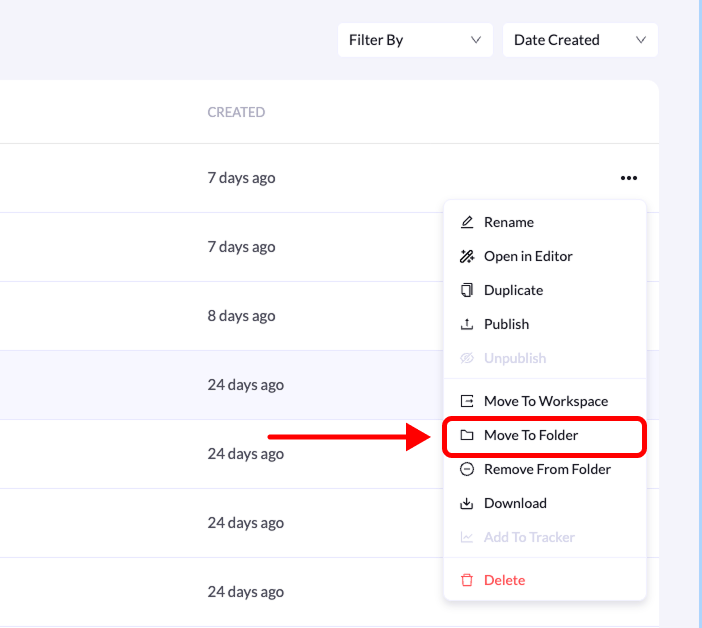
You can move existing landing pages into folders to keep your projects organized. This helps when restructuring campaigns or grouping related pages together.
Follow the steps below to move a landing page to a specific folder.