

What It Does
When enabled, any parameters in your page URL (for example:?utm_source=facebook&utm_campaign=spring) will be automatically added to every link on your page.
So instead of losing tracking data, it continues through the entire user journey.
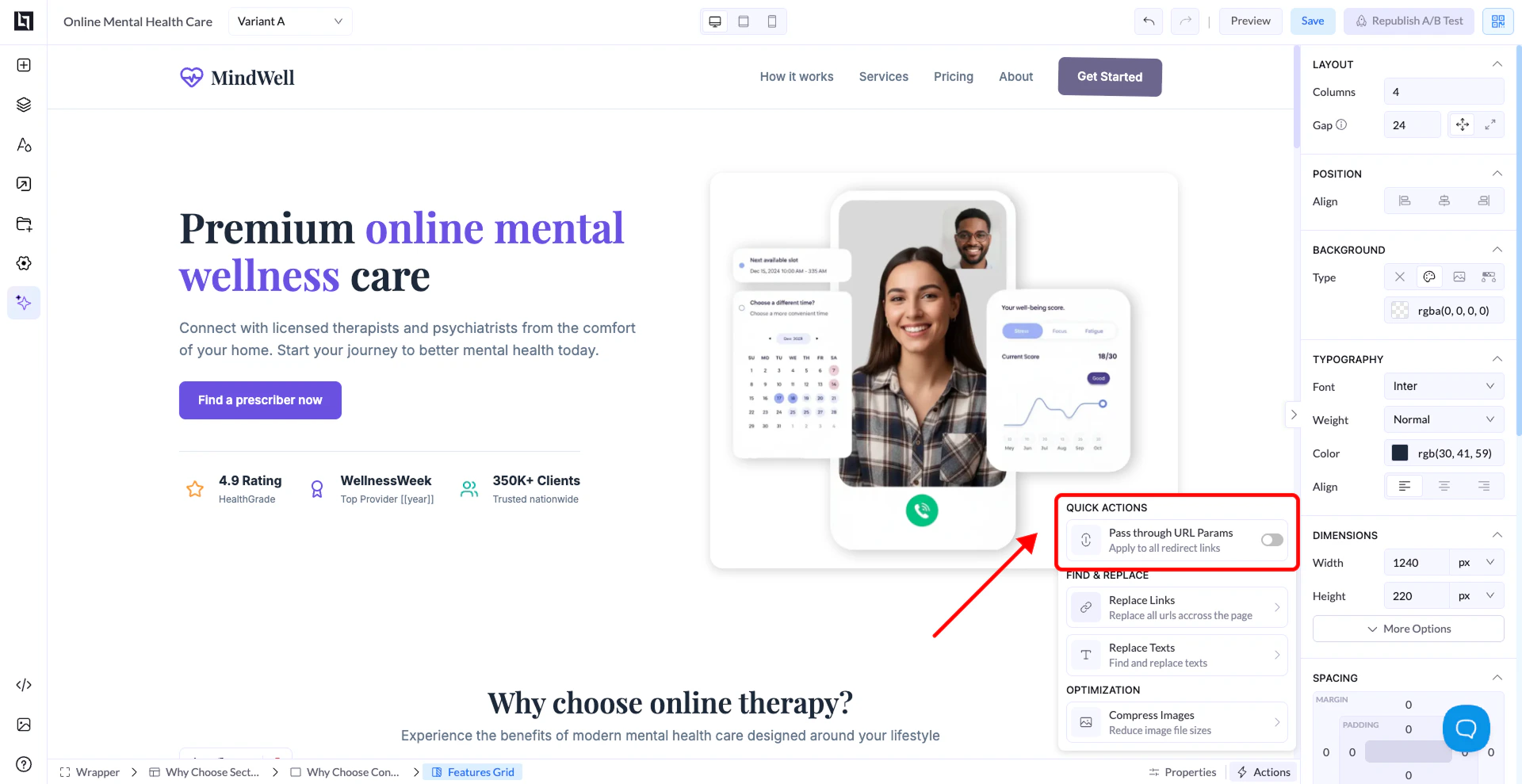
Where to Find It
- Open your page in the editor
- Click the Actions / Quick Actions panel
- Locate Pass Through URL Params
- Toggle it ON
How It Works
If your page URL contains:Why It’s Important
- Keeps tracking data consistent across pages
- Essential for affiliate marketing
- Helps maintain accurate campaign attribution
- Prevents loss of UTMs, click IDs, or custom parameters
When to Use It
- Running paid ads (Facebook, Google, TikTok, etc.)
- Using affiliate or tracking links
- Passing data to external pages or funnels
- Multi-step funnels where tracking must persist
Important Notes
- Applies to all redirect links on the page
- Works automatically once enabled
- Does not require manual setup per button
Best Practice
Always enable this when:- You rely on tracking parameters
- You’re sending traffic to another page or offer