

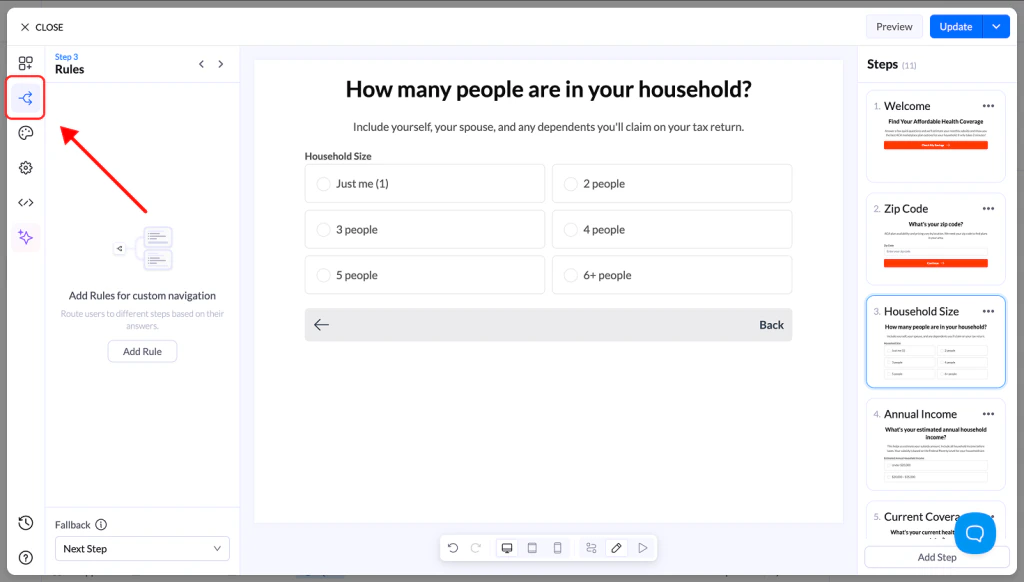
What You Can Do with Rules
Using Advanced Conditional Logic, you can:- Personalize the experience for each visitor
- Show only relevant questions
- Build flexible, dynamic funnels
- Improve lead quality and conversions
Supported Blocks
Advanced Conditional Navigation is available on:- Multiple Choice
- Image Choice
- Buttons
- Loader blocks
How to Set Up Advanced Rules
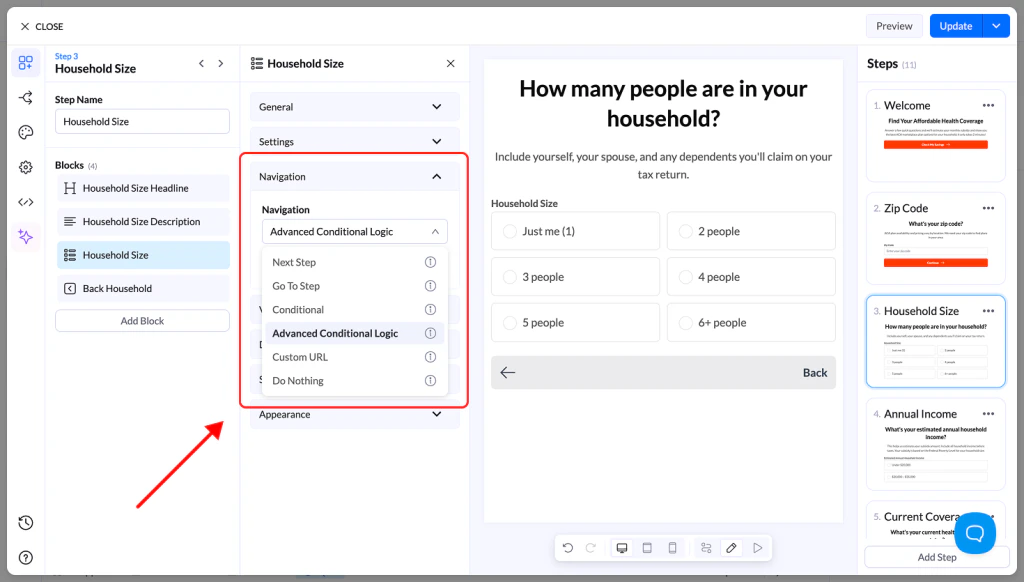
Step 1: Enable Advanced Navigation
- Select a supported block
- Go to the Navigation section
- Change navigation type to Advanced Conditional Logic
Step 2: Create Rules
Choose which block the rule will use as input. Supported sources include:- Multiple Choice
- Image Choice
- Input fields
- Select
- Slider / Range
- Rating blocks
Define Conditions
Choose an operator:- contains any of
- contains all of
- contains none of
- matches exactly
- does not match exactly
- is empty
- is not empty
Combine Conditions
You can create multiple conditions and group them. Use:- AND → all conditions must be true
- OR → at least one condition must be true
Set the Outcome
Define what happens when the rule is met:- Page → go to a specific step
- Next Page → continue normally
- URL → redirect to an external page
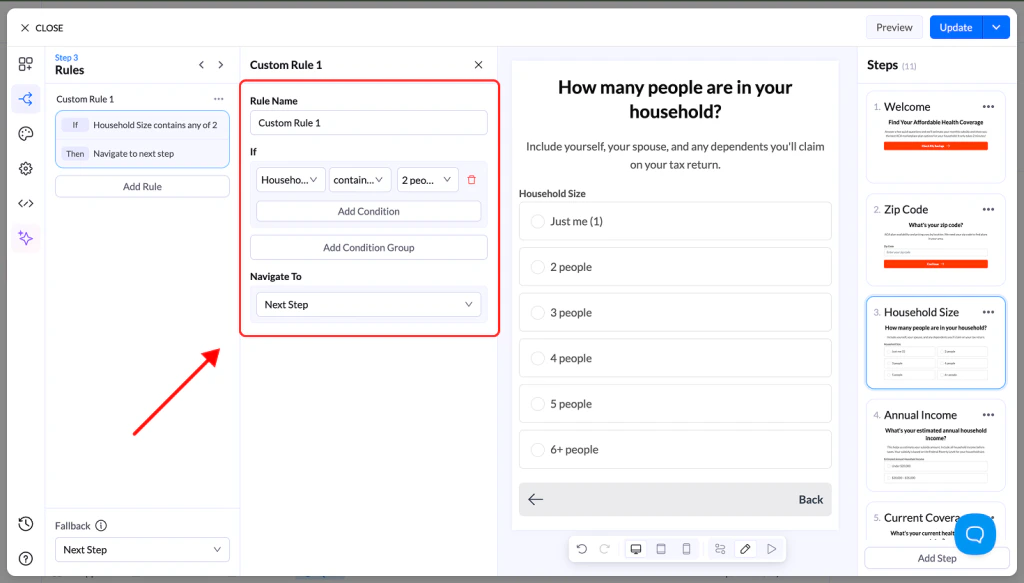
Manage Rules
You can:- Add multiple rules
- Duplicate rules
- Disable or delete rules
- Organize conditions into groups
Step 3: Set a Fallback Path
Define what happens if no rules match. This ensures users are always guided forward and never get stuck.Step 4: Test Your Flow
- Preview your funnel
- Test different inputs
- Verify that all rules and paths work correctly
Common Use Cases
Advanced Conditional Navigation is ideal for:- Insurance → Show plans based on profile
- Recruiting → Route candidates to relevant roles
- Real Estate → Filter by budget and preferences
- Financial Services → Match users with offers
- Legal Services → Direct based on case type
- Solar / Energy → Recommend solutions based on inputs
Best Practices
- Keep logic simple and organized
- Use clear naming for blocks and steps
- Always define a fallback path
- Test every possible path before publishing