

How to Create a Quiz from Template
1. Open the Landing Page Editor
- Go to Landing Pages
- Open an existing page or create a new one
- Click Open in Editor
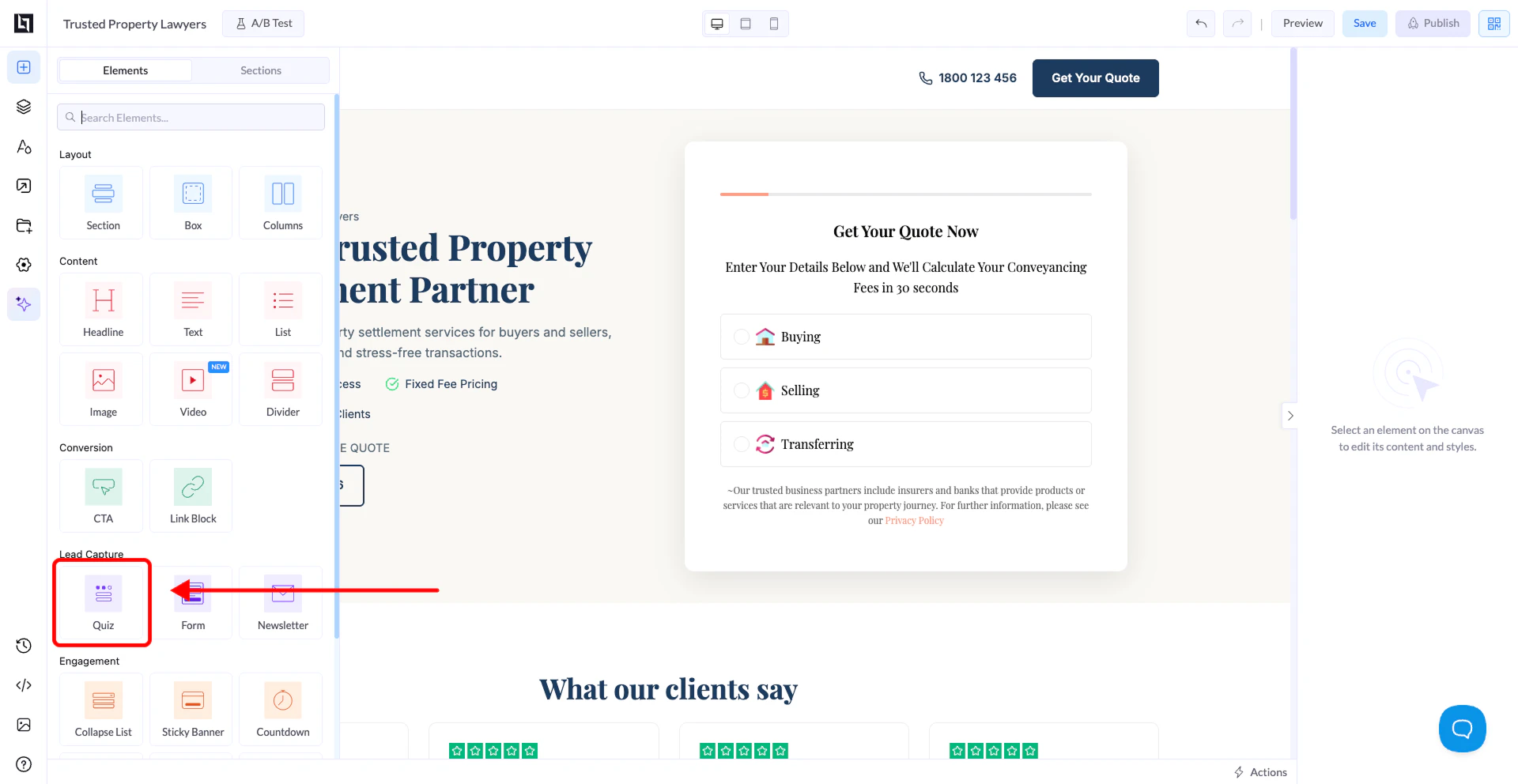
2. Locate the Quiz Element
- In the editor, go to the Elements panel on the left
- Scroll to find the Quiz element
3. Drag and Drop the Quiz
- Drag the Quiz element onto your landing page canvas
- Place it where you want the quiz to appear
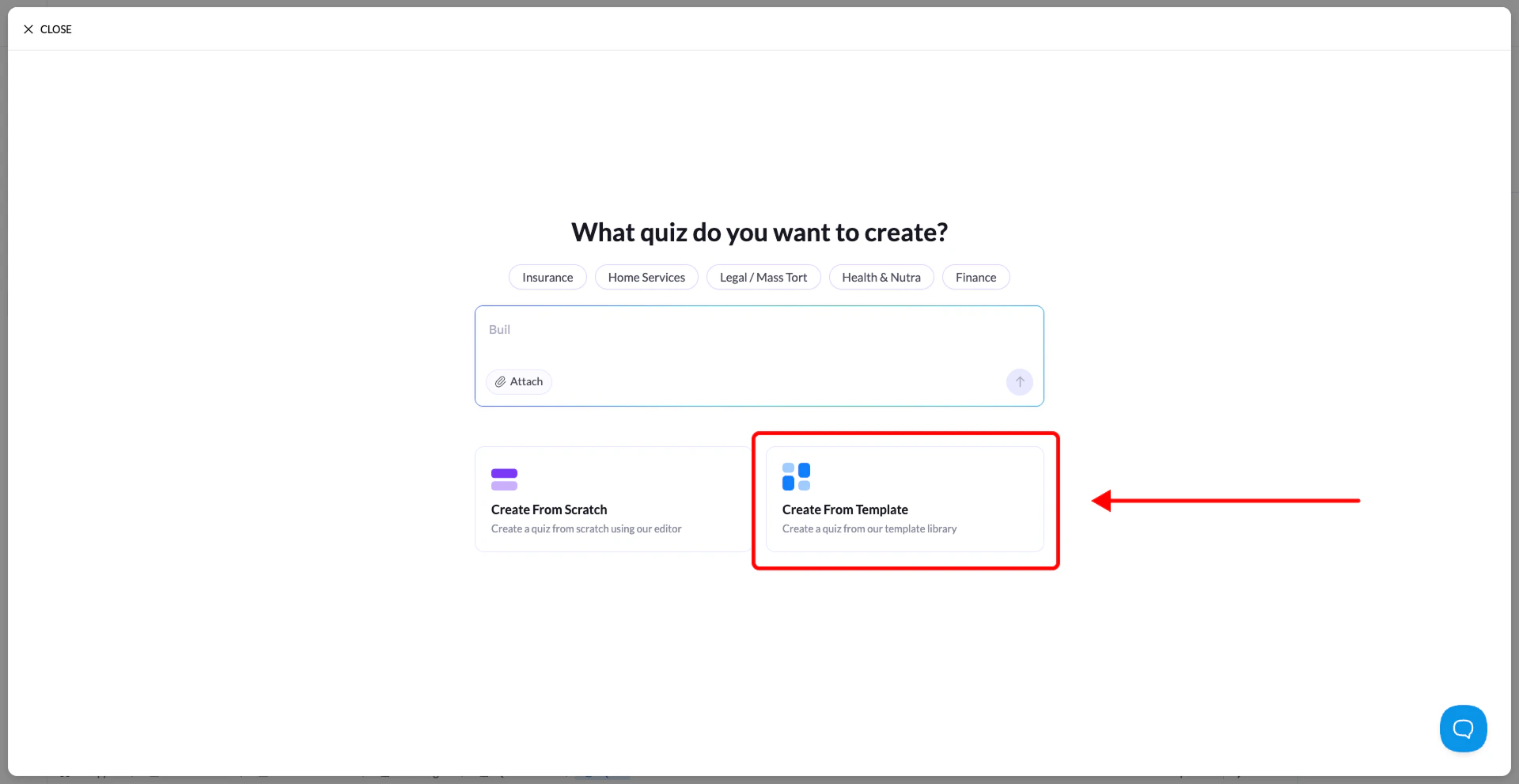
4. Select “Start from Template”
- After placing the element, a configuration modal will appear
- Select Start from Template
- Choose a template from:
- LanderLab’s template library
- Your saved templates
5. Customize Your Quiz
The quiz will open in the Quiz Builder interface, already populated with steps and questions. You can now:- Edit questions and answers
- Modify the flow and steps
- Adjust design and layout
- Tailor the quiz to your campaign