

Reach for If when you have two outcomes (“do this, otherwise do that”). Reach for Filter when you only want to keep matching leads and drop the rest. For more than two outcomes, use Switch.
Add the If node
If lives under the Internal group in the node menu.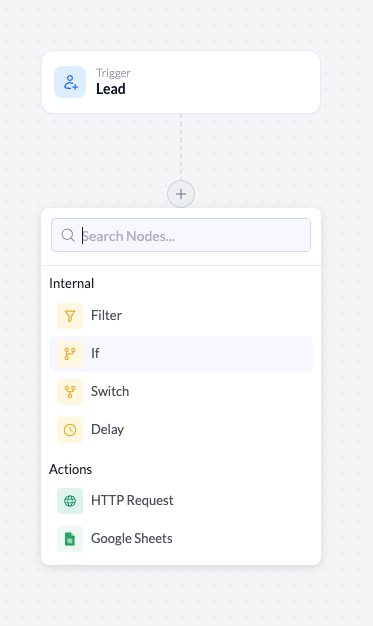
Open the node menu
Click the + below the node where you want the branch to happen (usually right after the trigger).
The Yes and No branches
Once added, the If node appears on the canvas with two paths below it: a green Yes branch and a red No branch. Each branch has its own + button so you can build a different sequence of nodes on each side.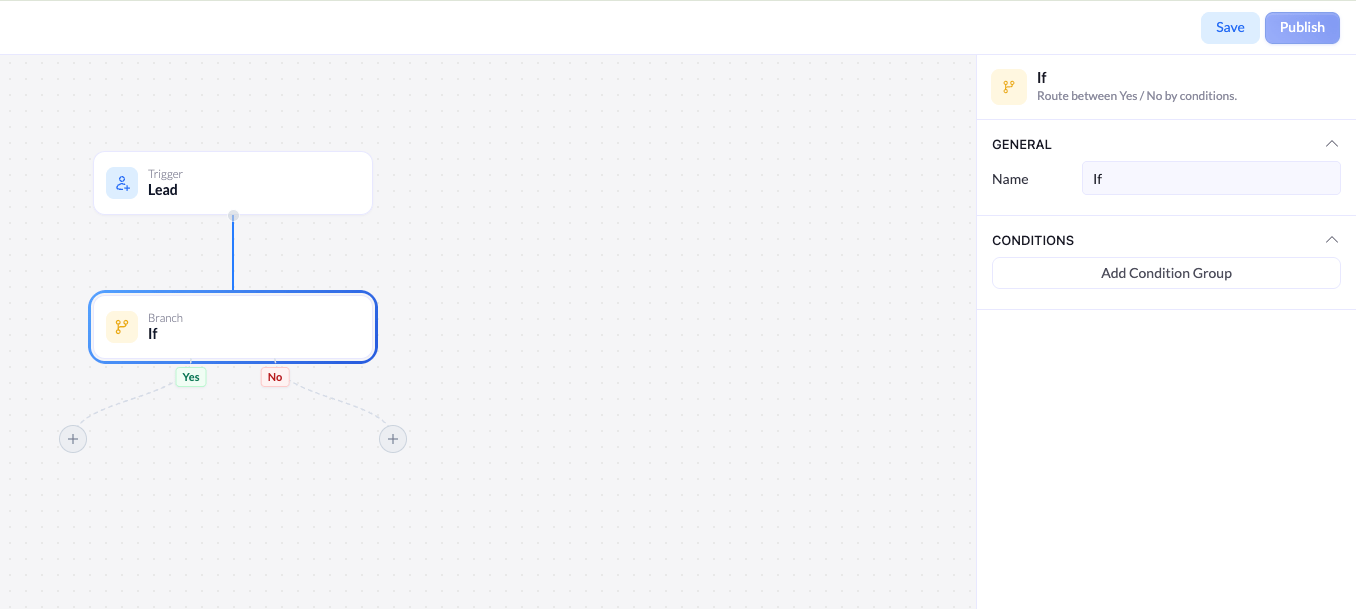
- Yes - runs for leads that match your conditions.
- No - runs for leads that don’t.
Configure the conditions
Selecting the node opens its settings. The header confirms what it does: Route between Yes / No by conditions.General
| Setting | Description |
|---|---|
| Name | The label for this node on the canvas. Rename it to describe the decision (for example, Is a paid plan?) so the branch is easy to follow. |
Conditions
The Conditions section defines what counts as a Yes. If a lead matches, it takes the Yes branch; if not, it takes the No branch. Click Add Condition Group to add your first condition. Each condition has three parts, read left to right: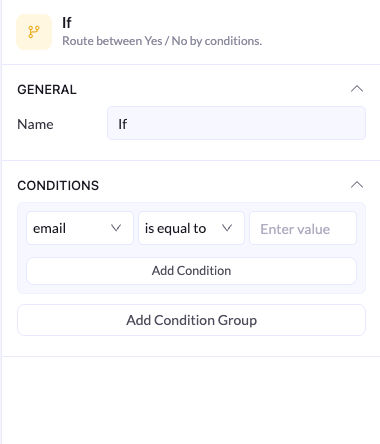
Field
The first dropdown lists the fields captured on your connected landing page - for example, email. Pick the field to check.
Operator
The second dropdown sets how the field is compared to your value - for example, is equal to, is not equal to, contains, does not contain, greater than, or less than.
Combine conditions with AND / OR
You can add more than one condition. Click Add Condition inside a group, and an AND / OR toggle appears between conditions.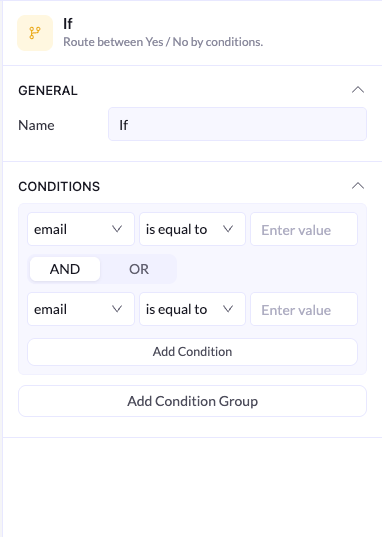
- AND - a lead takes the Yes branch only if it matches every condition in the group.
- OR - a lead takes the Yes branch if it matches at least one condition in the group.
- Within a group - conditions combine with the group’s AND / OR toggle.
- Between groups - each group is evaluated as a whole, then groups combine with the AND / OR toggle between them.
Think of groups like parentheses in math: conditions inside a group are evaluated first, then the groups are combined. Reach for a new group whenever your logic mixes AND and OR.