

This is how you control navigation, actions, and interactions inside your page.
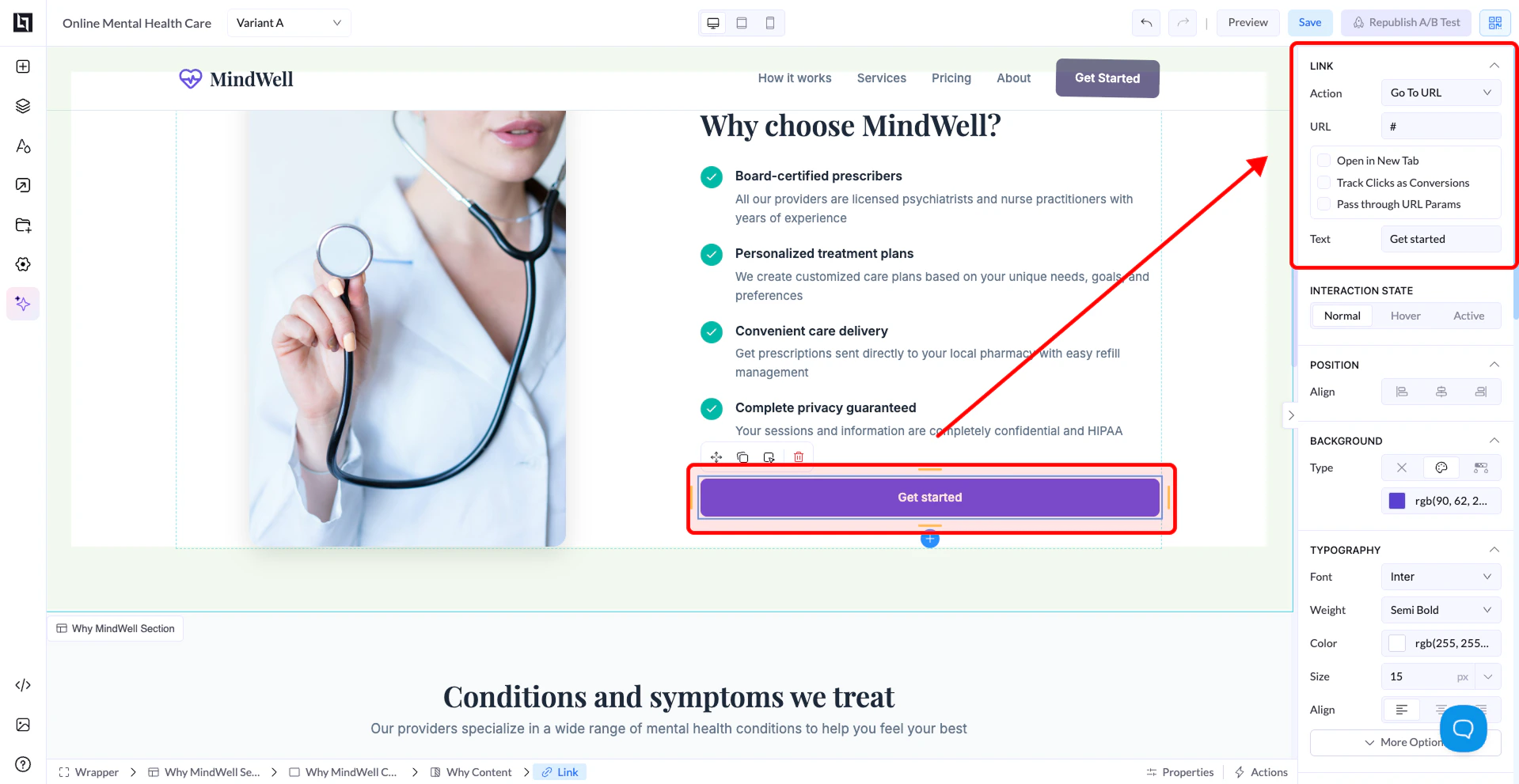
Action Types
Go To URL
- Redirects the user to another page
- External website
- Thank you page
Go To Element
- Scrolls the user to a specific section on the page
- One-page websites
- “Scroll to form” buttons
Email To
- Opens the user’s email client
Phone To
- Starts a phone call (mainly on mobile)
- Click to call support
PopUp / Modal
- Opens a popup window
- Forms
- Offers
- Extra information
Additional Options
Open in New Tab
- Opens the link in a new browser tab
Track Clicks as Conversions
- Tracks button clicks as conversions
- Useful for analytics and ads
Pass Through URL Params
- Passes URL parameters (like tracking data) to the next page
- UTM parameters
- Affiliate tracking
URL Field
- Enter the destination URL or action target
- Example:
https://yourwebsite.com#section-id(for internal scroll)
Text
- Controls the button text displayed to users
Best Practices
- Always double-check your URL
- Use “Go To Element” for smooth on-page navigation
- Enable tracking for important buttons
- Use clear button text (e.g., “Get Started”, “Submit”)