Folders help you keep your landing pages organized and easy to manage. By grouping related pages together, you can quickly locate projects and keep your workspace structured. In this guide, we’ll explain the benefits of using folders and show you how to create them.

Why Use Folders?

Folders are useful for organizing landing pages in different ways depending on your workflow. Common use cases include:
  • Project organization – Group all landing pages related to the same project.
  • Vertical or niche grouping – Organize pages by industry or campaign type.
  • Funnel management – Keep all landing pages belonging to the same funnel together.
Using folders makes it much easier to manage multiple campaigns and quickly find the pages you need.
Addfolder

How to Create a Folder

Follow the steps below to create a new folder.

1. Go to Landing Pages

From the left-side menu, click Landing Pages.

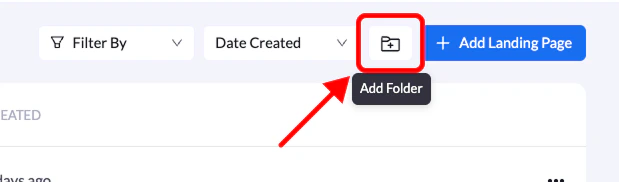
2. Click the new folder icon

In the top-right corner of the screen, click the New Folder icon.

3. Name your folder

Enter a name for your folder that helps you identify its contents.

4. Create the folder

Click Create Folder to finish. Your new folder will now appear in your landing pages section, where you can start organizing your pages.