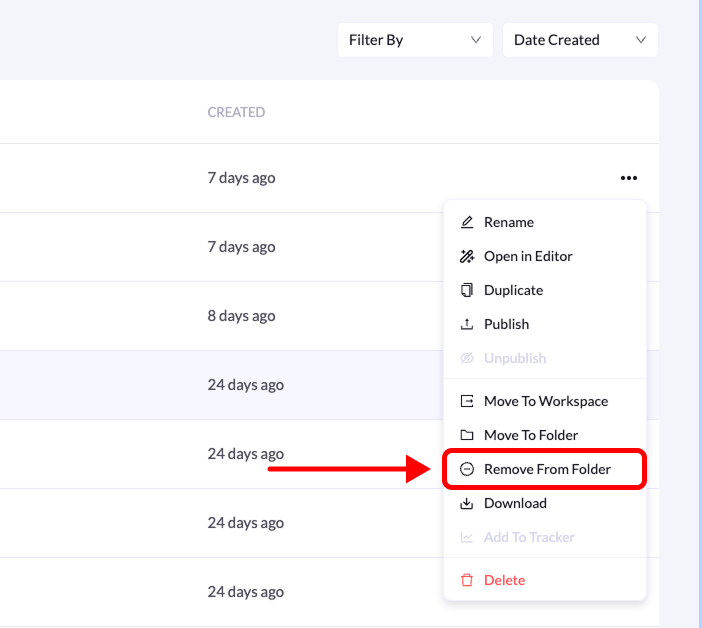
You can remove a landing page from a folder at any time. This is useful if you want to reorganize your pages or move them back to the main landing pages list. Follow the steps below to remove a landing page from a folder.
Remove

Step-by-Step Guide

1. Go to Landing Pages

From the left-side menu, click Landing Pages.

2. Open the folder

Locate the folder that contains the landing page and click on it.

3. Find the landing page

Inside the folder, locate the landing page you want to remove.

4. Open the page menu

Click the three-dot menu (•••) on the right side of the landing page.

5. Select “Remove from Folder”

From the available options, click Remove from Folder. Once removed, the landing page will be moved back to the main landing pages list.