You can move existing landing pages into folders to keep your projects organized. This helps when restructuring campaigns or grouping related pages together. Follow the steps below to move a landing page to a specific folder.
Movetop

Step-by-Step Guide

1. Go to Landing Pages

From the left-side menu, click Landing Pages.

2. Find the landing page

Locate the landing page you want to move.

3. Open the page menu

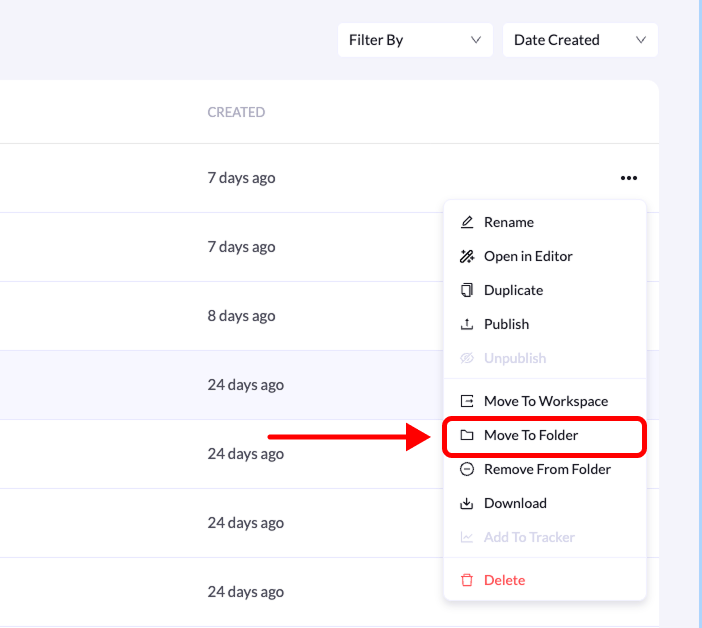
Click the three-dot menu (•••) on the right side of the landing page.

4. Select “Move to Folder”

From the list of available options, click Move to Folder.

5. Choose the folder

Select the folder where you want the landing page to be moved.

6. Confirm the action

Click Move Landing Page to complete the process. Your landing page will now appear inside the selected folder.