LanderLab integrates directly with popular click tracking platforms such as ClickFlare and Voluum. This allows you to quickly add your landing pages to your tracker and start using them in your campaigns.
Requirements
Before you begin, make sure you have the following:
- An active LanderLab account
- An active Voluum or ClickFlare account
- A configured ClickFlare or Voluum integration in LanderLab
- A published landing page
Step-by-Step Guide
Follow the steps below to add a landing page to your tracker.
1. Log in to LanderLab
Sign in to your LanderLab account.
2. Locate the landing page
Find the published landing page you want to add to your tracker.
Click the three-dot menu (•••) on the right side of the landing page name.
4. Select “Add to Tracker”
From the dropdown options, click Add to Tracker.
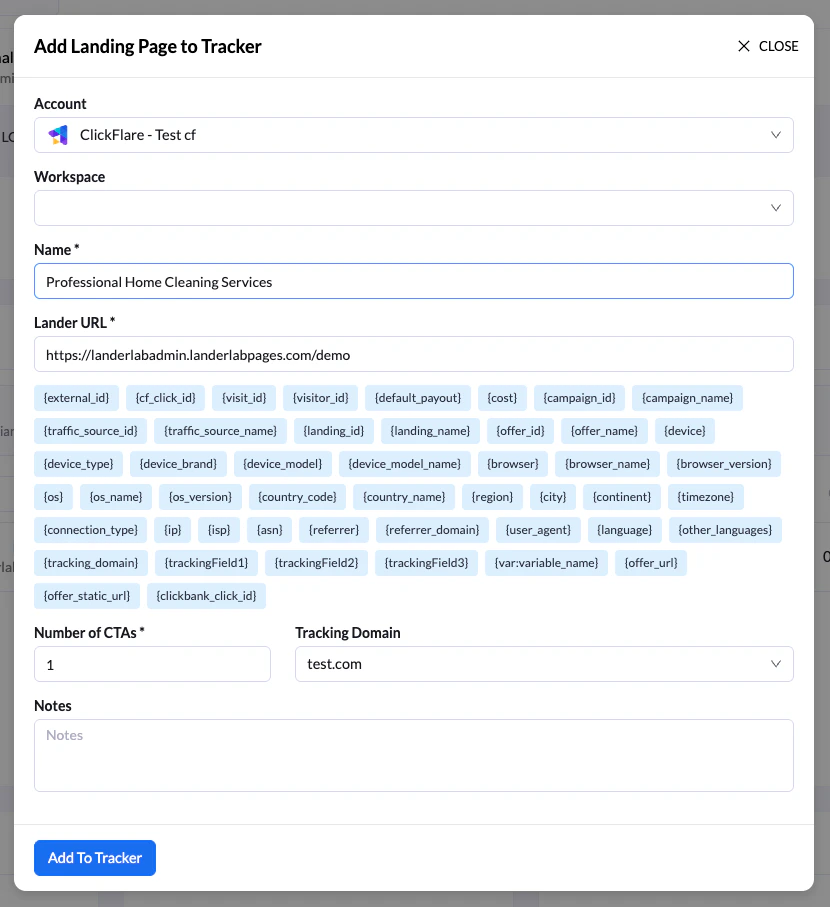
In the Add Landing Page to Tracker screen:
- Select the tracker account where the landing page will be added
- Enter a name for the landing page so you can easily identify it in your tracking platform
- (Optional) Add tracking tokens/macros to the landing page URL parameters
- Specify the number of CTAs (Call-to-Actions), also known as the number of offers for the landing page
- (Optional) Add any notes for reference
6. Add the landing page to the tracker
Click Add to Tracker to complete the process.
7. Choose whether to add the tracking script
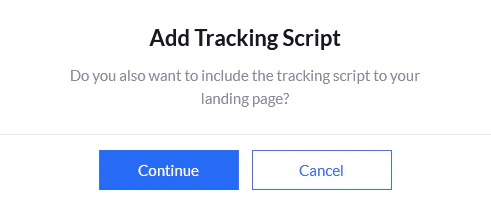
After adding the landing page, a prompt will appear asking if you want to include your tracker’s tracking script in the landing page.
You have two options:
- Cancel – Finalizes the process without adding the tracking script.
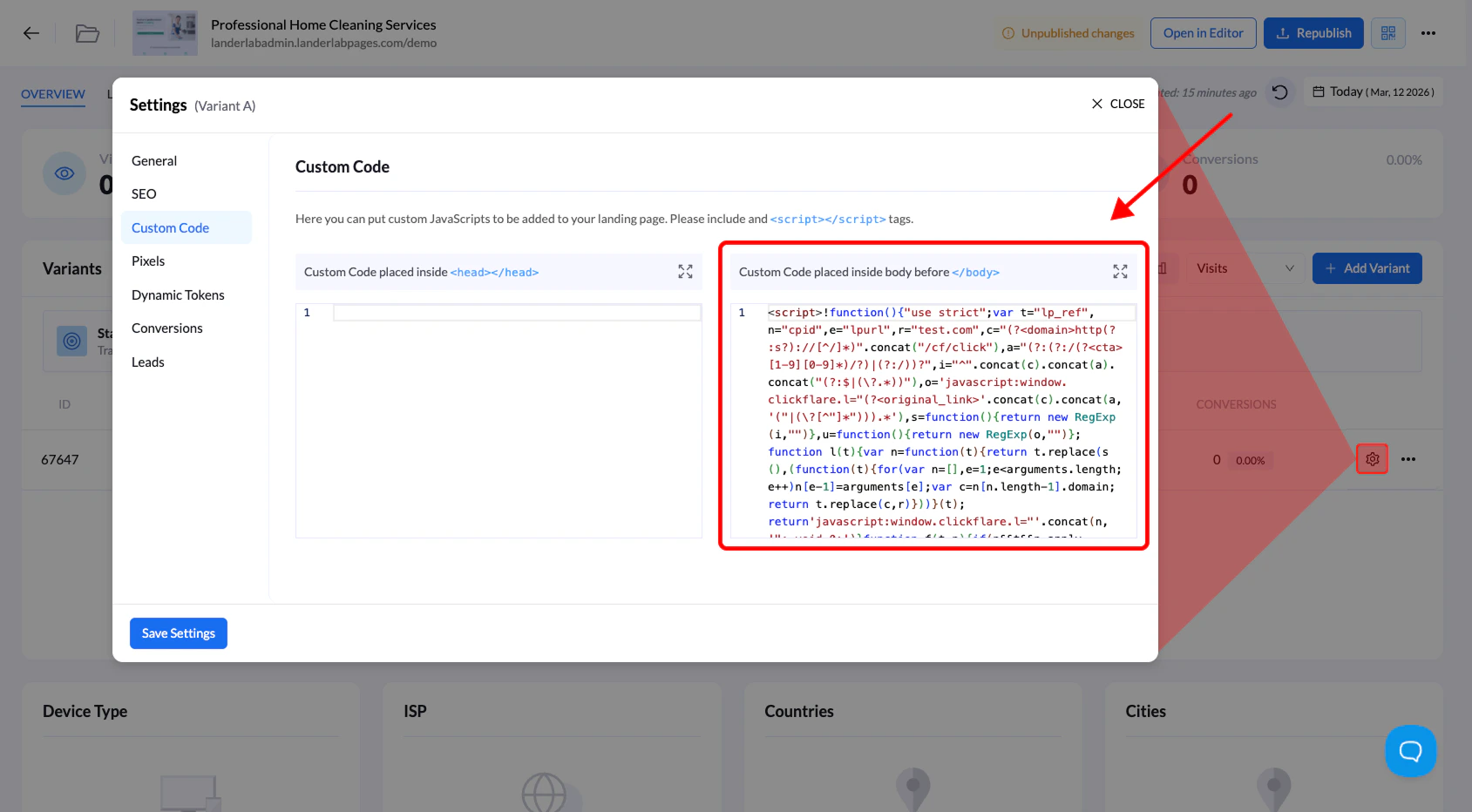
- Continue – Automatically adds the tracker’s tracking script to the Custom Code section of your landing page.
When Should You Add the Tracking Script?
Adding the tracking script is not always required.
We recommend adding it when the landing page is used in campaigns without redirects, so the tracker can properly record visits and events.
Tip: Using the tracker integration helps you quickly deploy landing pages into campaigns without manually copying URLs or configuring tracking parameters.