

- Create a backup of your landing page
- Export your design for external use
- Host the page on your own server
Step-by-Step Guide
Follow these steps to download your landing page:1. Go to the Landing Pages section
From your LanderLab dashboard, navigate to the Landing Pages section.2. Find the landing page
Locate the landing page you want to download in your list of pages.3. Open the page menu
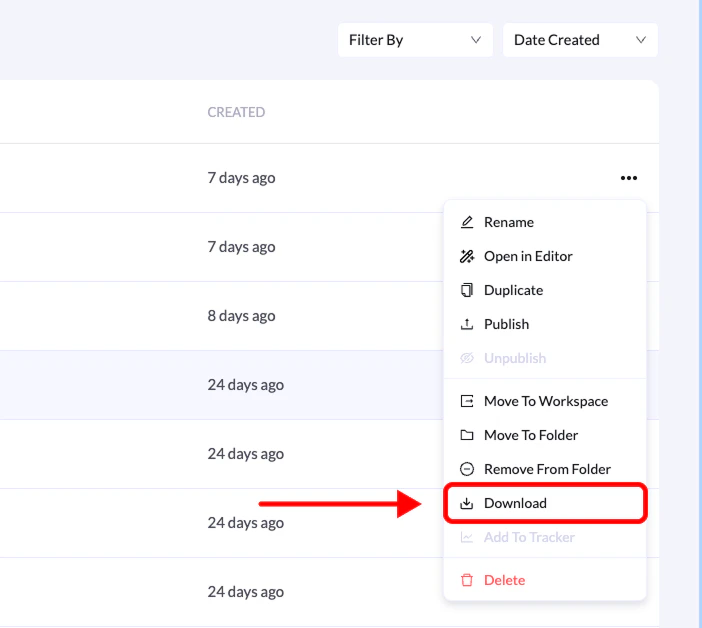
Click the three-dot menu on the right side of the landing page.4. Select Download
From the dropdown menu, click Download.5. Wait for the export
LanderLab will prepare your landing page for export. Once the process is complete, the .zip file will download automatically. The file will appear in your computer’s default downloads folder, usually named after your landing page.What’s Included in the Download?
Your exported .zip file contains everything needed to host the landing page on any server:- HTML file — the main structure of your landing page
- CSS files — styling and layout rules
- JavaScript files — page functionality and interactions
- Images and media assets — all images, icons, and videos used on the page