Unpublishing a landing page makes it inaccessible to visitors. The live URL will no longer display your page, allowing you to take it offline without deleting it.
Unpublish

Step-by-Step Guide

1. Open the landing page overview

From the Landing Pages list, click the title of the landing page you want to unpublish.

2. Open the options menu

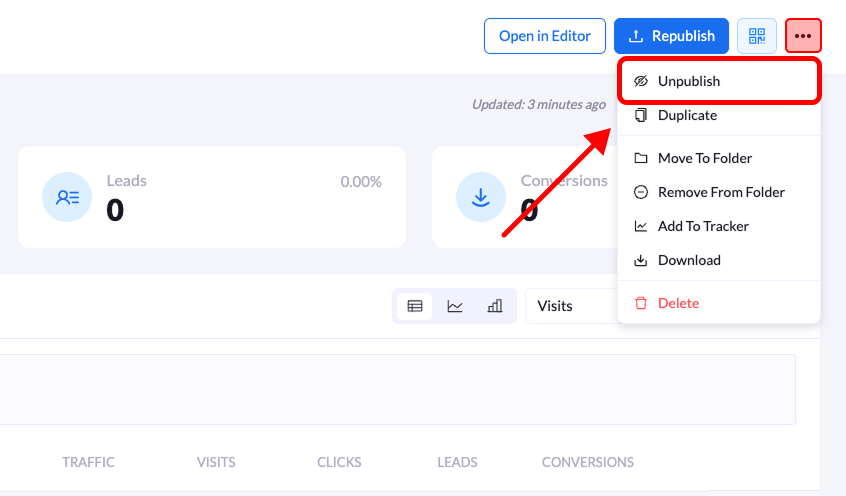
On the top-right corner of the overview screen, click the three-dot menu (•••) next to the Republish button.

3. Select “Unpublish”

From the dropdown menu, click Unpublish.

4. Confirm the action

A confirmation modal titled Unpublish Landing Page will appear. Click Unpublish to confirm and take the page offline. The landing page will immediately become unavailable to visitors.