

| Setting | Description |
|---|---|
| Description | A short summary of your landing page content. This often appears in search engine results and when the page is shared on social platforms. |
| Keywords | A list of relevant words or phrases that describe the main topics of your page. These help search engines understand the page’s content. |
Add a Description to a Landing Page
Follow these steps to add a description to your landing page metadata.1. Go to Landing Pages
From your dashboard, navigate to the Landing Pages section.2. Open the landing page
Locate the landing page you want to edit and click its name.3. Open the Settings panel
Click the Settings gear to access the landing page settings.4. Open SEO settings
Click the SEO tab in the settings menu.5. Add your description
Enter your page description in the Description text box.6. Save your changes
Click Save Changes to apply the update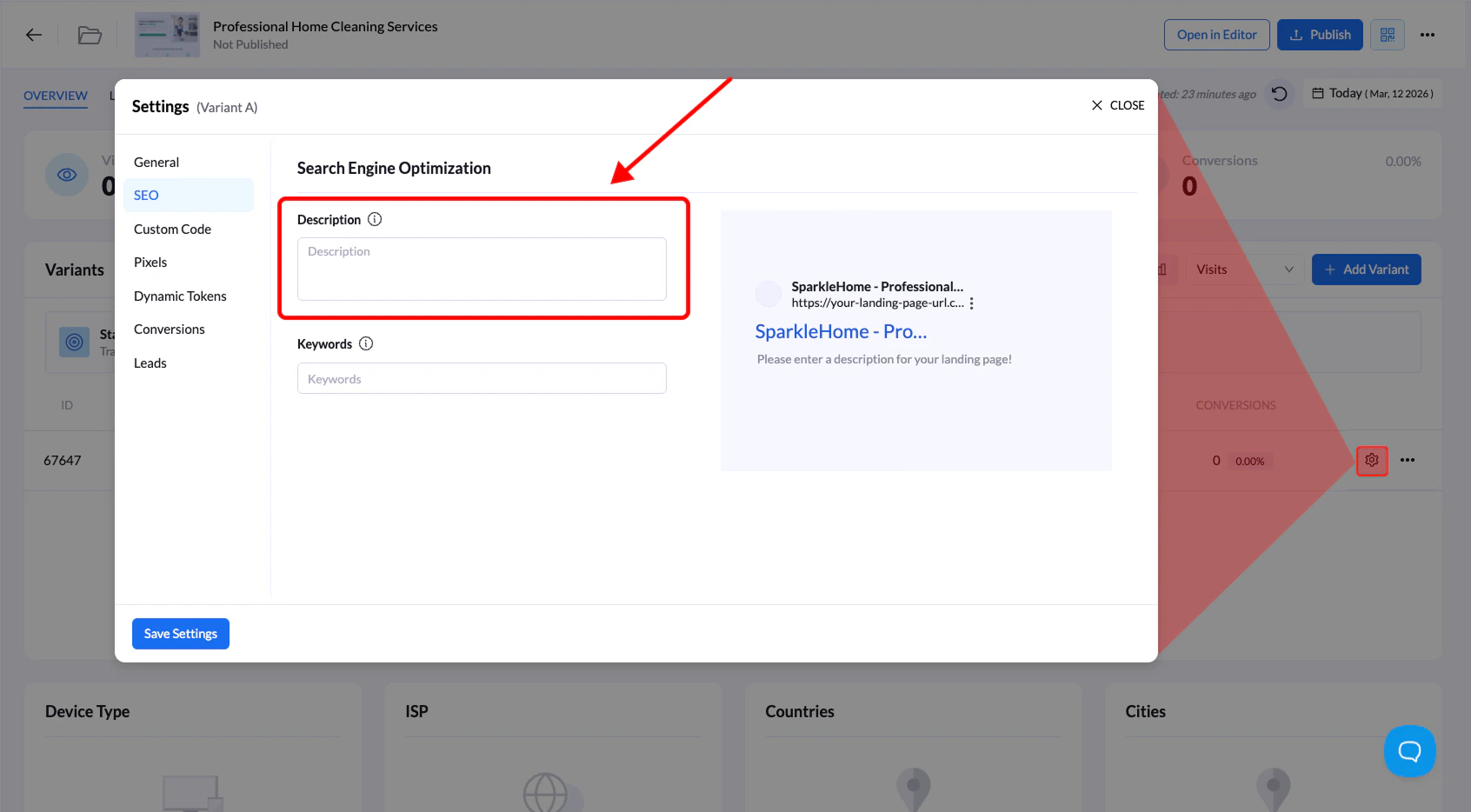
Add Keywords to a Landing Page
Follow the steps below to add keywords to your landing page metadata.1. Go to Landing Pages
Navigate to the Landing Pages section.2. Open the landing page
Click the name of the landing page you want to edit.3. Open Settings
Click the Settings gear.4. Open the SEO tab
Select the SEO settings section.5. Add keywords
Enter your keywords in the Keywords field, separating each keyword with a comma. Example:6. Save changes
Click Save Changes to apply the update.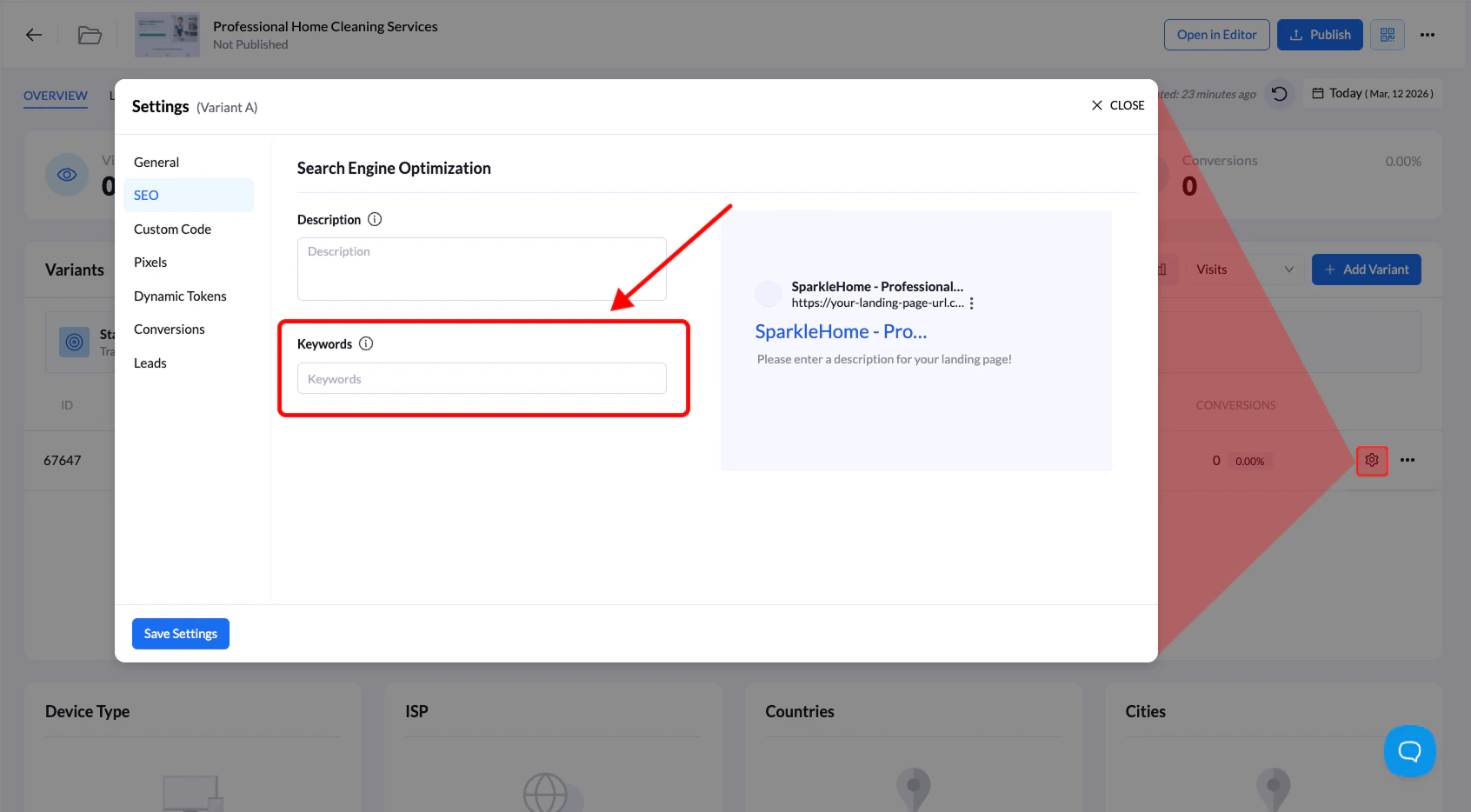
Tip: Use clear and relevant keywords and descriptions that match your landing page content to improve how your page appears in search results.