

How to Access Reporting
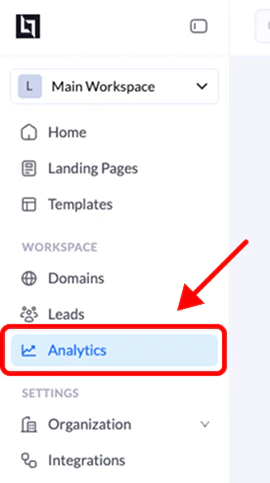
1. Open the Reporting section
From your LanderLab dashboard, locate the Reporting option in the main sidebar navigation and click it.2. View landing page performance
The Reporting page will display a table listing all your published landing pages. Each row contains performance data for a specific landing page.3. Compare campaign results
You can compare the performance of multiple landing pages side by side. Use the available sorting or filtering options in the table header to analyze your campaigns more easily. For example, you can sort by Conversion Rate to quickly find your best-performing pages.Key Metrics Available
The reporting table displays essential performance metrics for each landing page.| Metric | Description |
|---|---|
| Visits / Clicks | Total number of visitors or clicks received by the landing page |
| Leads / Conversions | Total number of leads or conversions generated |
| Conversion Rate (CR) | Percentage of visitors who completed a conversion action |
Why Use Reporting
The reporting dashboard helps you:- Quickly identify top-performing landing pages
- Compare multiple campaigns
- Track conversion performance across workspaces
- Identify pages that may require optimization