

How It Works
When enabled, the form will:- Pause after submission
- Wait for a response from your integration (API)
- Only continue once the response is received
How to Enable Wait for API Response
1. Open Your Form
- Go to your landing page
- Open the form or quiz you want to configure
2. Go to Settings
- Click the Settings tab inside the builder
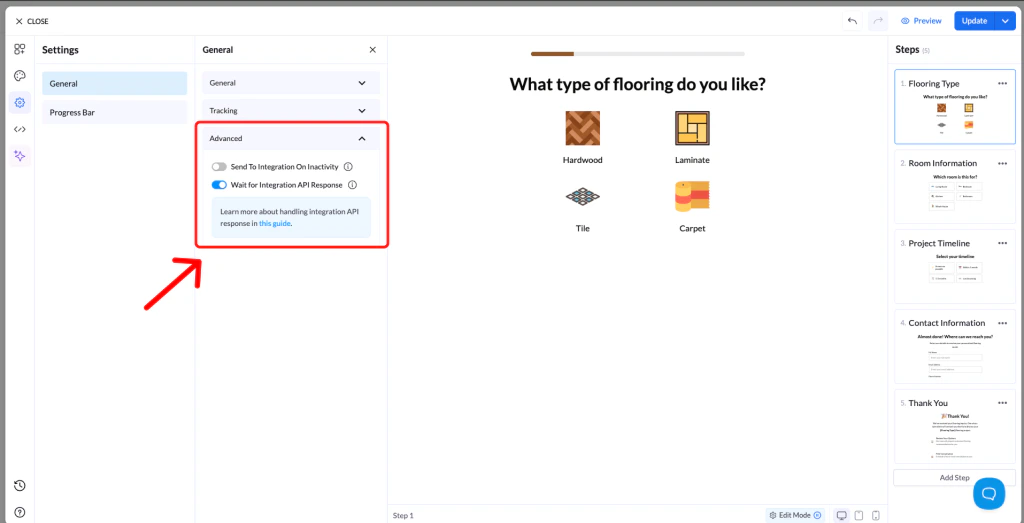
3. Open Advanced Settings
- In the left menu, click Advanced
4. Enable the Feature
- Find Wait for Integration API Response
- Toggle it ON
5. Save Changes
- Click Save
- Publish or Republish your page
Why Use This Feature
- Ensures data is successfully received by your integration
- Prevents users from continuing before submission is complete
- Improves reliability for CRM and webhook integrations