

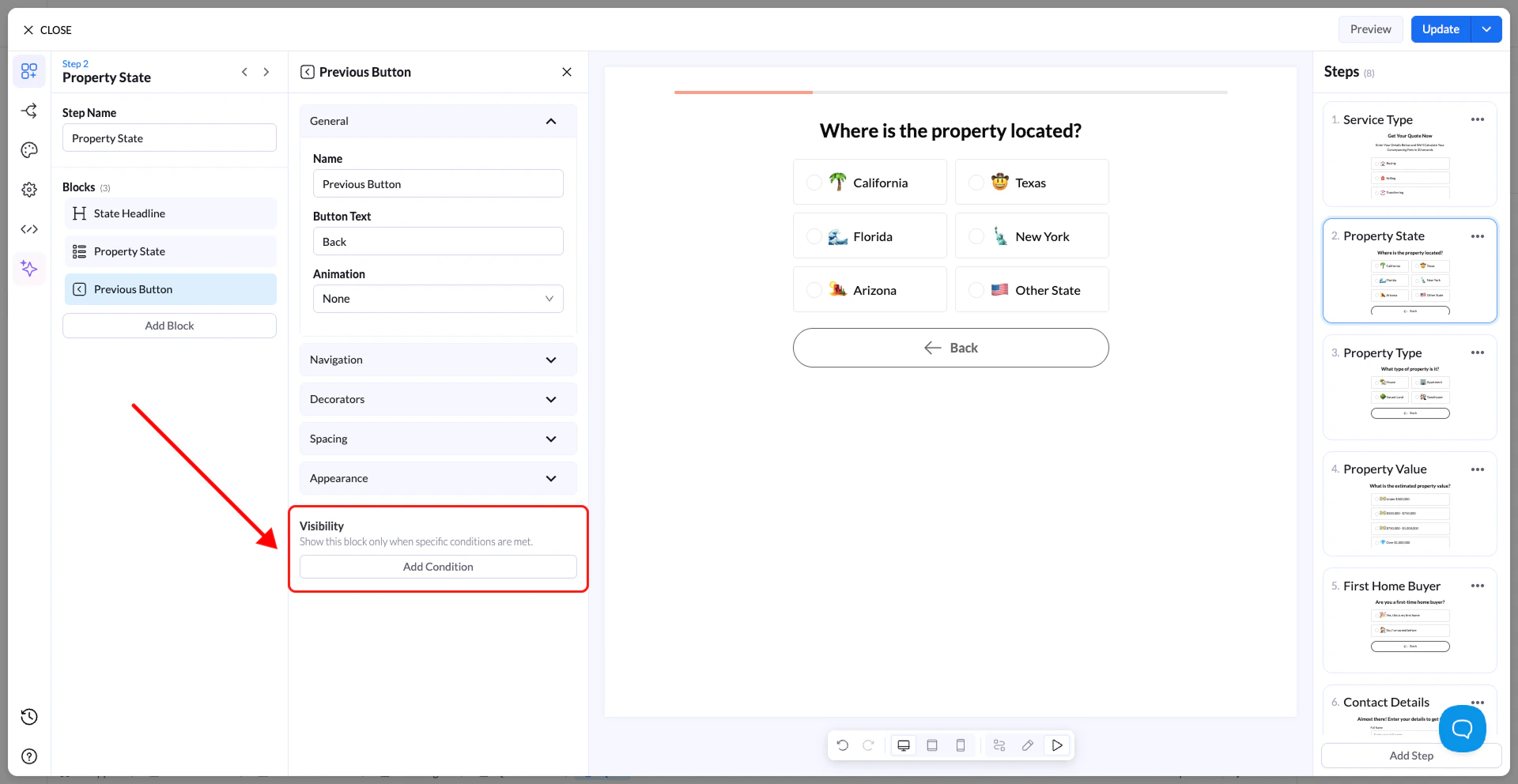
What It Does
When Visibility Conditions are enabled:- A block will only appear if the condition is met
- If the condition is not met, the block stays hidden
- You can base conditions on previous answers in the quiz
- Text
- Multiple Choice
- Inputs
- Buttons
How to Add a Visibility Condition
- Select the block you want to control
- Open the Visibility section in the settings panel
- Click Add Condition
- Choose:
- The field/block you want to check
- The operator (rule type)
- The value
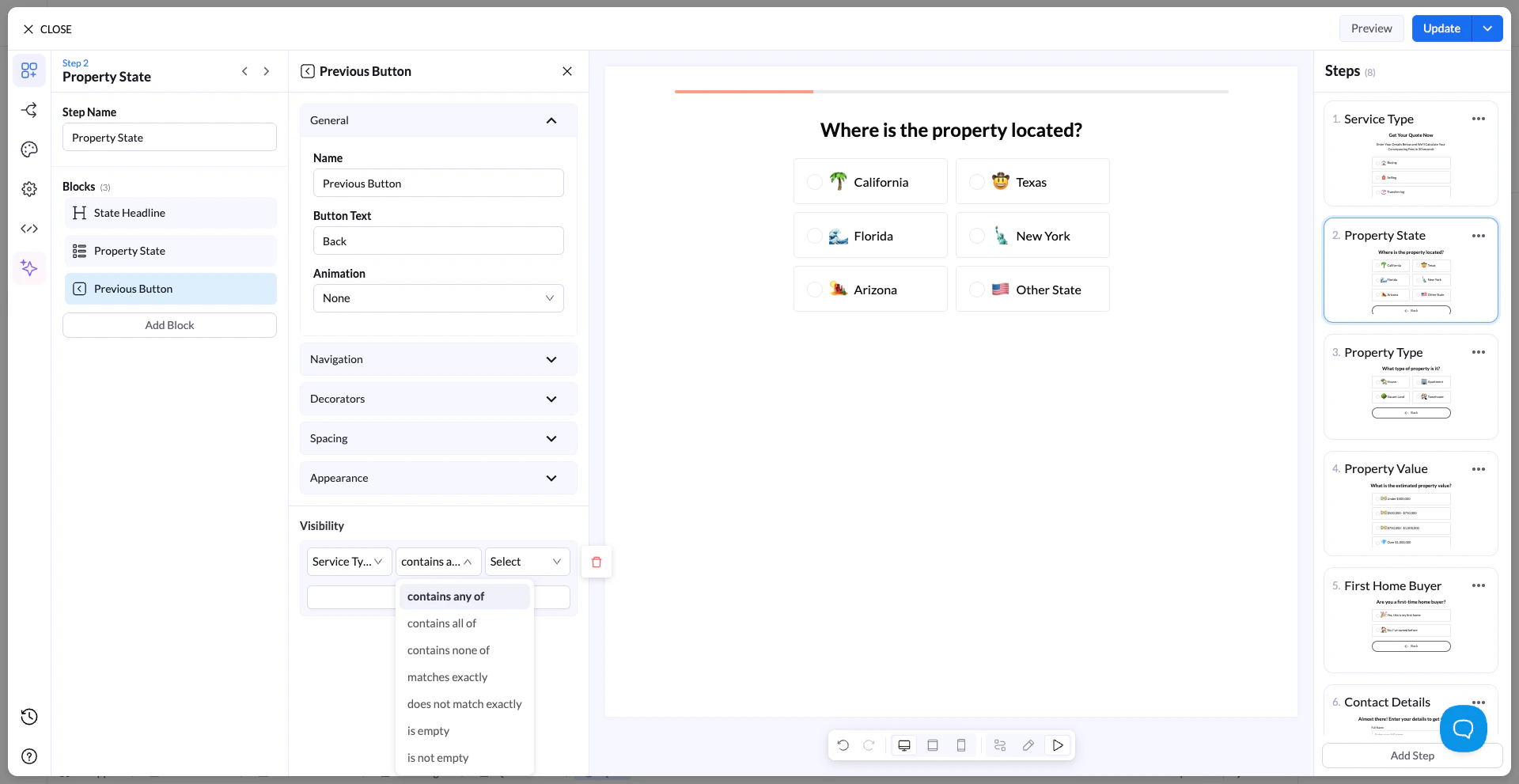
Available Operators
You can define conditions using:- contains any of
- contains all of
- contains none of
- matches exactly
- does not match exactly
- is empty
- is not empty
How It Works (Example)
Scenario
You ask: “What service are you looking for?” Options:- Buying
- Selling
Goal
Only show a follow-up question if the user selects BuyingSetup
Visibility condition:- Field → Service Type
- Operator → matches exactly
- Value → Buying
Result
- If user selects Buying → the next block appears
- If user selects Selling → the block stays hidden
Real Use Case Example
You’re building a real estate flow: Step 1:“Do you own a property?”
- Yes
- No
“What is your property value?” 👉 Apply visibility condition:
- Field → Own Property
- Operator → matches exactly
- Value → Yes
Outcome
- Users who select Yes → see the property value question
- Users who select No → skip it completely
Important Notes
- Conditions only work with previous steps
- If multiple conditions are added, they must all be met
- Hidden blocks are not shown and not required
- Helps reduce friction and improve completion rates
Best Practices
- Use conditions to remove irrelevant questions
- Keep logic simple and easy to follow
- Always test different user paths
- Combine with conditional navigation for advanced flows