

It’s commonly used for offers, deadlines, or limited-time actions. You can add it from the left sidebar and fully customize its behavior and design.
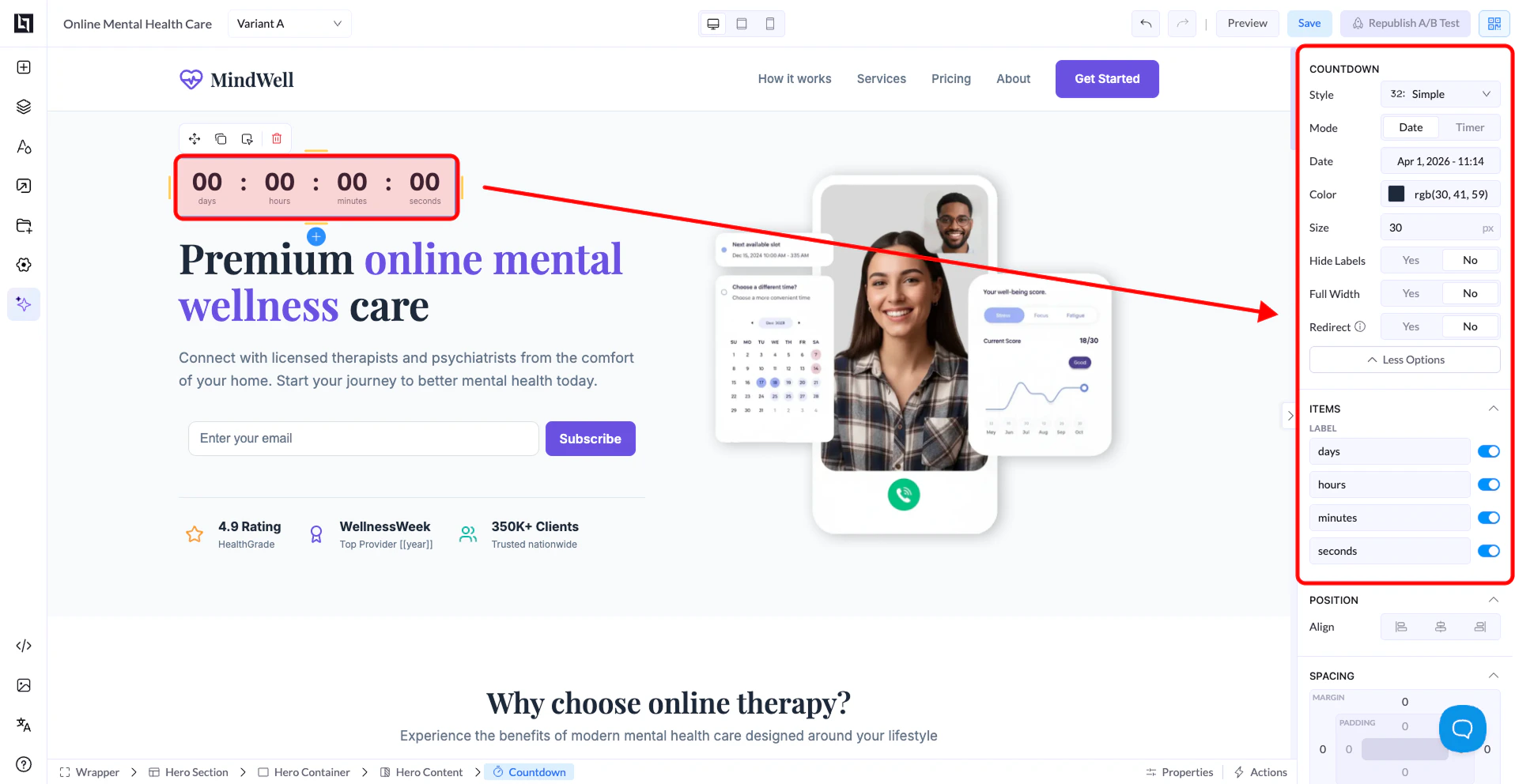
Countdown Settings
Style
- Choose the visual appearance of the countdown
- Different styles change how numbers and labels are displayed
Mode
There are two modes:- Date → Counts down to a specific date and time
- Timer → Starts a countdown (e.g. 10 minutes) when the page loads
Date
- Available when using Date mode
- Select the exact date and time using the picker
Color
- Controls the color of the numbers and labels
Size
- Adjusts the size of the countdown text
Hide Labels
- Yes → Hides labels like days, hours, minutes
- No → Shows them
Full Width
- Yes → Expands the countdown across the container
- No → Keeps it compact
Redirect
- Yes → Redirects users when the countdown ends
- No → No action after it finishes
Items (Time Units)
You can control which time units are shown:- Days
- Hours
- Minutes
- Seconds
Position & Spacing
Like other elements, you can adjust:- Alignment
- Spacing (margin & padding)
How It Works
- In Date mode, the countdown is fixed to a specific deadline
- In Timer mode, it starts fresh for each visitor