

- Launch a winning variant as its own page
- Use it on a different path or campaign
- Separate it from A/B testing
How It Works
You will duplicate a variant into a new landing page using A/B testing, then convert it into a standalone page.Step-by-Step Guide
1. Create a New Landing Page
- Create a new landing page from scratch
2. Enable A/B Testing
- Open the new landing page
- Activate A/B Testing
3. Add a New Variant
- Click Add Variant
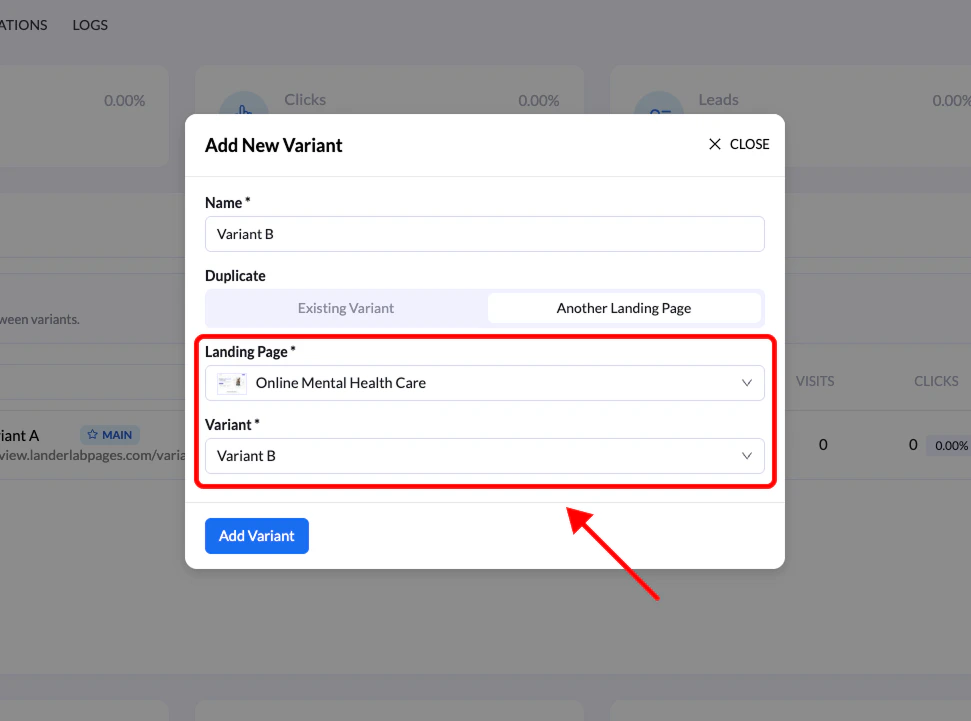
- Select Another Landing Page
4. Select Source Page & Variant
- Choose the landing page that contains the variant you want
- Then select the specific variant to replicate
5. Set as Main Variant
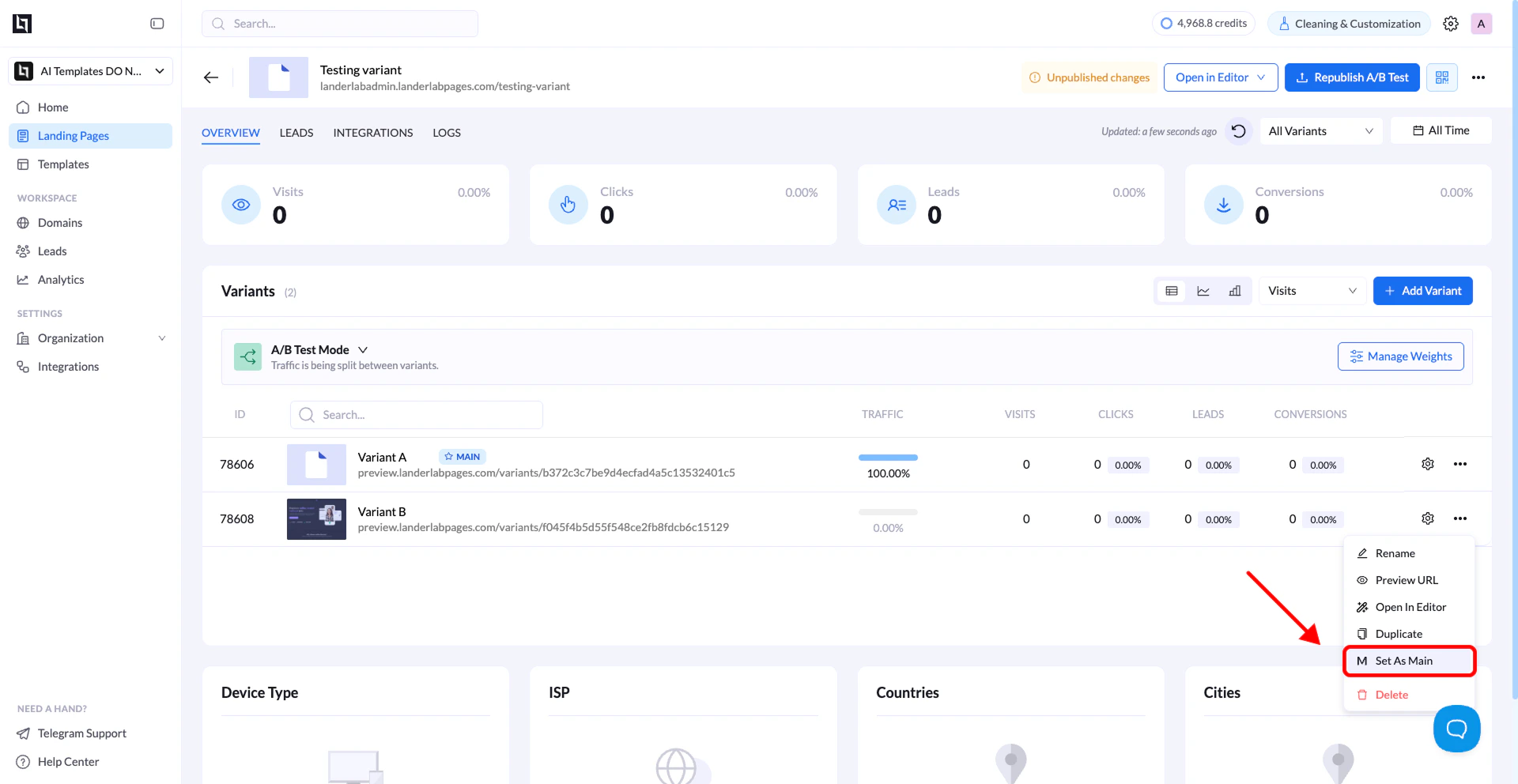
- Open the duplicated variant
- Set it as the Main Variant
6. Clean Up
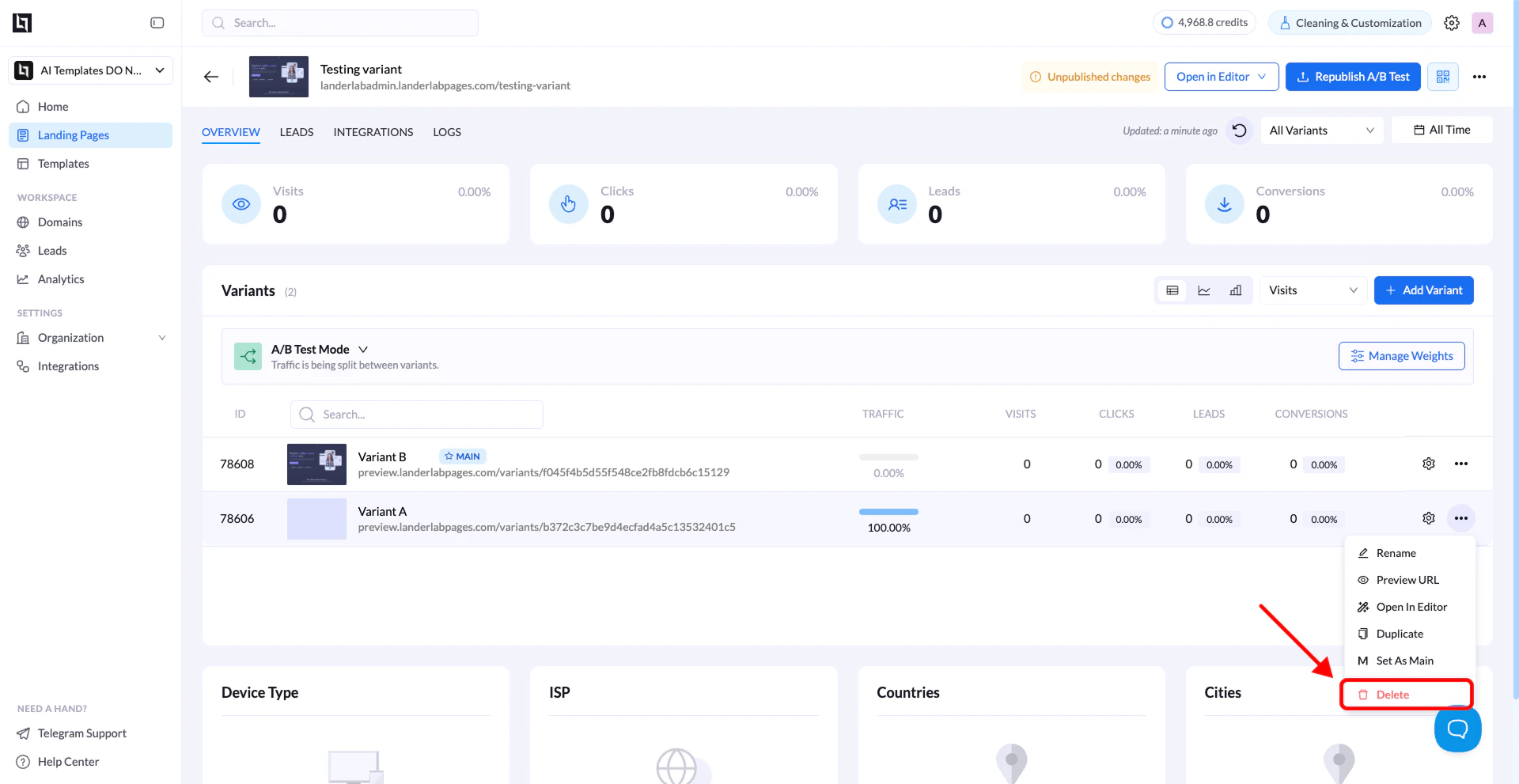
- Delete the default (blank) variant
- Disable A/B Testing
Final Result
You now have a fully separate landing page based on the original variant.Important Notes
- The duplicated variant keeps:
- Design
- Content
- Structure
- It becomes fully independent from the original page