> ## Documentation Index
> Fetch the complete documentation index at: https://docs.landerlab.io/llms.txt
> Use this file to discover all available pages before exploring further.
# 把落地页添加到跟踪器
> 把落地页添加到 Voluum、ClickFlare 等跟踪器,跟踪投放表现、管理活动,并简化工作流程。
LanderLab 可以直接与 **ClickFlare**、**Voluum** 等常见**点击跟踪平台**集成,让你快速把落地页添加到跟踪器中,立即在活动中使用。
## 前提条件
开始之前,请确认你具备:
* 一个**可用的 LanderLab 账户**
* 一个**可用的 Voluum 或 ClickFlare 账户**
* 在 LanderLab 中配置好的 **ClickFlare 或 Voluum 集成**
* 一个**已发布的落地页**
## 分步说明
按以下步骤把落地页添加到跟踪器。
### 1. 登录 LanderLab
登录你的 **LanderLab 账户**。
### 2. 找到落地页
找到要添加到跟踪器的**已发布落地页**。
### 3. 打开页面菜单
点击落地页名称右侧的**三点菜单(•••)**。
### 4. 选择 Add to Tracker
在下拉选项中点击 **Add to Tracker**。
### 5. 配置跟踪器设置
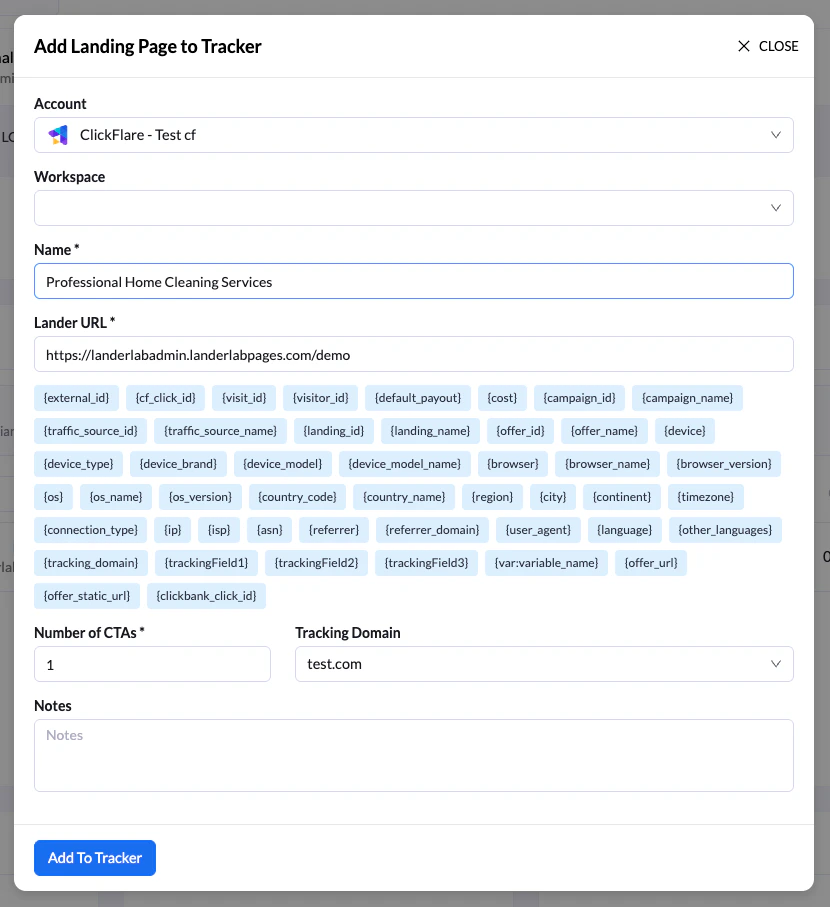
在 **Add Landing Page to Tracker** 界面中:
* 选择落地页要添加到的**跟踪器账户**
* 输入**落地页名称**,方便在跟踪平台中识别
* *(可选)* 在落地页 URL 参数中添加**跟踪 token / macro**
* 指定 **CTA(行动号召)数量**,也就是该落地页对应的报价数量
* *(可选)* 添加**备注**供日后参考
 ### 6. 把落地页添加到跟踪器
点击 **Add to Tracker** 完成。
### 7. 选择是否添加跟踪脚本
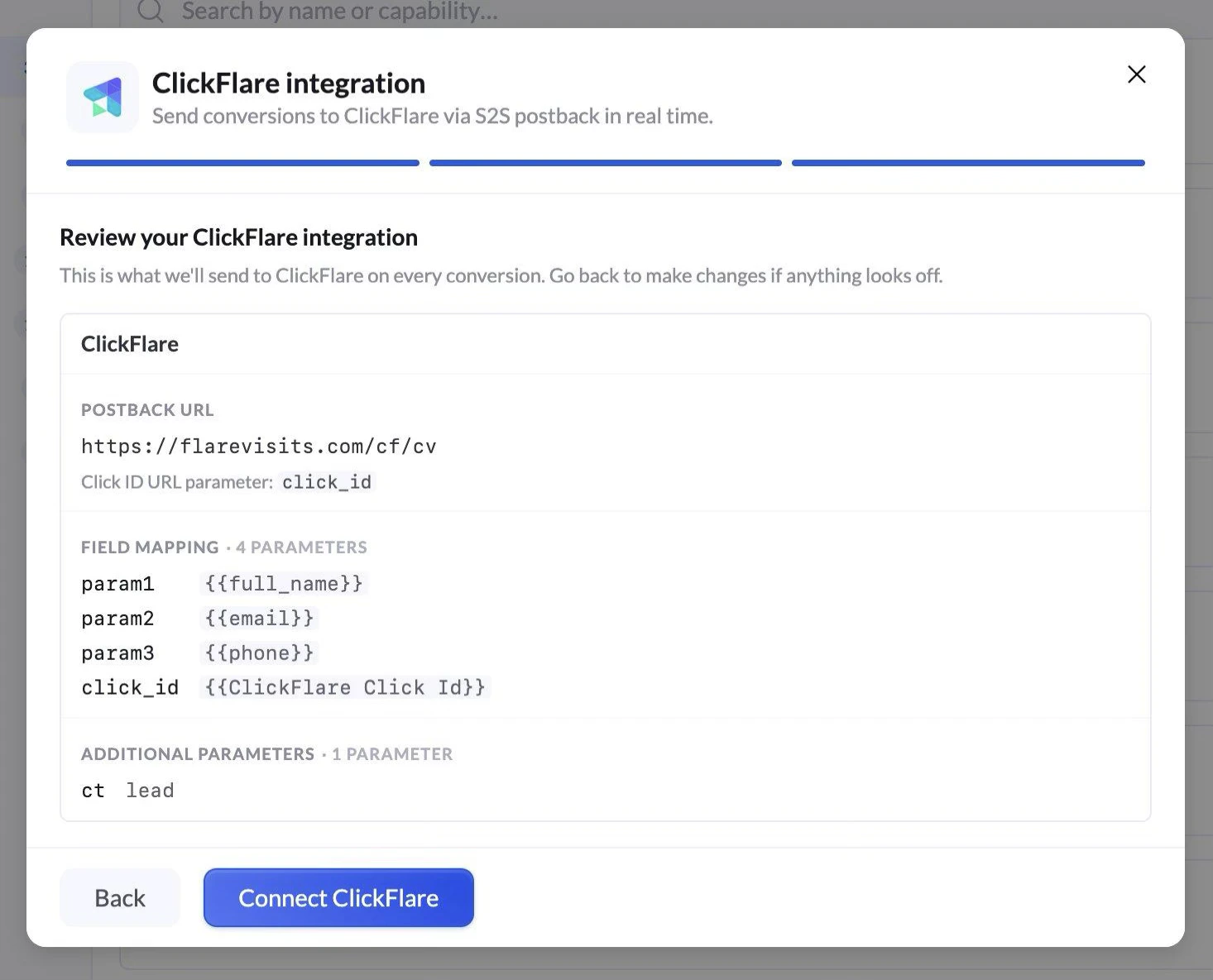
添加落地页后,系统会询问是否要把**跟踪器的跟踪脚本**加到落地页中。
两个选项:
* **Cancel**:结束流程,不添加跟踪脚本。
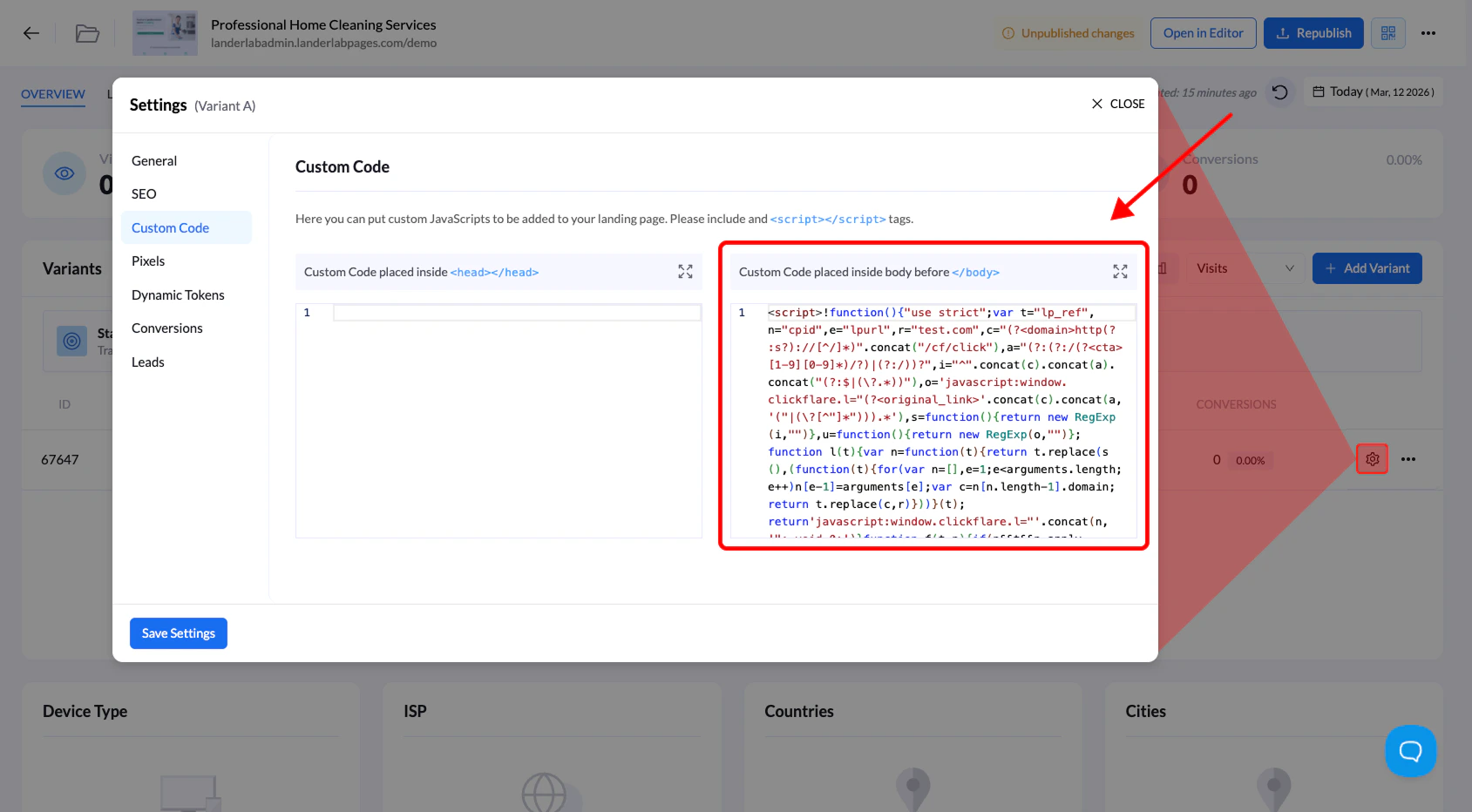
* **Continue**:自动把跟踪器的**跟踪脚本**加到落地页的 **Custom Code** 区域。
### 6. 把落地页添加到跟踪器
点击 **Add to Tracker** 完成。
### 7. 选择是否添加跟踪脚本
添加落地页后,系统会询问是否要把**跟踪器的跟踪脚本**加到落地页中。
两个选项:
* **Cancel**:结束流程,不添加跟踪脚本。
* **Continue**:自动把跟踪器的**跟踪脚本**加到落地页的 **Custom Code** 区域。
 ## 什么时候应该添加跟踪脚本
跟踪脚本**并非总是必需**。
当落地页用在**不带跳转**的活动中时,建议添加它,这样跟踪器才能正确记录访问和事件。
使用跟踪器集成可以让你**快速把落地页部署到活动中,不用手动复制 URL 或配置跟踪参数**。
This documentation is built and hosted on [Mintlify](https://mintlify.com), a developer documentation platform.
## 什么时候应该添加跟踪脚本
跟踪脚本**并非总是必需**。
当落地页用在**不带跳转**的活动中时,建议添加它,这样跟踪器才能正确记录访问和事件。
使用跟踪器集成可以让你**快速把落地页部署到活动中,不用手动复制 URL 或配置跟踪参数**。
This documentation is built and hosted on [Mintlify](https://mintlify.com), a developer documentation platform.