> ## Documentation Index
> Fetch the complete documentation index at: https://docs.landerlab.io/llms.txt
> Use this file to discover all available pages before exploring further.
# 在 LanderLab 中从 URL 导入落地页
> 在 LanderLab 中从 URL 导入落地页并自行修改,快速做出并上线你自己的页面。
在网上看到一个不错的落地页?LanderLab 可以直接从 URL 导入它,当作你自己设计的起点。这是一种快速获取灵感、不必从零搭建的做法。
 注意:该功能对结构干净的 HTML 落地页效果最好。基于 WordPress 或其他 CMS 搭建的页面可能无法正确导入,或在编辑器中显示异常。
从 URL 导入落地页的步骤:
1. 登录 LanderLab,进入 **Landing Pages**。
2. 点击右上角的 **Add Landing Page**。
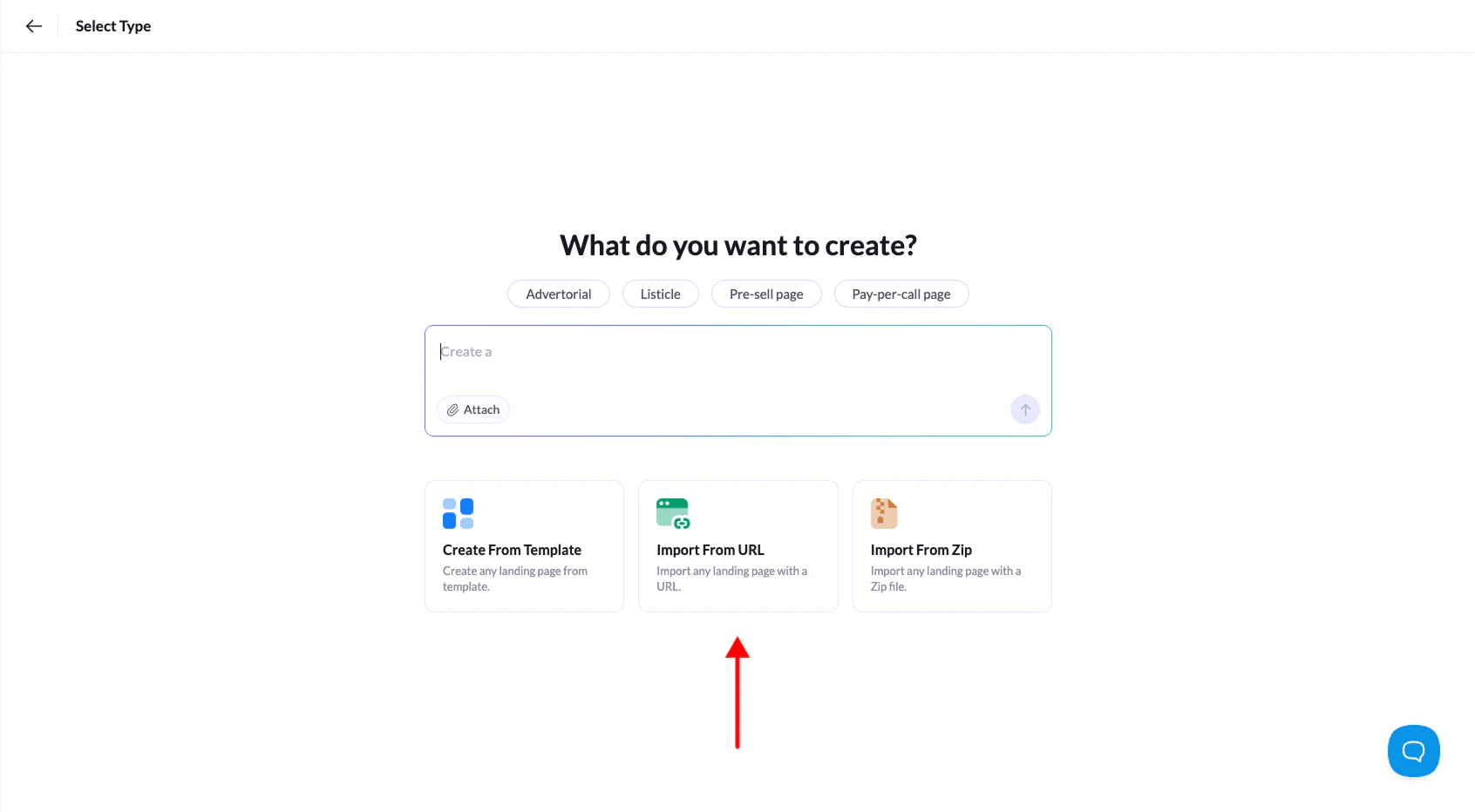
3. 在选项中选择 **Import from URL**。
4. 粘贴要导入的落地页的公开 URL,然后点击 **Continue**。
5. 给落地页命名,点击 **Create Landing Page**。
完成。LanderLab 会用几秒钟导入页面,然后自动在编辑器中打开,你可以随意修改。
This documentation is built and hosted on [Mintlify](https://mintlify.com), a developer documentation platform.
注意:该功能对结构干净的 HTML 落地页效果最好。基于 WordPress 或其他 CMS 搭建的页面可能无法正确导入,或在编辑器中显示异常。
从 URL 导入落地页的步骤:
1. 登录 LanderLab,进入 **Landing Pages**。
2. 点击右上角的 **Add Landing Page**。
3. 在选项中选择 **Import from URL**。
4. 粘贴要导入的落地页的公开 URL,然后点击 **Continue**。
5. 给落地页命名,点击 **Create Landing Page**。
完成。LanderLab 会用几秒钟导入页面,然后自动在编辑器中打开,你可以随意修改。
This documentation is built and hosted on [Mintlify](https://mintlify.com), a developer documentation platform.