> ## Documentation Index
> Fetch the complete documentation index at: https://docs.landerlab.io/llms.txt
> Use this file to discover all available pages before exploring further.
# 批量替换落地页文本
> 用 Replace Texts 批量替换落地页文本:输入要查找的文字和新文字,一次更新整页所有完全匹配的 CTA、产品名称和重复文案。
Replace Text(替换文本)功能让你**快速更新整个页面上的文本**,无需逐个编辑元素。
当你需要修改重复出现的词语、短语或标签时,这个功能尤其有用。
## 在哪里找到
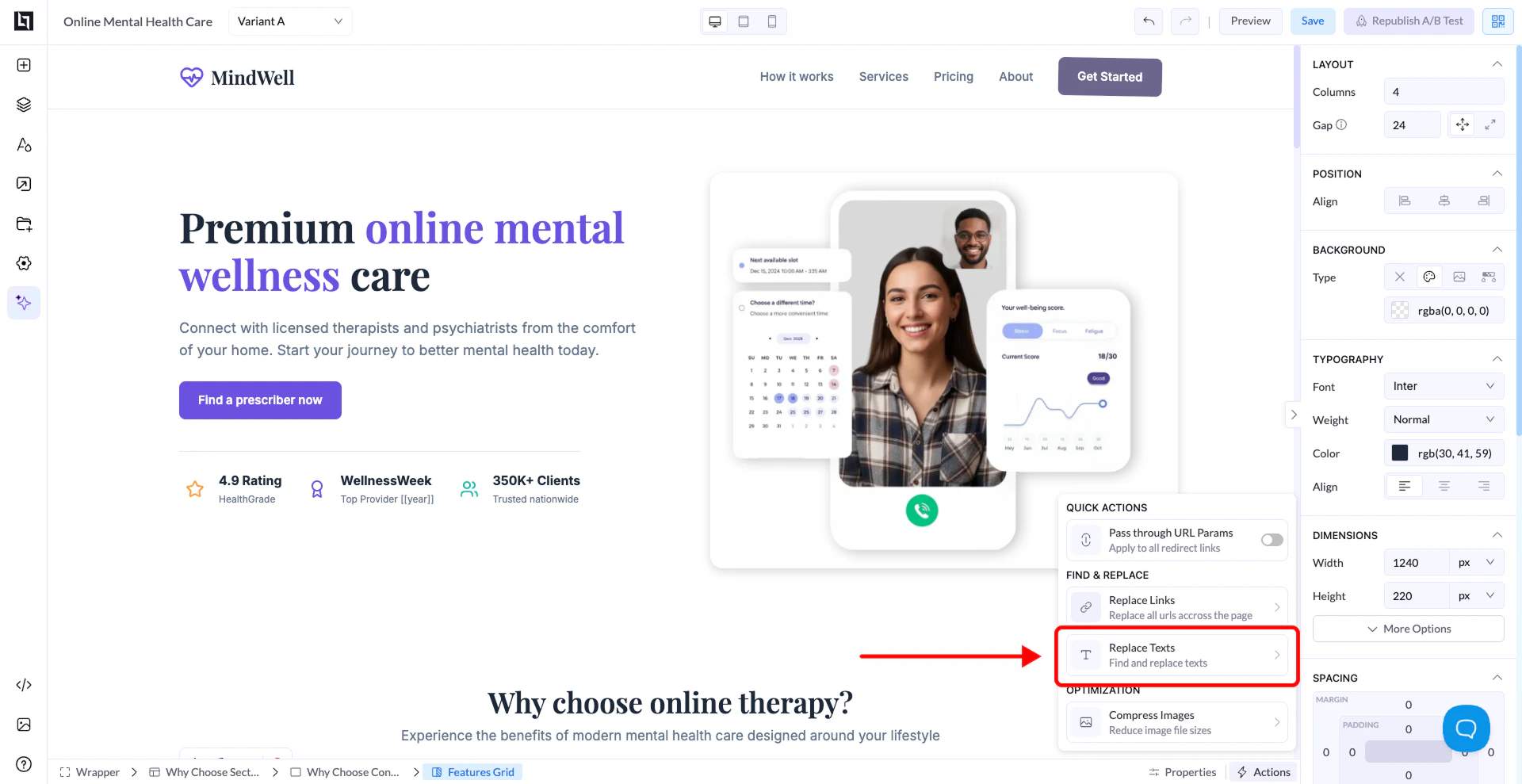
1. 在编辑器中打开你的页面
2. 点击 **Actions / Quick Actions panel**
3. 选择 **Replace Texts**
 ## 工作原理
会弹出一个包含两个字段的窗口:
* **Find Text** → 你想替换的文本
* **Replace With** → 你想使用的新文本
点击 **Replace Texts**,即可将更改应用到整个页面。
## 适用场景
* 更新多个区块中的 CTA 文本
* 修改产品或服务名称
* 修正重复出现的措辞错误
* 快速调整文案
## 注意事项
* 它会替换页面上**所有匹配的文本**
* 确保你的 “Find Text” 输入完全准确
* 它不会部分匹配单词(只替换完全匹配的内容)
This documentation is built and hosted on [Mintlify](https://mintlify.com), a developer documentation platform.
## 工作原理
会弹出一个包含两个字段的窗口:
* **Find Text** → 你想替换的文本
* **Replace With** → 你想使用的新文本
点击 **Replace Texts**,即可将更改应用到整个页面。
## 适用场景
* 更新多个区块中的 CTA 文本
* 修改产品或服务名称
* 修正重复出现的措辞错误
* 快速调整文案
## 注意事项
* 它会替换页面上**所有匹配的文本**
* 确保你的 “Find Text” 输入完全准确
* 它不会部分匹配单词(只替换完全匹配的内容)
This documentation is built and hosted on [Mintlify](https://mintlify.com), a developer documentation platform.