> ## Documentation Index
> Fetch the complete documentation index at: https://docs.landerlab.io/llms.txt
> Use this file to discover all available pages before exploring further.
# 如何在 LanderLab 中为域名添加全局脚本
> 了解如何使用 LanderLab 的域名级自定义代码设置,在某个域名下的所有落地页中注入全局跟踪像素、分析脚本或自定义样式。
域名级自定义代码会被注入到该域名下发布的每个页面中。任何需要在所有页面上运行的内容都可以放在这里:标签管理器、分析脚本、跟踪像素或全局 CSS。
## 在哪里找到
打开 **Settings > Domains**,点击域名旁边的**三点菜单(...)**,选择 **Settings**,然后打开 **Custom Code** 标签页。
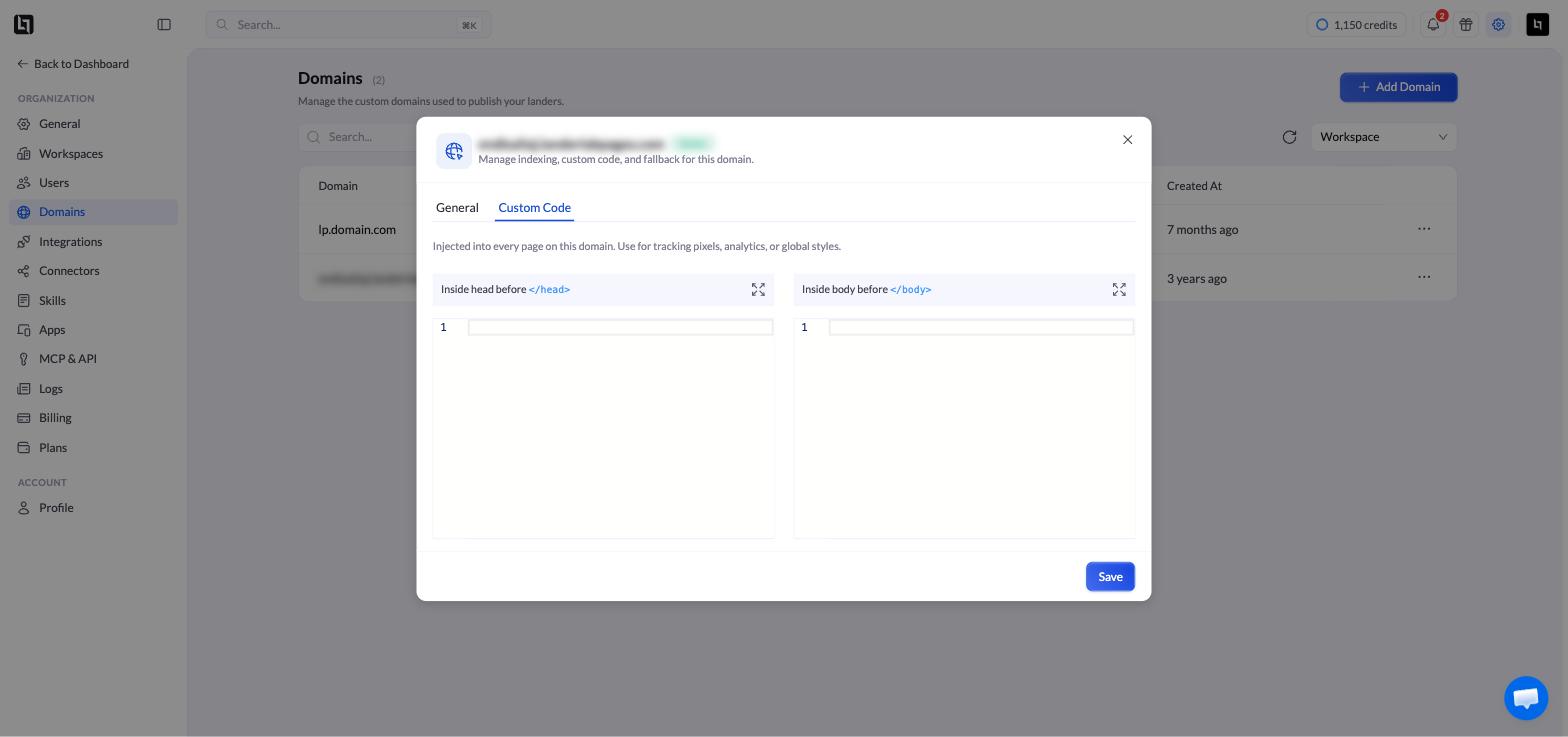 只有当域名处于 **Active** 状态时,**Settings** 才可用。
## 两个面板
| 面板 | 用途 |
| :- | :- |
| **Inside head before ``** | 需要尽早加载的跟踪像素、标签管理器和分析工具。 |
| **Inside body before ``** | 需要页面内容先加载的脚本,以及要求放在 `` 之前的小组件。 |
将代码粘贴到对应的面板中,然后点击 **Save**。如果不确定该用哪个面板,请参考你所添加工具的安装说明——大多数工具都会注明。
只有当域名处于 **Active** 状态时,**Settings** 才可用。
## 两个面板
| 面板 | 用途 |
| :- | :- |
| **Inside head before ``** | 需要尽早加载的跟踪像素、标签管理器和分析工具。 |
| **Inside body before ``** | 需要页面内容先加载的脚本,以及要求放在 `` 之前的小组件。 |
将代码粘贴到对应的面板中,然后点击 **Save**。如果不确定该用哪个面板,请参考你所添加工具的安装说明——大多数工具都会注明。