> ## Documentation Index
> Fetch the complete documentation index at: https://docs.landerlab.io/llms.txt
> Use this file to discover all available pages before exploring further.
# 如何在 LanderLab 中更改时区
> 了解如何在 LanderLab 个人资料设置中更新时区,确保数据分析数据显示正确的本地时间。
LanderLab 会根据你的时区设置来显示数据分析数据。如果报告中的时间戳与你的本地时间不一致,更新时区即可解决。
## 如何更新时区
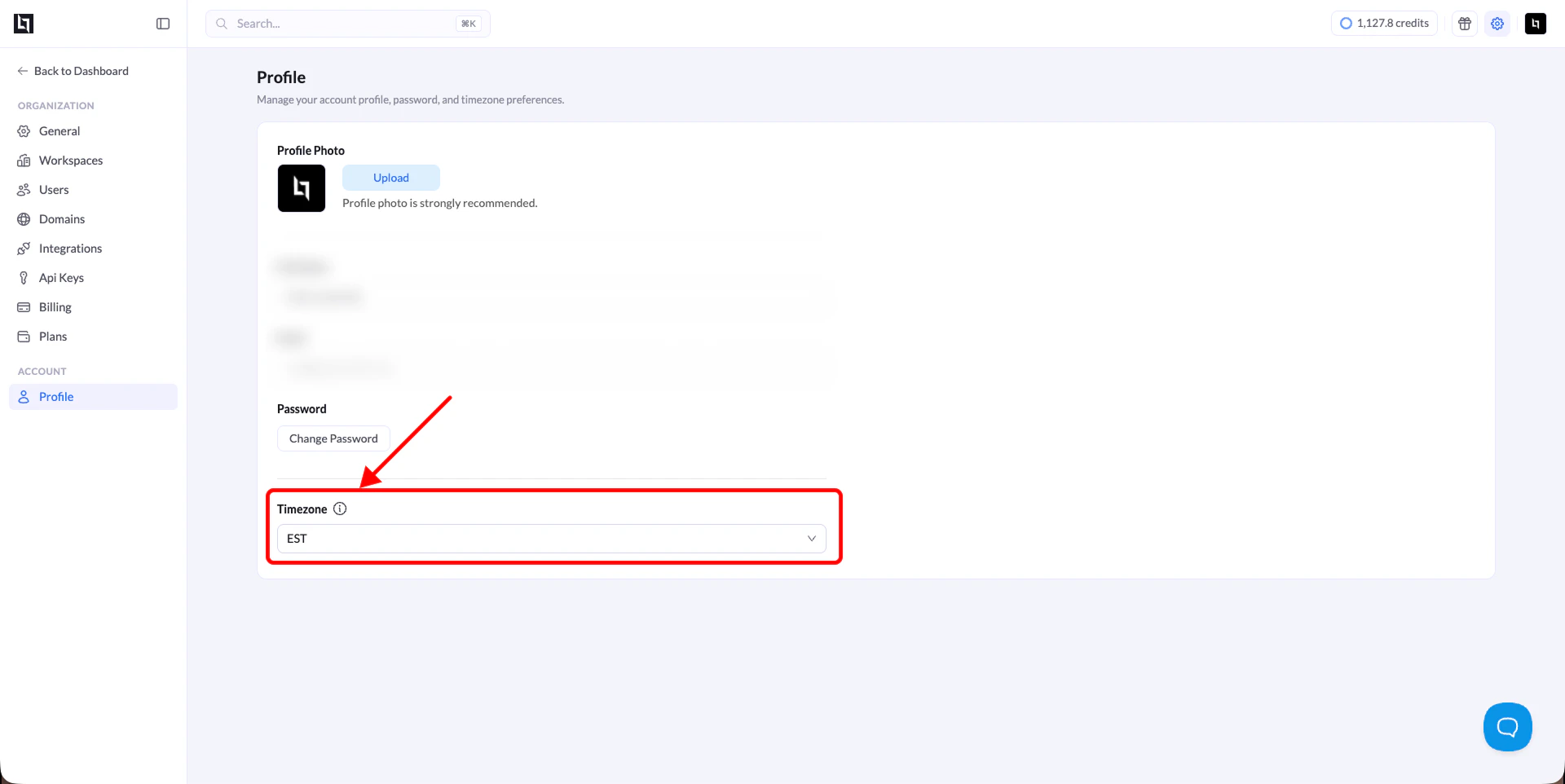
1. 点击控制台右上角的 **Settings**。
2. 在 **Account** 下,点击 **Profile**。
3. 向下滚动到 **Timezone** 字段。
4. 从下拉菜单中选择你的时区。
5. 保存更改。
现在,你的数据分析数据将显示正确的本地时间。
 This documentation is built and hosted on [Mintlify](https://mintlify.com), a developer documentation platform.