> ## Documentation Index
> Fetch the complete documentation index at: https://docs.landerlab.io/llms.txt
> Use this file to discover all available pages before exploring further.
# Customize your funnel with JavaScript
> Customize your Landerlab funnels with JavaScript using the Quiz API and Events API to control logic, track interactions, and create advanced user experiences.
Learn how to extend your Landerlab funnel with custom JavaScript for more advanced use cases.
Landerlab allows you to build funnels without coding, but you can add custom JavaScript when you need more control over behavior, logic, or integrations.
 ## How it works
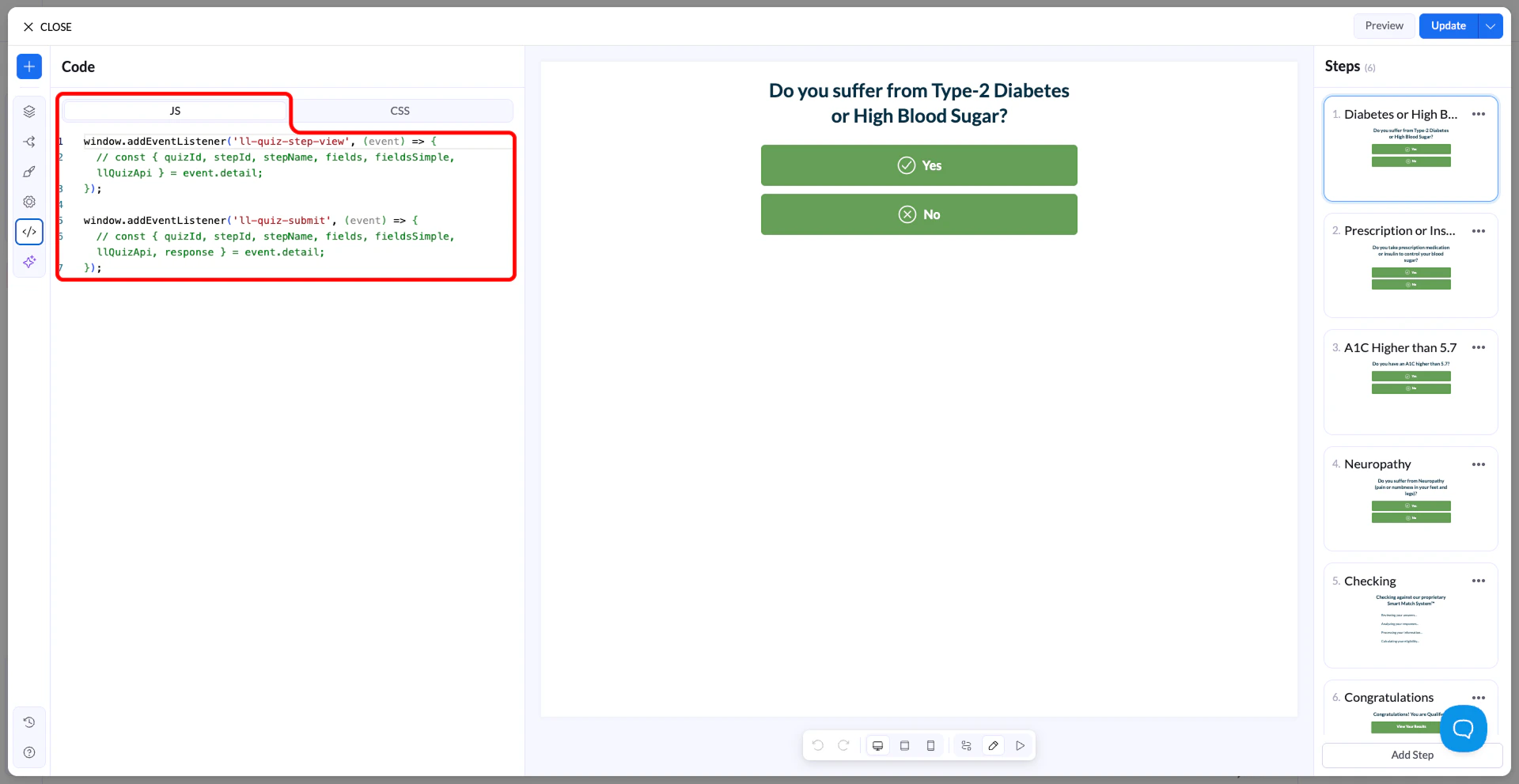
When your quiz loads, Landerlab initializes the funnel and makes its functionality available through events.
You can listen to these events and run your own JavaScript when something happens in the funnel, such as when the quiz starts, a step is viewed, or the quiz is submitted.
## Use the APIs
Landerlab provides two main APIs for customization:
* [**Quiz API**](https://docs.landerlab.io/features/quizzes/api/reference) – used to interact with the quiz (get/set values, navigate steps, access blocks)
* [**Events API**](https://docs.landerlab.io/features/quizzes/api/events) – used to listen for actions happening in the funnel (init, step view, submit, clicks)
You can combine both to build custom functionality.
## Access the Quiz API
The Quiz API is available inside events.
```text theme={null}
window.addEventListener('ll-quiz-init', (event) => {
const llQuizApi = event.detail.llQuizApi;
// your code here
});
```
## Example: run code when the quiz loads
```text theme={null}
window.addEventListener('ll-quiz-init', (event) => {
const { quizId } = event.detail;
console.log('Quiz loaded:', quizId);
});
```
## Example: update a field value
```text theme={null}
window.addEventListener('ll-quiz-init', (event) => {
const { llQuizApi } = event.detail;
const block = llQuizApi.getBlockByName('email');
if (block) {
block.setValue('test@example.com');
}
});
```
## Example: navigate between steps
```text theme={null}
window.addEventListener('ll-quiz-button-click', async (event) => {
const { llQuizApi, blockName } = event.detail;
if (blockName === 'next-btn') {
await llQuizApi.navigation.goToStep('step-2');
}
});
```
## Example: listen for submission
```text theme={null}
window.addEventListener('ll-quiz-submit', (event) => {
const { fieldsSimple } = event.detail;
console.log('Submitted data:', fieldsSimple);
});
```
## Available events
You can listen to different events such as:
* `ll-quiz-init`
* `ll-quiz-step-view`
* `ll-quiz-step-leave`
* `ll-quiz-button-click`
* `ll-quiz-input-click`
* `ll-quiz-submit`
## When to use custom JavaScript
Use custom JavaScript when you need:
* custom logic or conditions
* integrations with external tools
* advanced tracking
* dynamic field updates
* custom navigation\\
## How it works
When your quiz loads, Landerlab initializes the funnel and makes its functionality available through events.
You can listen to these events and run your own JavaScript when something happens in the funnel, such as when the quiz starts, a step is viewed, or the quiz is submitted.
## Use the APIs
Landerlab provides two main APIs for customization:
* [**Quiz API**](https://docs.landerlab.io/features/quizzes/api/reference) – used to interact with the quiz (get/set values, navigate steps, access blocks)
* [**Events API**](https://docs.landerlab.io/features/quizzes/api/events) – used to listen for actions happening in the funnel (init, step view, submit, clicks)
You can combine both to build custom functionality.
## Access the Quiz API
The Quiz API is available inside events.
```text theme={null}
window.addEventListener('ll-quiz-init', (event) => {
const llQuizApi = event.detail.llQuizApi;
// your code here
});
```
## Example: run code when the quiz loads
```text theme={null}
window.addEventListener('ll-quiz-init', (event) => {
const { quizId } = event.detail;
console.log('Quiz loaded:', quizId);
});
```
## Example: update a field value
```text theme={null}
window.addEventListener('ll-quiz-init', (event) => {
const { llQuizApi } = event.detail;
const block = llQuizApi.getBlockByName('email');
if (block) {
block.setValue('test@example.com');
}
});
```
## Example: navigate between steps
```text theme={null}
window.addEventListener('ll-quiz-button-click', async (event) => {
const { llQuizApi, blockName } = event.detail;
if (blockName === 'next-btn') {
await llQuizApi.navigation.goToStep('step-2');
}
});
```
## Example: listen for submission
```text theme={null}
window.addEventListener('ll-quiz-submit', (event) => {
const { fieldsSimple } = event.detail;
console.log('Submitted data:', fieldsSimple);
});
```
## Available events
You can listen to different events such as:
* `ll-quiz-init`
* `ll-quiz-step-view`
* `ll-quiz-step-leave`
* `ll-quiz-button-click`
* `ll-quiz-input-click`
* `ll-quiz-submit`
## When to use custom JavaScript
Use custom JavaScript when you need:
* custom logic or conditions
* integrations with external tools
* advanced tracking
* dynamic field updates
* custom navigation\\