> ## Documentation Index
> Fetch the complete documentation index at: https://docs.landerlab.io/llms.txt
> Use this file to discover all available pages before exploring further.
# Create Quiz Funnels with AI
> Generate quiz funnels with AI to quickly create, customize, and launch lead generation flows based on your campaign goals.
LanderLab’s AI feature allows you to **quickly generate a complete quiz flow** based on a simple prompt or topic. This is the fastest way to build a quiz and launch a lead generation funnel.
 ## How to Create a Quiz with AI
### 1. Open the Landing Page Editor
* Go to **Landing Pages**
* Open an existing page or create a new one
* Click **Open in Editor**
### 2. Drag and Drop the Quiz Element
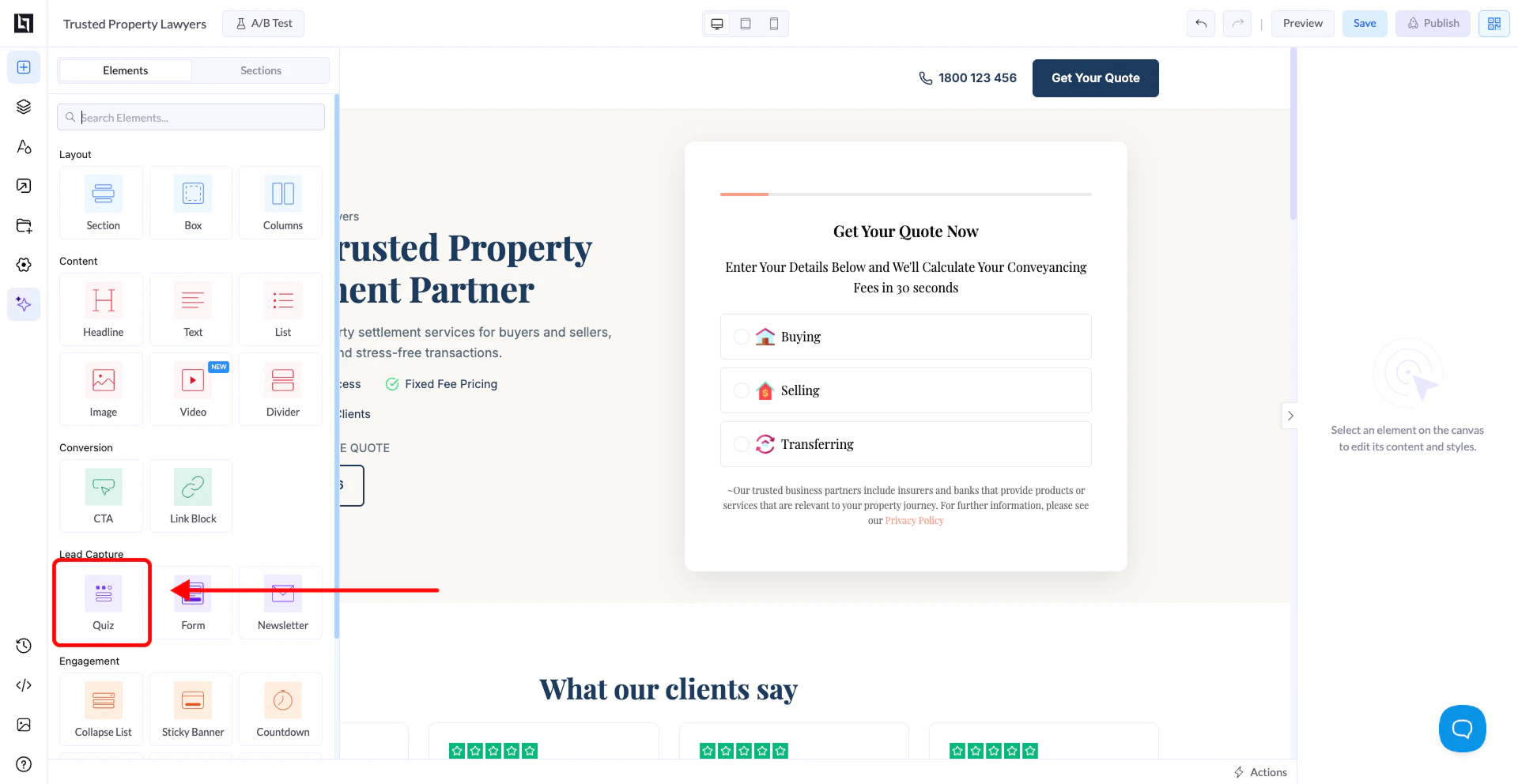
* In the editor, open the **Elements panel** on the left
* Find the **Quiz** element
* Drag and drop it onto your landing page canvas
### 3. Enter Your Prompt
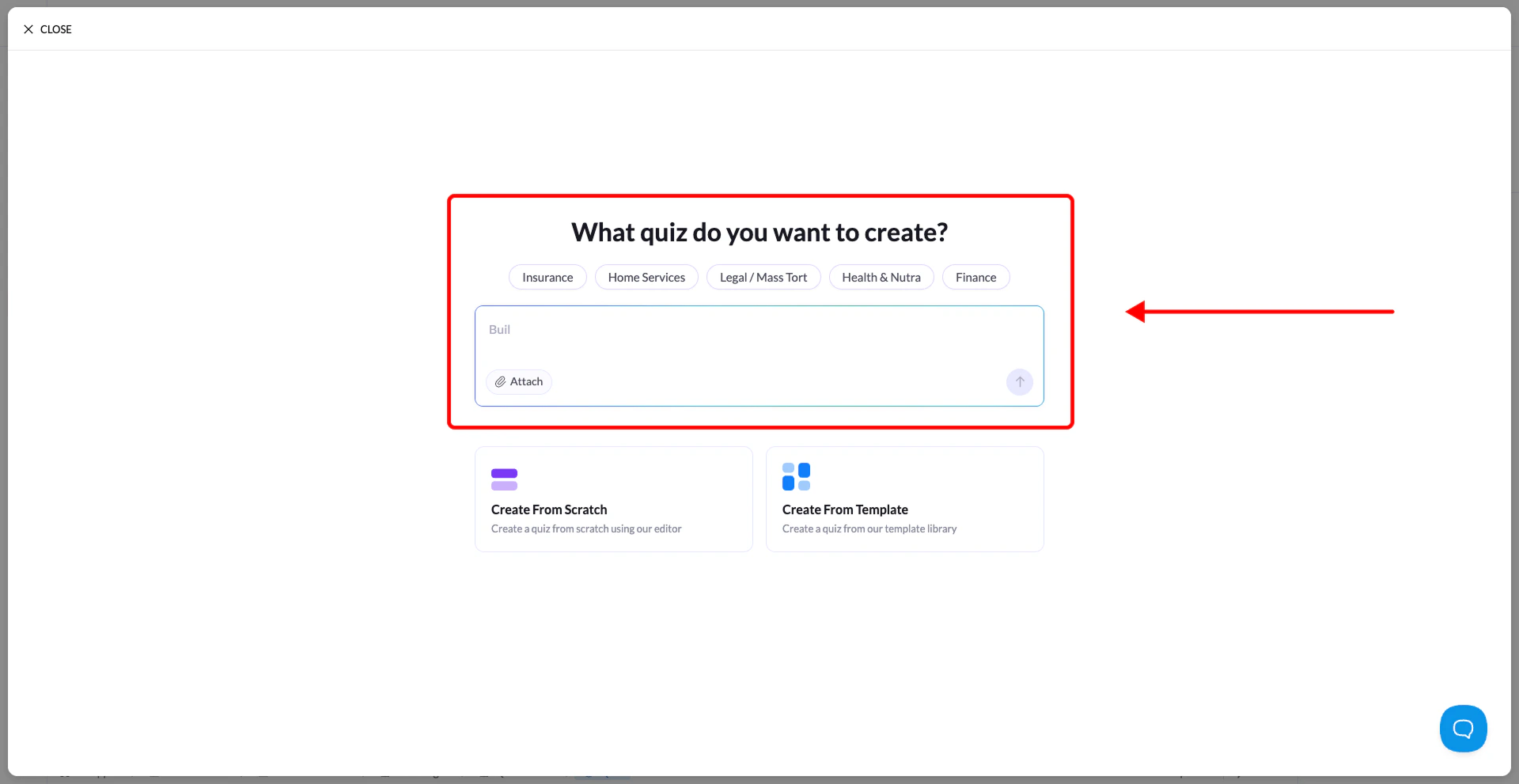
You will see a text box asking for your quiz topic.
Enter a clear description of your quiz goal.
### Example prompts:
* *A quiz to qualify homeowners interested in refinancing*
* *A product recommendation quiz for skincare products*
* *A lead generation quiz for solar panel installation*
### 4. Review and Customize
* The AI will generate the quiz structure automatically
* You will be taken to the **Quiz Builder interface**
From there, you can:
* Edit questions and answers
* Adjust the flow
* Modify input fields
* Customize the design
## How to Create a Quiz with AI
### 1. Open the Landing Page Editor
* Go to **Landing Pages**
* Open an existing page or create a new one
* Click **Open in Editor**
### 2. Drag and Drop the Quiz Element
* In the editor, open the **Elements panel** on the left
* Find the **Quiz** element
* Drag and drop it onto your landing page canvas
### 3. Enter Your Prompt
You will see a text box asking for your quiz topic.
Enter a clear description of your quiz goal.
### Example prompts:
* *A quiz to qualify homeowners interested in refinancing*
* *A product recommendation quiz for skincare products*
* *A lead generation quiz for solar panel installation*
### 4. Review and Customize
* The AI will generate the quiz structure automatically
* You will be taken to the **Quiz Builder interface**
From there, you can:
* Edit questions and answers
* Adjust the flow
* Modify input fields
* Customize the design