> ## Documentation Index
> Fetch the complete documentation index at: https://docs.landerlab.io/llms.txt
> Use this file to discover all available pages before exploring further.
# Use Image Choice Blocks for Visual Selection
> Use image choice blocks to create visual selections, improve engagement, and capture user preferences in interactive funnels.
The **Image Choice Block** works like Multiple Choice but uses **images instead of text**, making it more engaging and easier for users to decide visually.
***
## General Settings
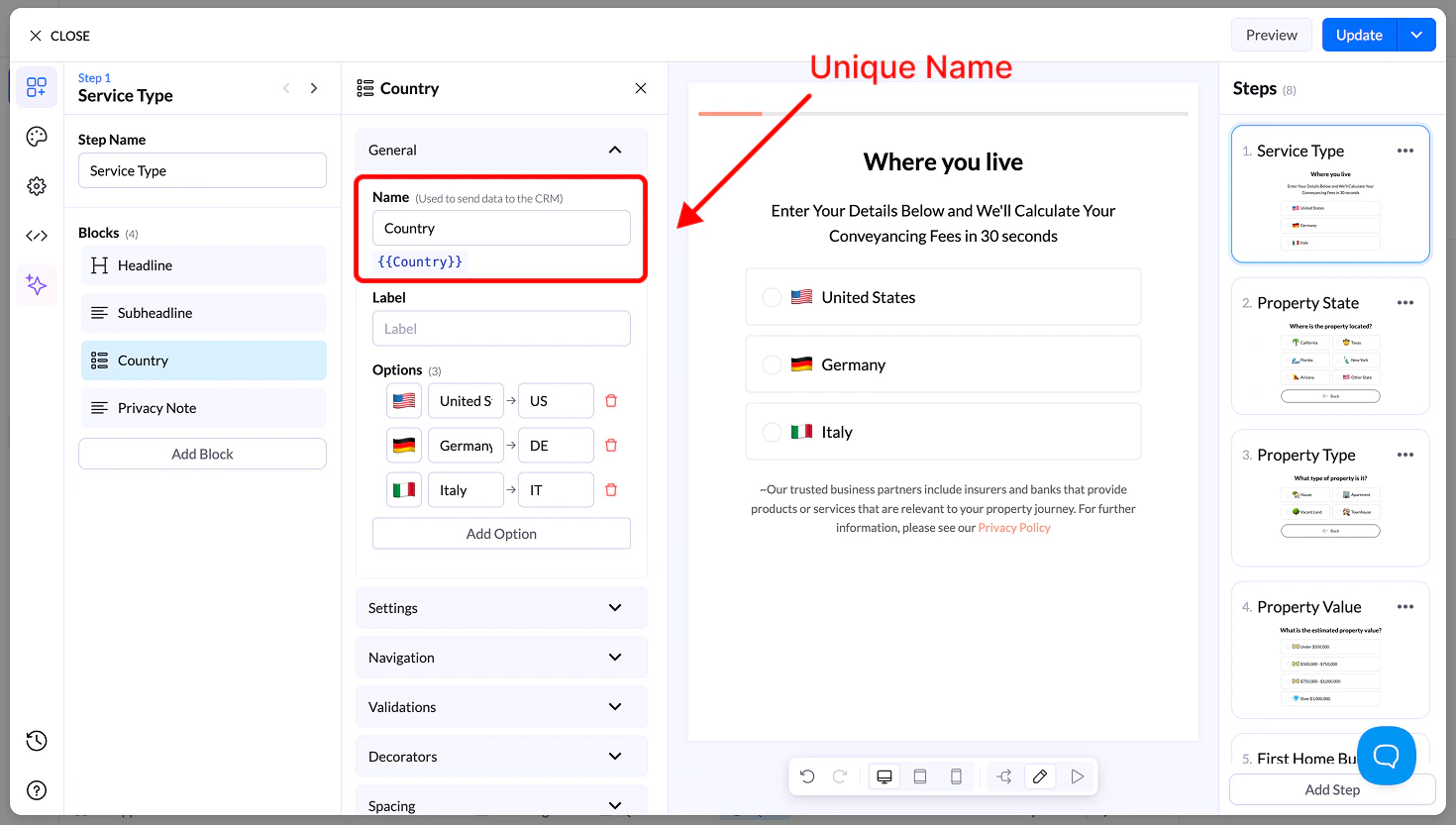
### Name
* Unique field name used for storing and sending data
* Can be reused as a variable
 ### Label
* Optional context text above the block
### Options
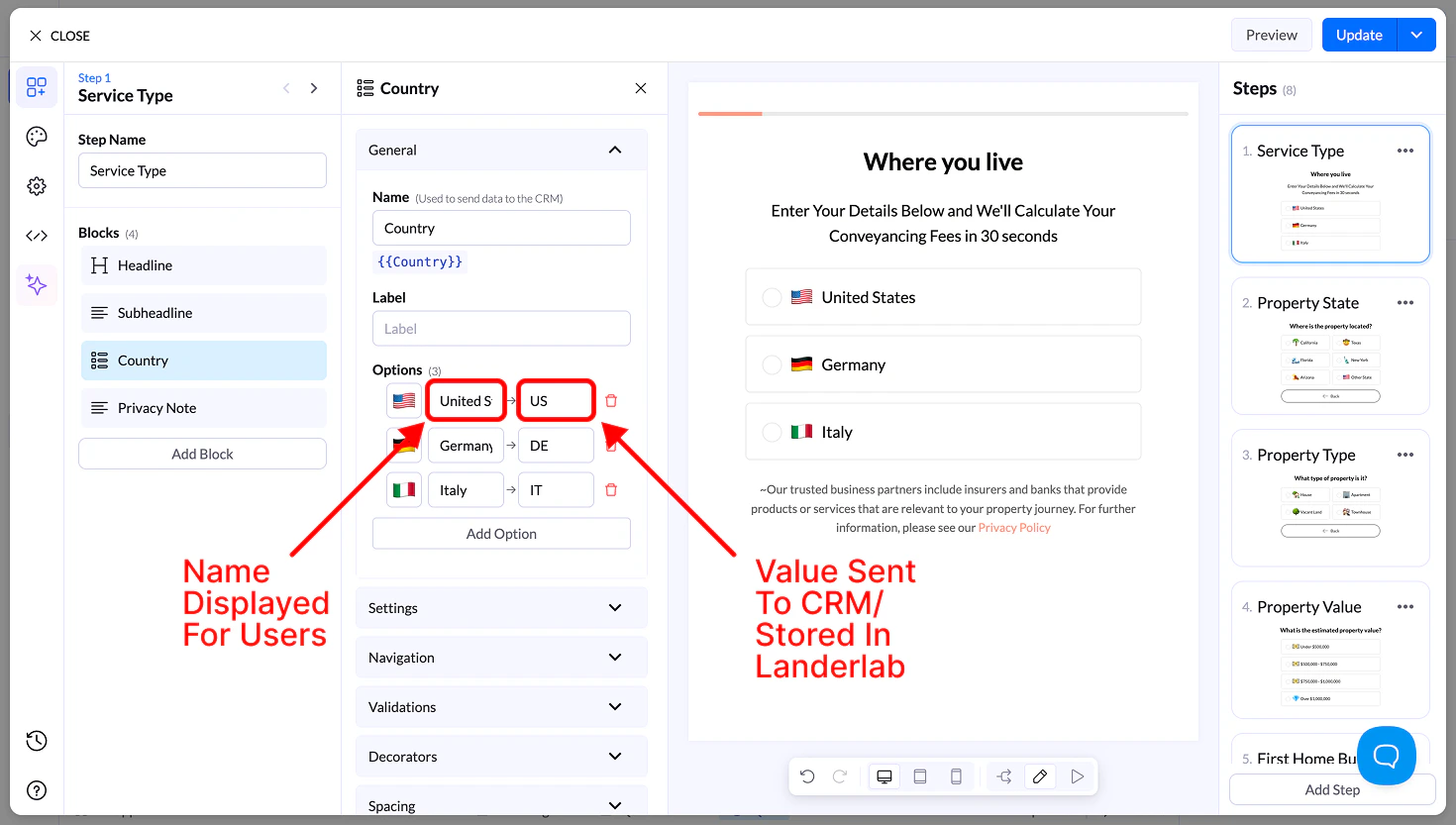
Each option includes:
* **Image** → Upload or select an image
* **Display Name** → Visible label
* **Value** → Sent to your CRM
### Label
* Optional context text above the block
### Options
Each option includes:
* **Image** → Upload or select an image
* **Display Name** → Visible label
* **Value** → Sent to your CRM
 ## Settings
* **Allow Multiple Selection** → Select multiple images
* Requires button to continue
* **Sort Alphabetically**
* **Reverse Order**
* **Randomize**
## Navigation & Validation
* **Navigation** → Define next steps or conditional flows
* **Validation** → Require at least one selection
## Decorators
* **Multiple Selection Separator** → Define how values are stored
* **Help Text** → Add guidance below the block
## Spacing
* **Size** → S, M, L, Full width
* **Margin** → Adjust spacing around the block
## Appearance
* **Layout Type** → Grid or List
* **Items per Row (Desktop & Mobile)**
* **Alignment options**
* **Visibility** → Desktop / Mobile
## Design
* **Presets** → Predefined styles
* **Advanced Settings** → Customize:
* Default state
* Hover state
* Selected state
* Borders, spacing, media size
## Settings
* **Allow Multiple Selection** → Select multiple images
* Requires button to continue
* **Sort Alphabetically**
* **Reverse Order**
* **Randomize**
## Navigation & Validation
* **Navigation** → Define next steps or conditional flows
* **Validation** → Require at least one selection
## Decorators
* **Multiple Selection Separator** → Define how values are stored
* **Help Text** → Add guidance below the block
## Spacing
* **Size** → S, M, L, Full width
* **Margin** → Adjust spacing around the block
## Appearance
* **Layout Type** → Grid or List
* **Items per Row (Desktop & Mobile)**
* **Alignment options**
* **Visibility** → Desktop / Mobile
## Design
* **Presets** → Predefined styles
* **Advanced Settings** → Customize:
* Default state
* Hover state
* Selected state
* Borders, spacing, media size