> ## Documentation Index
> Fetch the complete documentation index at: https://docs.landerlab.io/llms.txt
> Use this file to discover all available pages before exploring further.
# Understand Partial Leads and Drop-Offs
> Understand partial leads to track drop-offs, analyze user behavior, and optimize multi-step funnels for better conversions.
A **Partial Lead** is recorded when a visitor begins a **multi-step submission flow**-such as a Quiz or Multi-Step Form-but leaves before completing the entire process.
Partial leads provide valuable insights into **where users drop off in your funnel**, allowing you to analyze user behavior and improve conversion rates.
***
## What Is a Partial Lead?
A partial lead occurs when a user:
* Starts a **multi-step form or quiz**
* Submits some information in the early steps
* Leaves the page before reaching the **final submission or Thank You page**
Even though the user did not fully complete the flow, LanderLab saves the information that was submitted up to that point.
***
## Identifying a Partial Lead
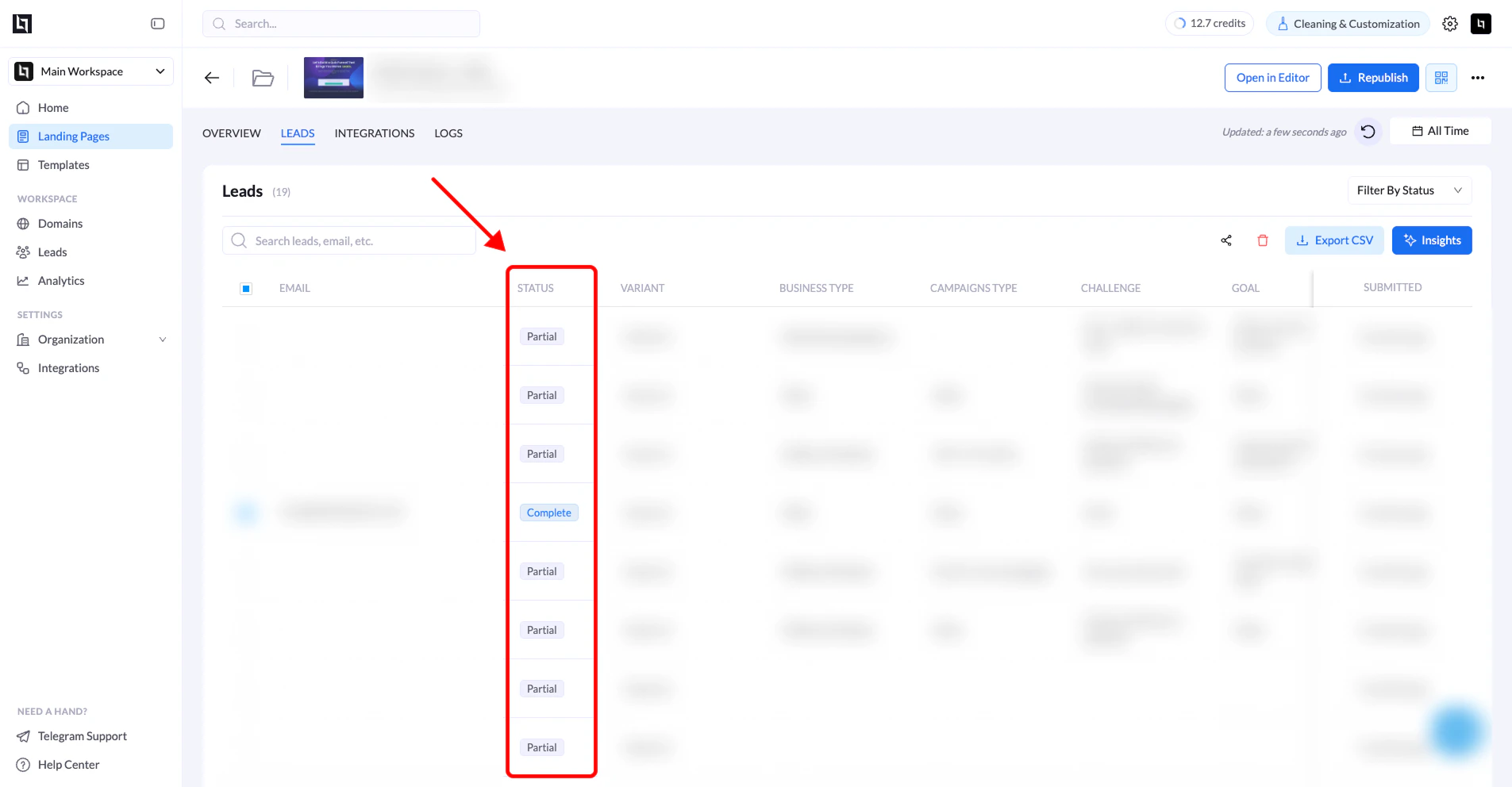
Partial leads can easily be identified in the **Leads dashboard**.
| Field | Description |
| :---------------- | :-------------------------------------------------------------------- |
| **Lead Status** | Partial submissions are marked with the status **“Partial”**. |
| **Captured Data** | Only the information entered before the user left the flow is stored. |
 ***
## When Partial Leads Are Recorded
Partial leads are only created in **multi-step flows**, such as:
* **Quizzes**
* **Multi-step lead forms**
* **Funnels where contact details appear in later steps**
Single-step forms usually **do not produce partial leads**, because the form must be submitted in one step.
***
## Example Flow
Below is a typical scenario where a partial lead is recorded:
1. A visitor enters their **ZIP Code** on the first step.
2. The visitor clicks **Next** and enters their **First and Last Name**.
3. The visitor proceeds to the next step requesting **Email and Phone Number**.
4. The visitor leaves the page without completing the final submission.
Because the user submitted some information but **did not finish the flow**, LanderLab records this as a **Partial Lead**.
***
## Why Partial Leads Are Valuable
Partial leads help you:
* Identify **drop-off points in your funnel**
* Understand **user behavior**
* Improve **form design and conversion rates**
* Recover potential leads using the data already collected
Analyzing partial leads can help you **optimize your funnels and reduce abandonment rates**.
**Tip:** If you notice a high number of partial leads at a specific step, consider simplifying the form or reducing the number of required fields at that stage.
***
## When Partial Leads Are Recorded
Partial leads are only created in **multi-step flows**, such as:
* **Quizzes**
* **Multi-step lead forms**
* **Funnels where contact details appear in later steps**
Single-step forms usually **do not produce partial leads**, because the form must be submitted in one step.
***
## Example Flow
Below is a typical scenario where a partial lead is recorded:
1. A visitor enters their **ZIP Code** on the first step.
2. The visitor clicks **Next** and enters their **First and Last Name**.
3. The visitor proceeds to the next step requesting **Email and Phone Number**.
4. The visitor leaves the page without completing the final submission.
Because the user submitted some information but **did not finish the flow**, LanderLab records this as a **Partial Lead**.
***
## Why Partial Leads Are Valuable
Partial leads help you:
* Identify **drop-off points in your funnel**
* Understand **user behavior**
* Improve **form design and conversion rates**
* Recover potential leads using the data already collected
Analyzing partial leads can help you **optimize your funnels and reduce abandonment rates**.
**Tip:** If you notice a high number of partial leads at a specific step, consider simplifying the form or reducing the number of required fields at that stage.