> ## Documentation Index
> Fetch the complete documentation index at: https://docs.landerlab.io/llms.txt
> Use this file to discover all available pages before exploring further.
# Rename Folders for Better Organization
> Rename folders to keep landing pages organized and align your workspace with campaigns, funnels, and projects
You can rename folders at any time to better match your **campaign, funnel, or project name**. This helps keep your landing pages organized and easy to manage.
Follow the steps below to rename a folder.
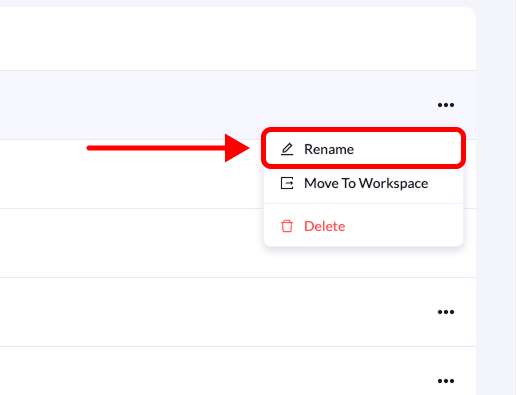 ## Step-by-Step Guide
### 1. Go to Landing Pages
From the **left-side menu**, click **Landing Pages**.
### 2. Locate the folder
Find the folder you want to rename in the list.
### 3. Click the edit icon
Hover over the folder name and click the **pen (edit) icon** that appears on the right side.
### 4. Enter the new name
In the **Rename Folder** dialog box, type the new name for your folder.
### 5. Confirm the change
Click **Rename Folder** to save the updated name.
Your folder will now display the new name.
## Step-by-Step Guide
### 1. Go to Landing Pages
From the **left-side menu**, click **Landing Pages**.
### 2. Locate the folder
Find the folder you want to rename in the list.
### 3. Click the edit icon
Hover over the folder name and click the **pen (edit) icon** that appears on the right side.
### 4. Enter the new name
In the **Rename Folder** dialog box, type the new name for your folder.
### 5. Confirm the change
Click **Rename Folder** to save the updated name.
Your folder will now display the new name.