> ## Documentation Index
> Fetch the complete documentation index at: https://docs.landerlab.io/llms.txt
> Use this file to discover all available pages before exploring further.
# Create Landing Pages with AI
> Generate landing pages instantly with AI by describing your campaign and customize them to launch faster without starting from scratch.
LanderLab allows you to generate landing pages instantly using **AI**. Instead of starting from a template or building everything manually, you can simply describe what you want to create and the AI will generate a landing page structure for you.
This is the fastest way to create pages for **advertorials, listicles, pre-sell pages, or pay-per-call campaigns**.
 ## How to Create a Landing Page with AI
### 1. Go to the Landing Pages section
Log in to **LanderLab** and navigate to the **Landing Pages** section in your dashboard.
### 2. Click “Add Landing Page”
Click **Add Landing Page** in the top-right corner to open the page creation screen.
### 3. Use the AI prompt field
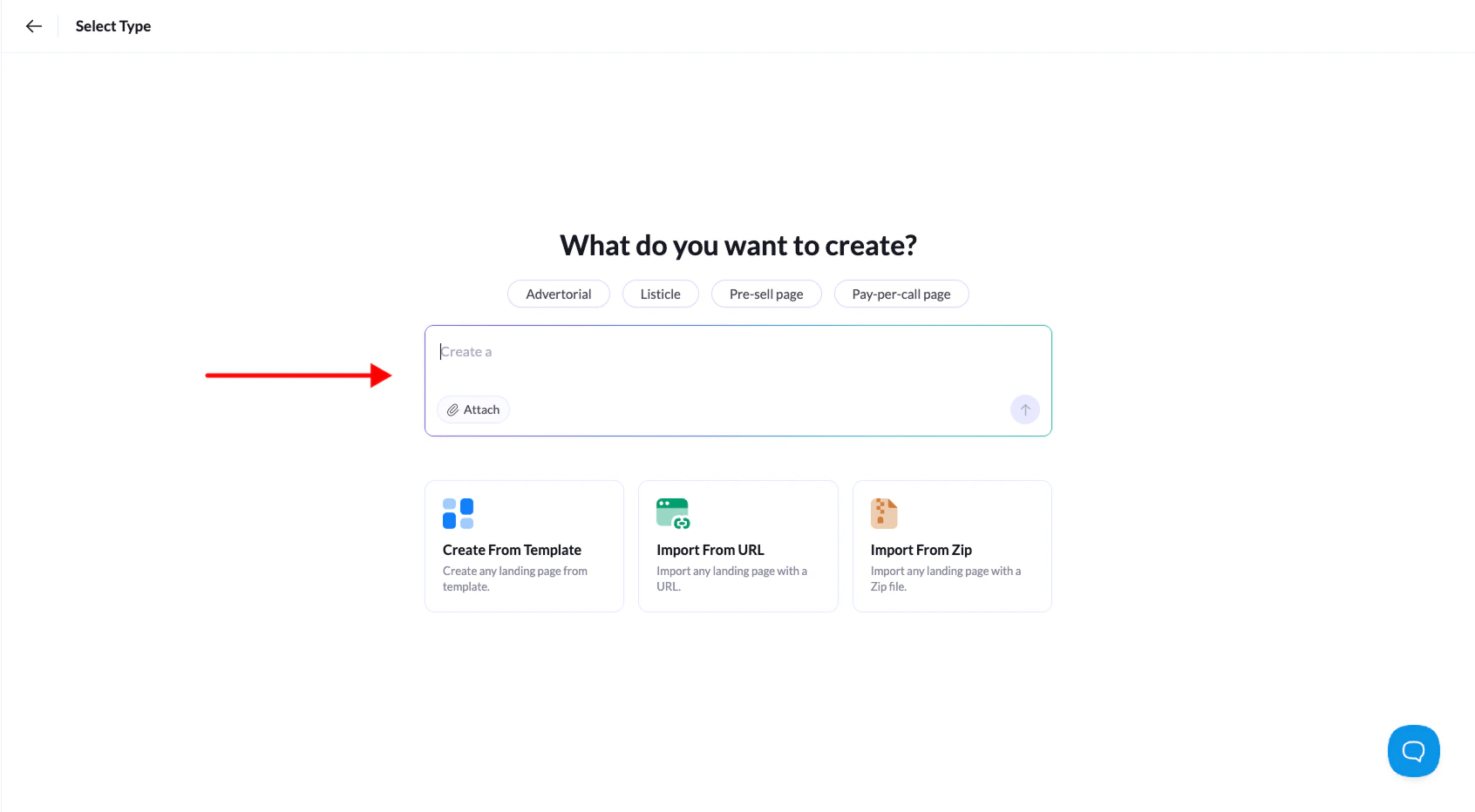
At the top of the screen you will see the AI prompt asking:
**“What do you want to create?”**
Type a short description of the landing page you want the AI to generate.
### 4. Use preset prompts (optional)
Above the prompt field you will see **preset prompts** that help you quickly start your request.
Examples include:
* **Advertorial**
* **Listicle**
* **Pre-sell page**
* **Pay-per-call page**
Clicking one of these will automatically insert a **starter prompt** that you can modify before generating the page.
### 5. Generate the landing page
Once your prompt is ready, click the **generate arrow** to create the landing page.
LanderLab AI will generate a **complete landing page structure**, including sections and content based on your prompt.
### 6. Customize the page in the editor
After the page is generated, it will open in the **visual builder** where you can edit:
* Text and headlines
* Images and sections
* Layout and structure
* Calls-to-action
From there you can fully customize the page before publishing it.
The more specific your prompt is, the better the AI can generate a landing page that matches your campaign.
## How to Create a Landing Page with AI
### 1. Go to the Landing Pages section
Log in to **LanderLab** and navigate to the **Landing Pages** section in your dashboard.
### 2. Click “Add Landing Page”
Click **Add Landing Page** in the top-right corner to open the page creation screen.
### 3. Use the AI prompt field
At the top of the screen you will see the AI prompt asking:
**“What do you want to create?”**
Type a short description of the landing page you want the AI to generate.
### 4. Use preset prompts (optional)
Above the prompt field you will see **preset prompts** that help you quickly start your request.
Examples include:
* **Advertorial**
* **Listicle**
* **Pre-sell page**
* **Pay-per-call page**
Clicking one of these will automatically insert a **starter prompt** that you can modify before generating the page.
### 5. Generate the landing page
Once your prompt is ready, click the **generate arrow** to create the landing page.
LanderLab AI will generate a **complete landing page structure**, including sections and content based on your prompt.
### 6. Customize the page in the editor
After the page is generated, it will open in the **visual builder** where you can edit:
* Text and headlines
* Images and sections
* Layout and structure
* Calls-to-action
From there you can fully customize the page before publishing it.
The more specific your prompt is, the better the AI can generate a landing page that matches your campaign.