> ## Documentation Index
> Fetch the complete documentation index at: https://docs.landerlab.io/llms.txt
> Use this file to discover all available pages before exploring further.
# Create Landing Page from Template
> Create high-converting landing pages fast using templates in LanderLab, built for paid traffic and performance marketing campaigns.
Creating a landing page in **LanderLab** is quick and easy using our **ready-made templates**. Templates help you launch pages faster by giving you a pre-built layout that you can customize for your campaign.
Follow the steps below to create a landing page from a template.
 ## How to Create a Landing Page from a Template
### 1. Log in to LanderLab
Sign in to your **LanderLab account** and navigate to the **Landing Pages** section.
### 2. Click “Add Landing Page”
Click **Add Landing Page** in the top-right corner to open the page creation options.
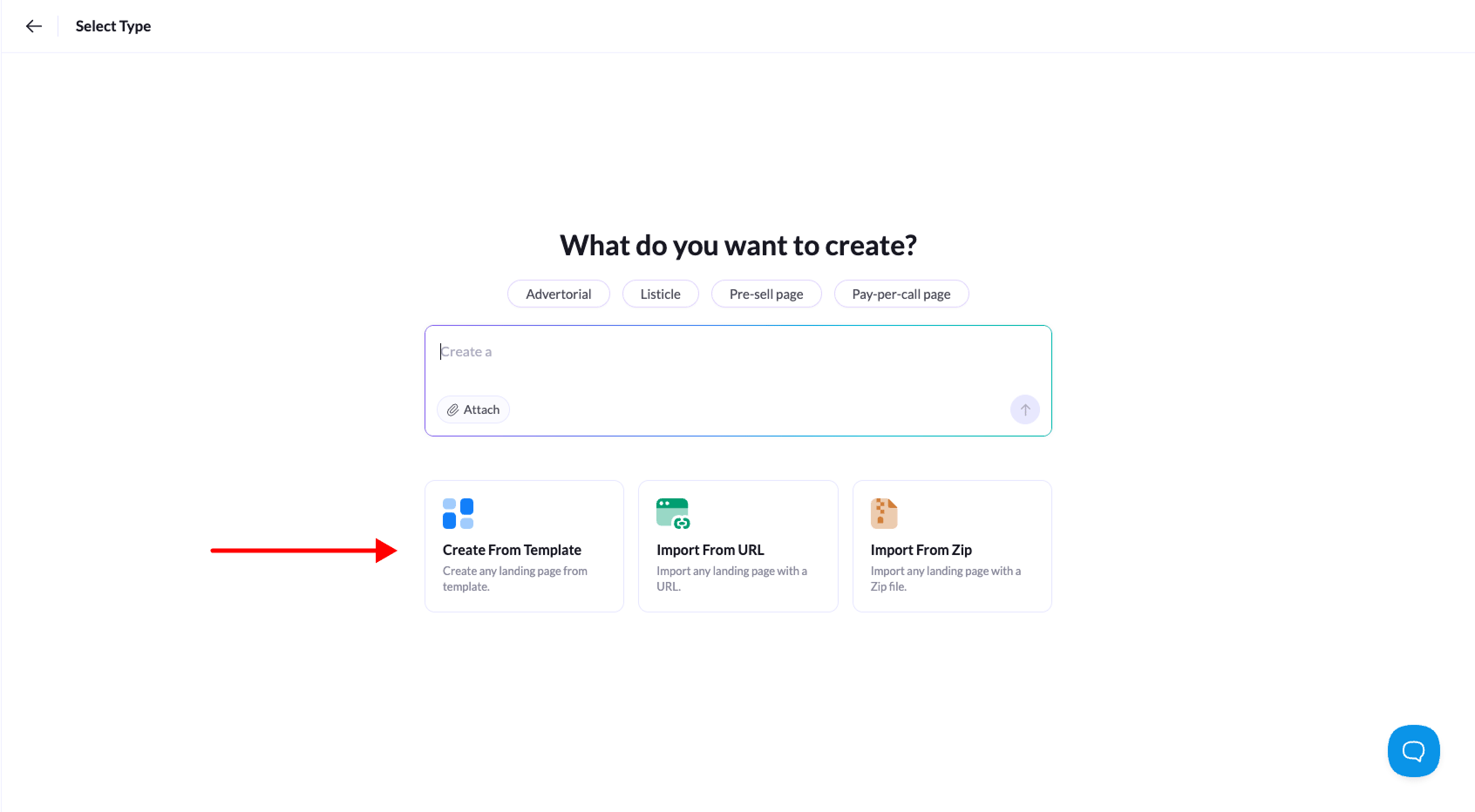
### 3. Choose “Create from Template”
Select **Create From Template** to open the template library.
### 4. Browse the template library
Browse the available templates and choose one that fits your campaign.
You can use the **category filters** to quickly find templates designed for specific use cases such as advertorials, pre-sell pages, or listicles.
### 5. Select a template
When you find the template you want to use, click **Use Template**.
### 6. Name your landing page
Enter a name for your landing page so you can easily identify it later.
### 7. Create the landing page
Click **Create Landing Page** to finish.
Your page will open in the **visual editor**, where you can customize the layout, content, images, and calls-to-action before publishing.
**Tip:** Templates are a great starting point if you want to **launch campaigns quickly while still having full control over customization.**
## How to Create a Landing Page from a Template
### 1. Log in to LanderLab
Sign in to your **LanderLab account** and navigate to the **Landing Pages** section.
### 2. Click “Add Landing Page”
Click **Add Landing Page** in the top-right corner to open the page creation options.
### 3. Choose “Create from Template”
Select **Create From Template** to open the template library.
### 4. Browse the template library
Browse the available templates and choose one that fits your campaign.
You can use the **category filters** to quickly find templates designed for specific use cases such as advertorials, pre-sell pages, or listicles.
### 5. Select a template
When you find the template you want to use, click **Use Template**.
### 6. Name your landing page
Enter a name for your landing page so you can easily identify it later.
### 7. Create the landing page
Click **Create Landing Page** to finish.
Your page will open in the **visual editor**, where you can customize the layout, content, images, and calls-to-action before publishing.
**Tip:** Templates are a great starting point if you want to **launch campaigns quickly while still having full control over customization.**