> ## Documentation Index
> Fetch the complete documentation index at: https://docs.landerlab.io/llms.txt
> Use this file to discover all available pages before exploring further.
# Create Landing Page from Scratch
> Learn how to create landing pages from scratch in LanderLab using the visual builder to design high-converting pages for paid traffic.
Landerlab gives you several ways to create landing pages, you can use ready-made templates, upload ZIP file, or import from URLs. But if you want total control over your design, starting from scratch with a blank template is the way to go.
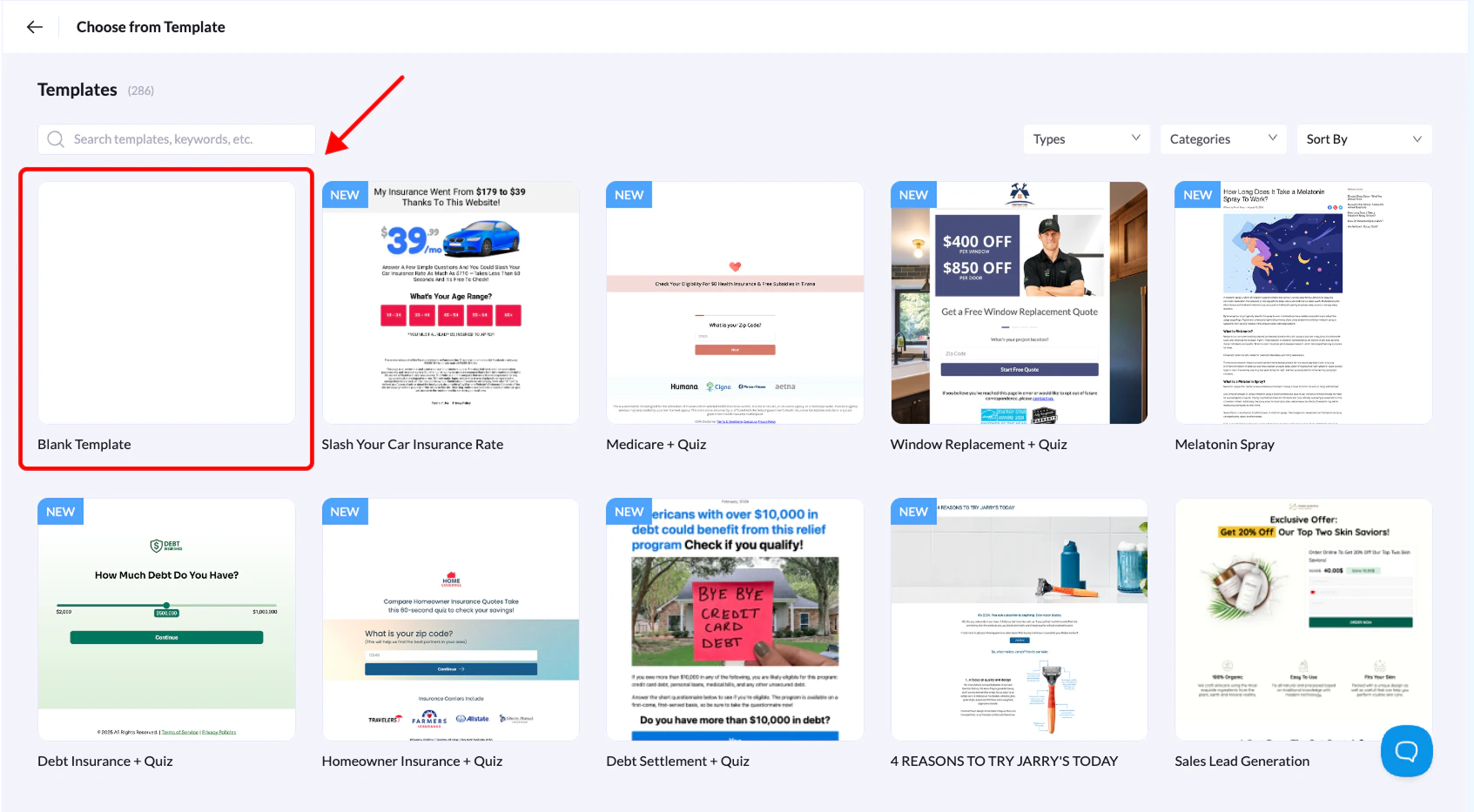 1. Log in to Landerlab and head over to the **Landing Pages** section.
2. Click **Add Landing Page** in the top-right corner.
3. From the options that appear, select **Choose from Template**.
4. Find the blank template in the list and click **Use Template**.
5. Give your landing page a name that makes sense to you, then click **Create Landing Page**
That's it! Your blank page will open right in the editor, ready for you to start designing.
Even though you're starting from scratch, you don't have to build everything manually. The visual editor includes pre-made sections and elements you can drop right into your page. These save a ton of time while still letting you customize everything to fit your vision. Use them to speed up your workflow so you can focus on creating a landing page that actually converts.
1. Log in to Landerlab and head over to the **Landing Pages** section.
2. Click **Add Landing Page** in the top-right corner.
3. From the options that appear, select **Choose from Template**.
4. Find the blank template in the list and click **Use Template**.
5. Give your landing page a name that makes sense to you, then click **Create Landing Page**
That's it! Your blank page will open right in the editor, ready for you to start designing.
Even though you're starting from scratch, you don't have to build everything manually. The visual editor includes pre-made sections and elements you can drop right into your page. These save a ton of time while still letting you customize everything to fit your vision. Use them to speed up your workflow so you can focus on creating a landing page that actually converts.