> ## Documentation Index
> Fetch the complete documentation index at: https://docs.landerlab.io/llms.txt
> Use this file to discover all available pages before exploring further.
# Manage Global Colors for Landing Pages
> Define global colors for your landing pages to maintain consistent branding and easily control design across all elements.
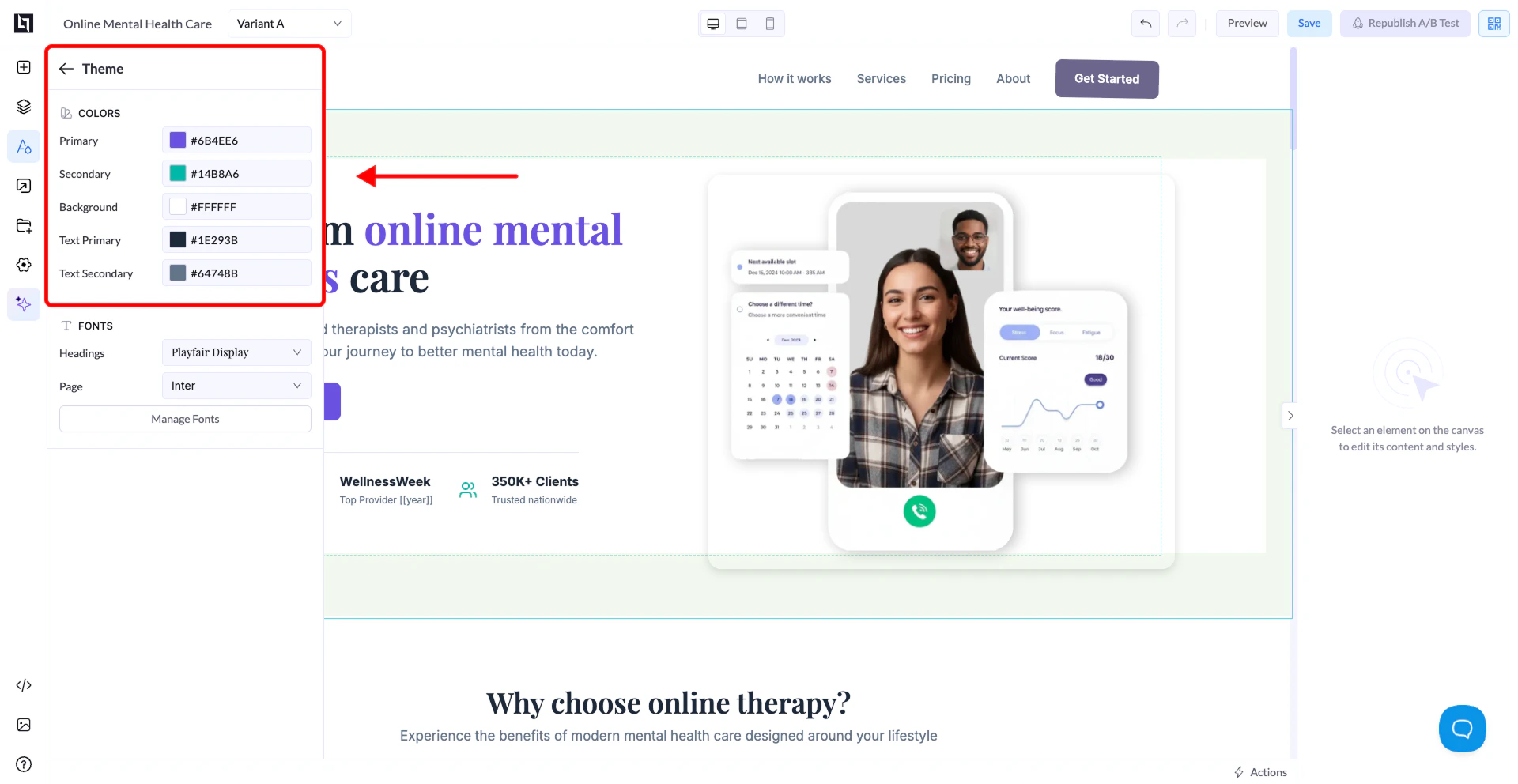
The Colors section defines your **global color system**.
 ## Available Options
* **Primary** → Main brand color (buttons, highlights, active elements)
* **Secondary** → Supporting color for accents and variations
* **Background** → Default background color of your page
* **Text Primary** → Main text color
* **Text Secondary** → Secondary or lighter text color
## How It Works
When you set colors here:
* They automatically apply across your entire page
* Buttons, text, and elements inherit these colors by default
* You can still override colors on individual elements if needed
## Available Options
* **Primary** → Main brand color (buttons, highlights, active elements)
* **Secondary** → Supporting color for accents and variations
* **Background** → Default background color of your page
* **Text Primary** → Main text color
* **Text Secondary** → Secondary or lighter text color
## How It Works
When you set colors here:
* They automatically apply across your entire page
* Buttons, text, and elements inherit these colors by default
* You can still override colors on individual elements if needed