> ## Documentation Index
> Fetch the complete documentation index at: https://docs.landerlab.io/llms.txt
> Use this file to discover all available pages before exploring further.
# Replace Links Across Landing Pages
> Replace all links on your landing page instantly to redirect traffic, update offers, and ensure consistent navigation.
The Replace Links feature lets you **update all outgoing links on your page in one action**.\
Instead of editing every button or link manually, you can redirect all traffic to a single destination instantly.
This is especially useful when working with imported pages or templates.
## Where to Find It
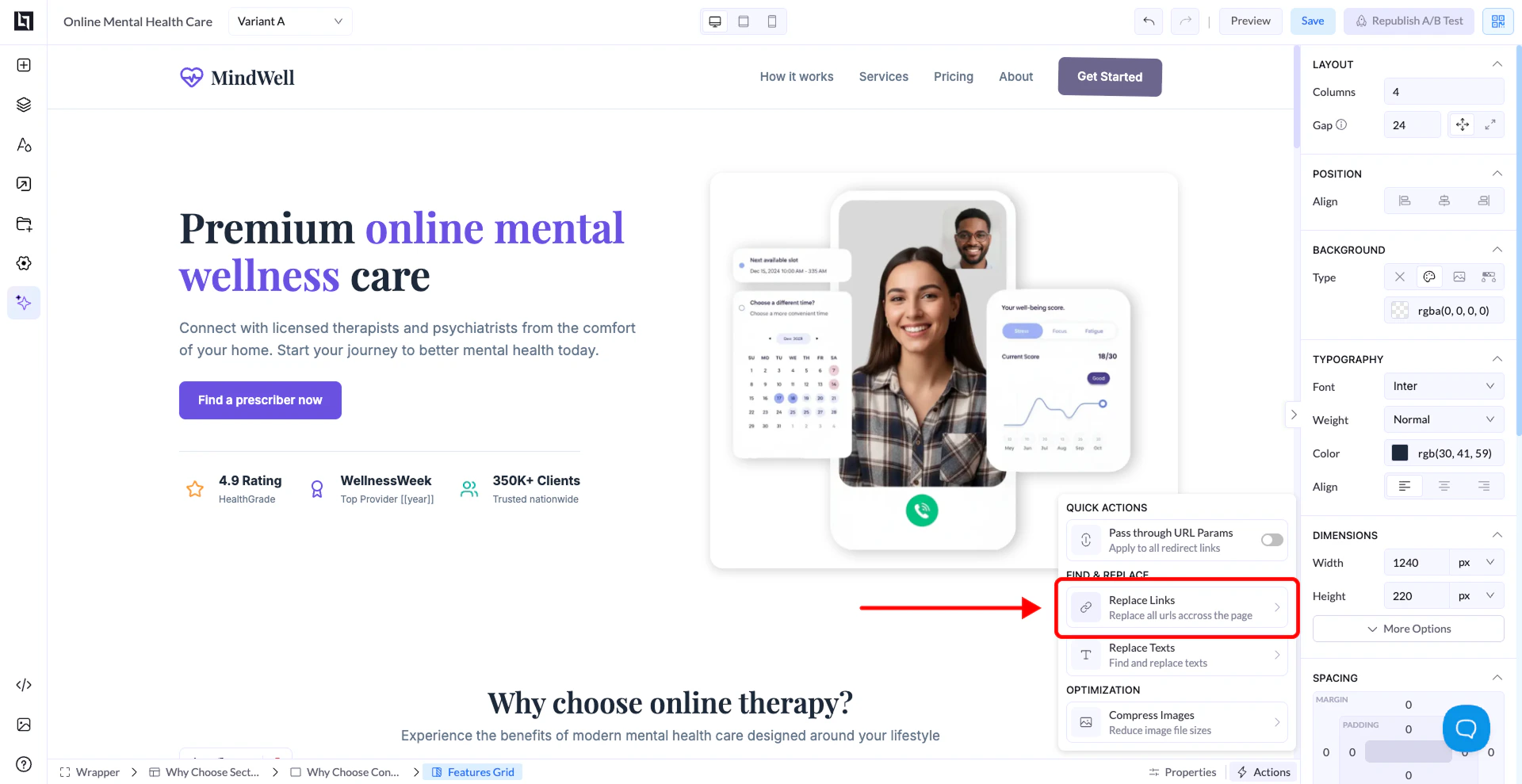
1. Open your page in the editor
2. Click the **Actions / Quick Actions panel**
3. Select **Replace Links**
 ***
## How It Works
A popup will appear where you can choose how links should be replaced.
## Main Option (Most Used)
### Replace all outgoing links
* Replaces **every link on the page** with your new URL
* This includes:
* Buttons
* Text links
* Images
* Hidden links
👉 This is the most common and recommended option
***
## How to Use It
1. Enable **Replace all outgoing links**
2. Enter your destination URL (offer, funnel, tracking link, etc.)
3. Click **Replace Links**
👉 Done - all links are updated instantly
***
## Other Options (Advanced)
### Replace only specific outgoing links
* Lets you target and replace only certain links
* Useful if you want to keep some links unchanged (e.g., social icons)
***
### Replace only outgoing links with specific properties
* Advanced filtering based on link attributes
* Used in very specific cases
***
## Why This Is Important
### Fix Hidden Links
Imported pages often contain links in places you don’t easily see\
👉 This ensures no traffic goes to the wrong destination
### Save Time
Instead of editing each element manually, you update everything in seconds
### Keep Consistency
All buttons and links will point to the same destination
***
## Example
* URL entered: `https://your-offer.com`
👉 Result: every clickable element now redirects to that link
***
## Best Practices
* Always use this after importing a page
* Double-check your URL before applying
* Test your page after replacing links
***
## How It Works
A popup will appear where you can choose how links should be replaced.
## Main Option (Most Used)
### Replace all outgoing links
* Replaces **every link on the page** with your new URL
* This includes:
* Buttons
* Text links
* Images
* Hidden links
👉 This is the most common and recommended option
***
## How to Use It
1. Enable **Replace all outgoing links**
2. Enter your destination URL (offer, funnel, tracking link, etc.)
3. Click **Replace Links**
👉 Done - all links are updated instantly
***
## Other Options (Advanced)
### Replace only specific outgoing links
* Lets you target and replace only certain links
* Useful if you want to keep some links unchanged (e.g., social icons)
***
### Replace only outgoing links with specific properties
* Advanced filtering based on link attributes
* Used in very specific cases
***
## Why This Is Important
### Fix Hidden Links
Imported pages often contain links in places you don’t easily see\
👉 This ensures no traffic goes to the wrong destination
### Save Time
Instead of editing each element manually, you update everything in seconds
### Keep Consistency
All buttons and links will point to the same destination
***
## Example
* URL entered: `https://your-offer.com`
👉 Result: every clickable element now redirects to that link
***
## Best Practices
* Always use this after importing a page
* Double-check your URL before applying
* Test your page after replacing links