> ## Documentation Index
> Fetch the complete documentation index at: https://docs.landerlab.io/llms.txt
> Use this file to discover all available pages before exploring further.
# How to Create a Popup in LanderLab
> Learn how to add and manage popups in the LanderLab editor. Pick a ready-made template or build from scratch in just a few clicks.
## Creating a popup
1. **Open your page in the editor**
From your dashboard, click **Edit** on the landing page you want to add a popup to.
2. **Go to the Popups panel**
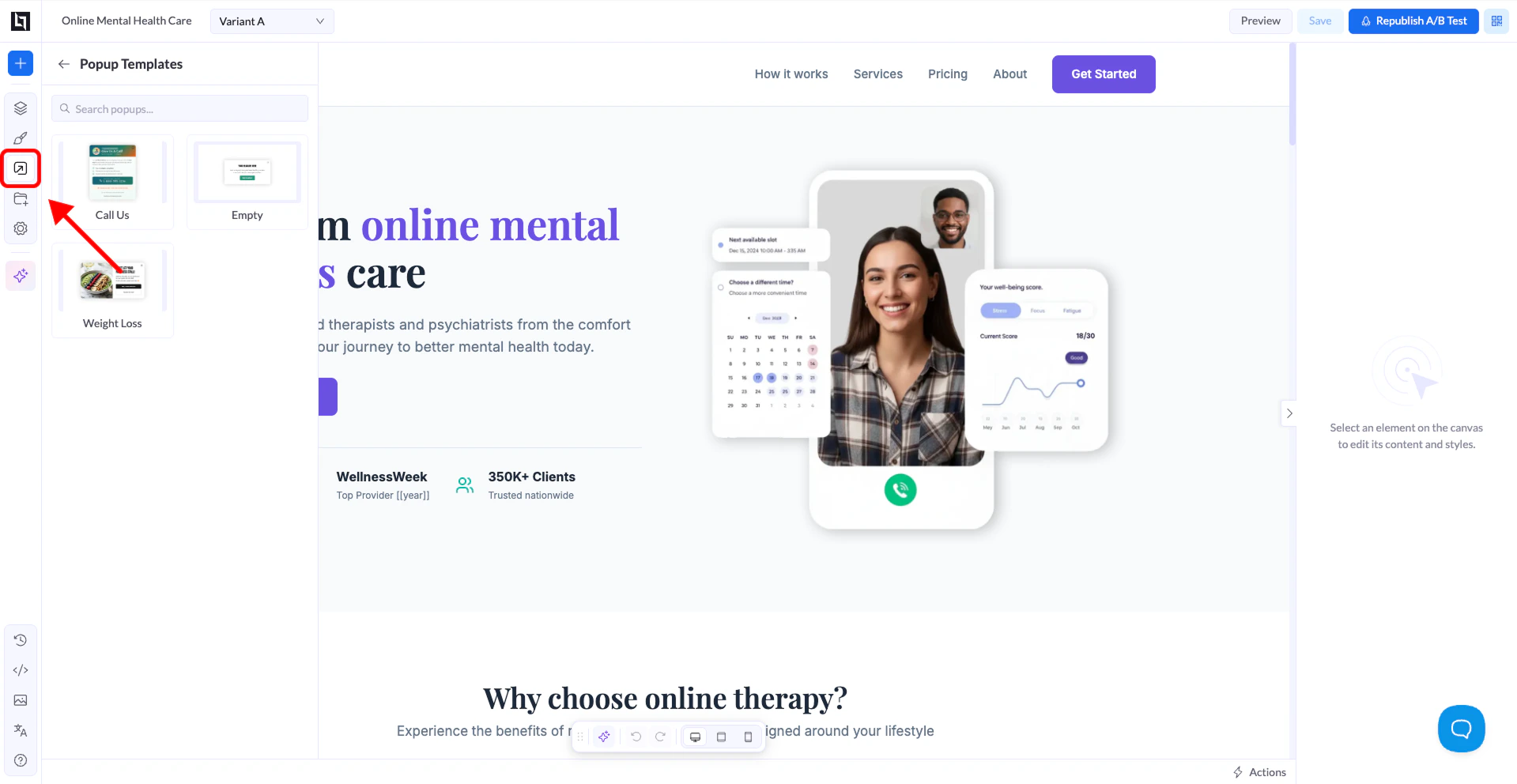
In the left sidebar, click the **Popups** icon. If no popups have been added yet, you'll see an empty state with an **Add Popup** button.
3. **Click "Add Popup"**
This opens the **Popup Templates** panel.
4. **Select a template or start blank**
Pick one of the available templates, or choose **Empty** to build from scratch. The popup is instantly added to your page.