> ## Documentation Index
> Fetch the complete documentation index at: https://docs.landerlab.io/llms.txt
> Use this file to discover all available pages before exploring further.
# Set Up Conversion Tracking for Landing Pages
> Set up conversion tracking to measure clicks, form submissions, and user actions to optimize landing page performance.
Conversion tracking allows you to measure the effectiveness of your **landing pages and marketing campaigns** by monitoring specific actions performed by visitors.
These actions can include:
* Visiting a specific page
* Submitting a form
* Clicking a link
* Clicking a button
Tracking conversions helps you understand **how well your landing pages perform and how visitors interact with your funnel**.
***
## Track Page Visits as Conversions
### Steps
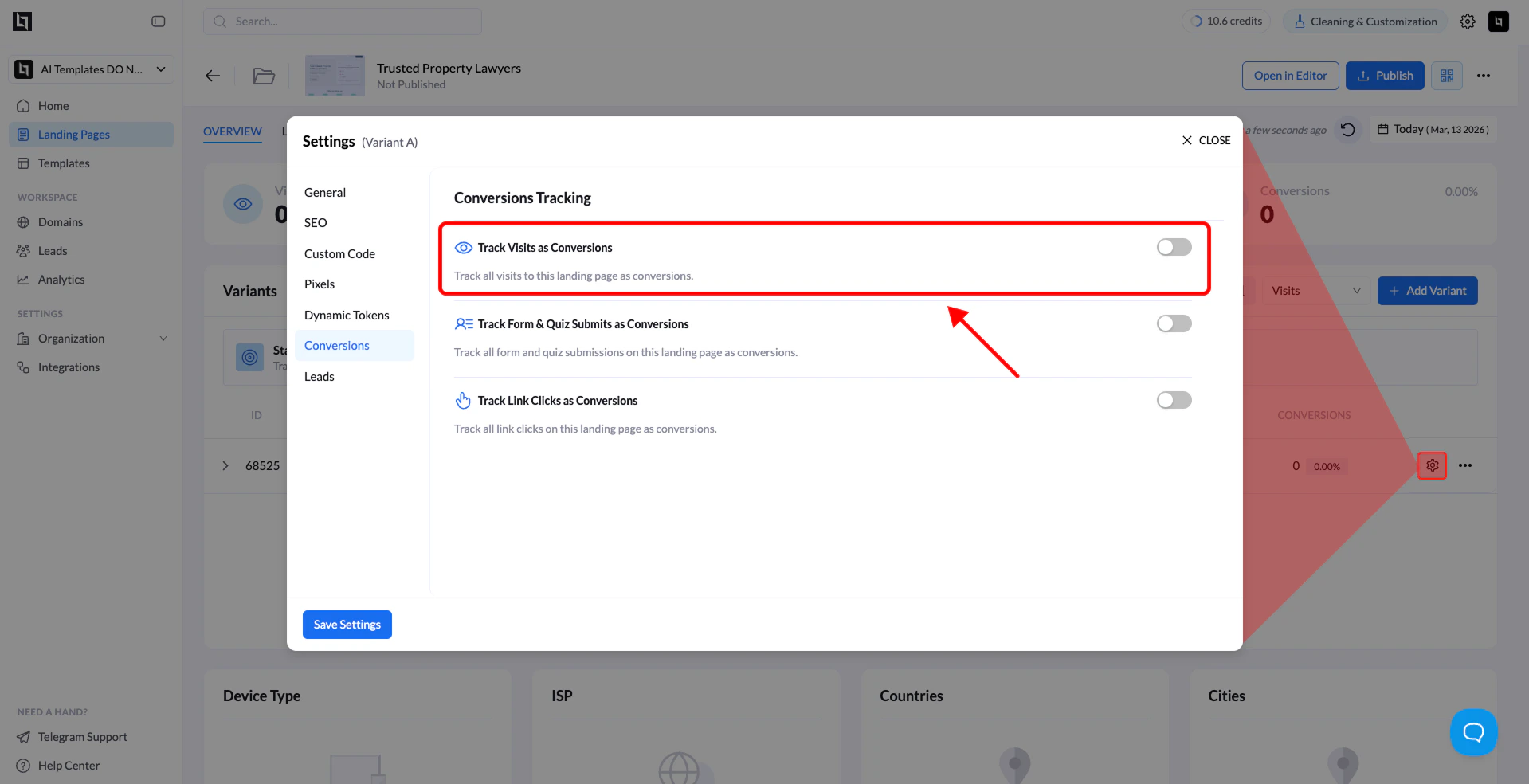
1. Go to **Landing Pages**.
2. Click the **name of the landing page** you want to configure.
3. Open **Settings**.
4. Go to the **Conversions** tab.
5. Enable **Track Visits as Conversions**.
6. Click **Save Settings**.
 ***
## Track Form Submissions as Conversions
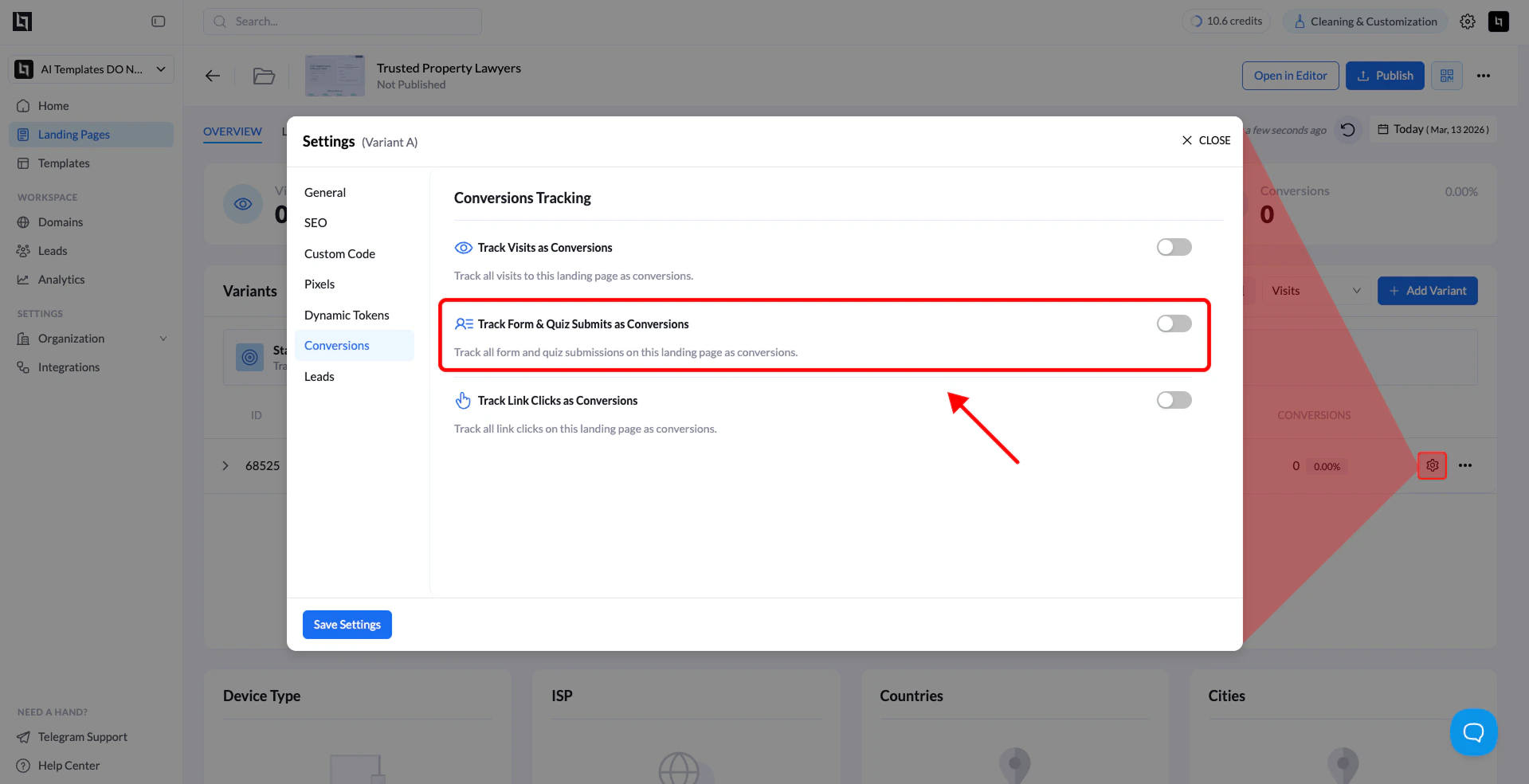
Form submissions are one of the most common conversion events, allowing you to measure how many visitors submit their contact information.
**Before you begin:**\
This option only applies to pages that contain a **form element**.
### Steps
1. Go to **Landing Pages**.
2. Click the **landing page name**.
3. Open **Settings**.
4. Navigate to the **Conversions** tab.
5. Enable **Track Form Submits as Conversions**.
6. Click **Save Settings**.
***
## Track Form Submissions as Conversions
Form submissions are one of the most common conversion events, allowing you to measure how many visitors submit their contact information.
**Before you begin:**\
This option only applies to pages that contain a **form element**.
### Steps
1. Go to **Landing Pages**.
2. Click the **landing page name**.
3. Open **Settings**.
4. Navigate to the **Conversions** tab.
5. Enable **Track Form Submits as Conversions**.
6. Click **Save Settings**.
 ***
## Track Link Clicks as Conversions
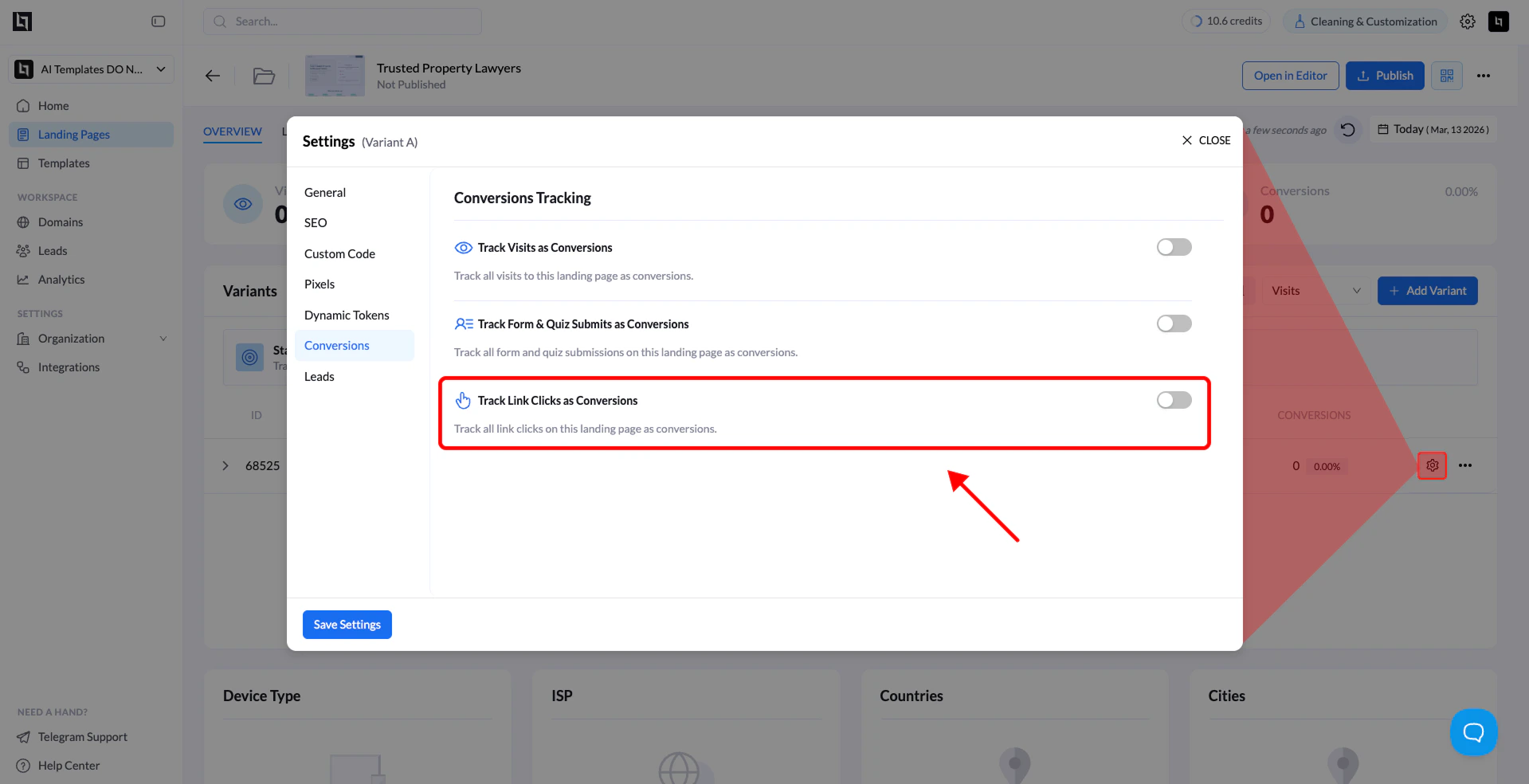
If your landing page sends users to another part of your funnel or an external offer, you can track **link clicks as pre-conversions**.
This helps measure how effective your landing page is at **driving user intent toward the next step**.
### Steps
1. Go to **Landing Pages**.
2. Select the landing page you want to configure.
3. Open **Settings**.
4. Go to the **Conversions** tab.
5. Enable **Track Link Clicks as Conversions**.
6. Click **Save Settings**.
***
## Track Link Clicks as Conversions
If your landing page sends users to another part of your funnel or an external offer, you can track **link clicks as pre-conversions**.
This helps measure how effective your landing page is at **driving user intent toward the next step**.
### Steps
1. Go to **Landing Pages**.
2. Select the landing page you want to configure.
3. Open **Settings**.
4. Go to the **Conversions** tab.
5. Enable **Track Link Clicks as Conversions**.
6. Click **Save Settings**.
 ***
## Track Button Clicks as Conversions
### 1. Open the Landing Page Editor
1. Go to **Landing Pages**.
2. Click the landing page you want to edit.
3. Click **Open in Editor**.
### 2. Select the Button
Inside the editor:
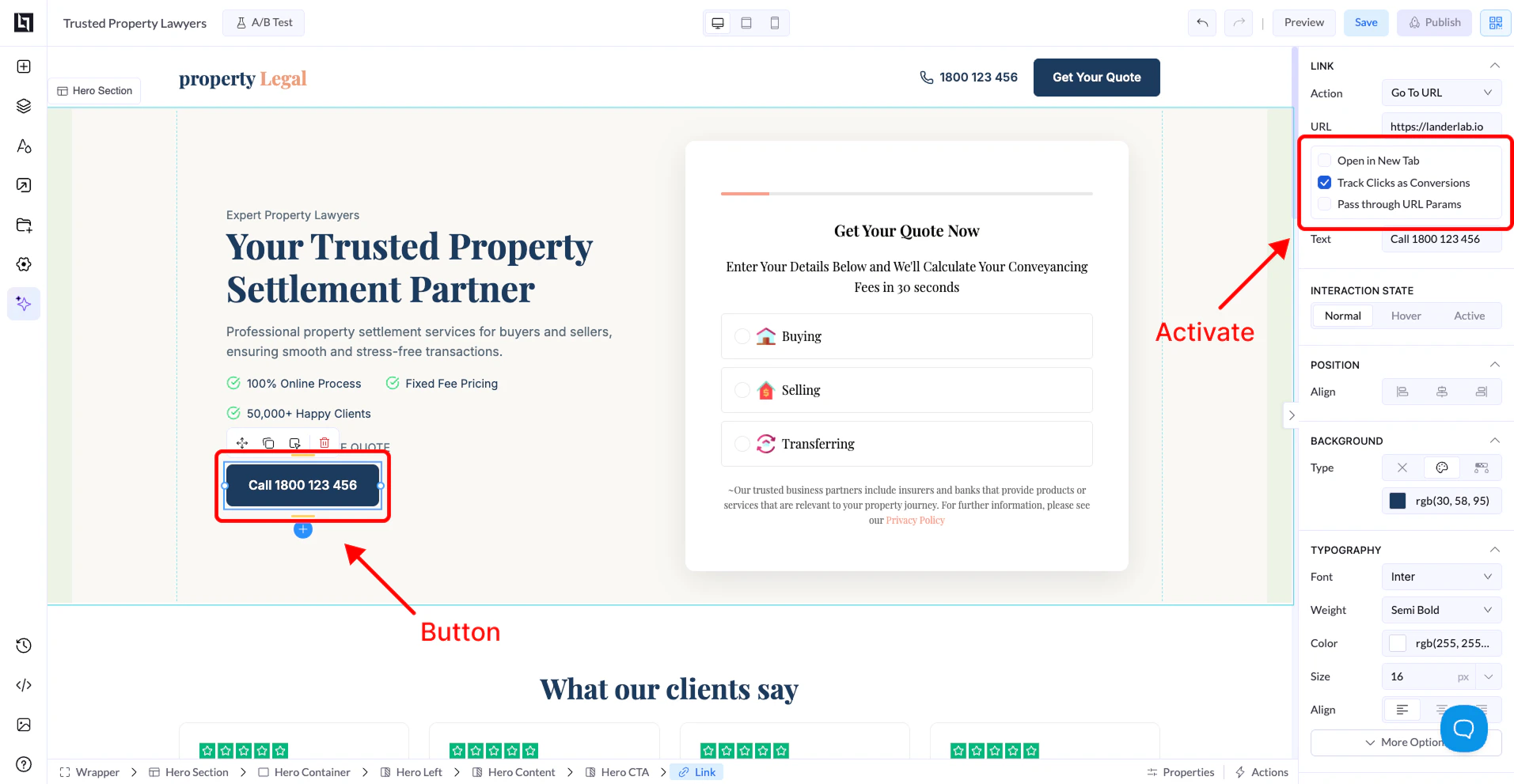
1. Click the **button element** you want to track.
2. The **button settings panel** will appear on the right side.
### 3. Enable Conversion Tracking
In the **Link settings section**:
1. Locate the option **Track Clicks as Conversions**.
2. Check the box to enable it.
### 4. Save and Publish
1. Click **Save**.
2. **Publish or Republish** your landing page.
After publishing, every click on that button will be recorded as a **conversion** in your landing page analytics.
***
## Track Button Clicks as Conversions
### 1. Open the Landing Page Editor
1. Go to **Landing Pages**.
2. Click the landing page you want to edit.
3. Click **Open in Editor**.
### 2. Select the Button
Inside the editor:
1. Click the **button element** you want to track.
2. The **button settings panel** will appear on the right side.
### 3. Enable Conversion Tracking
In the **Link settings section**:
1. Locate the option **Track Clicks as Conversions**.
2. Check the box to enable it.
### 4. Save and Publish
1. Click **Save**.
2. **Publish or Republish** your landing page.
After publishing, every click on that button will be recorded as a **conversion** in your landing page analytics.
 ## Why Conversion Tracking Matters
Using conversion tracking allows you to:
* Measure **campaign performance**
* Identify **high-performing landing pages**
* Optimize **funnels and CTAs**
* Improve **conversion rates**
## Why Conversion Tracking Matters
Using conversion tracking allows you to:
* Measure **campaign performance**
* Identify **high-performing landing pages**
* Optimize **funnels and CTAs**
* Improve **conversion rates**