> ## Documentation Index
> Fetch the complete documentation index at: https://docs.landerlab.io/llms.txt
> Use this file to discover all available pages before exploring further.
# How to Create a Landing Page from a Variant in LanderLab
> Learn how to duplicate a variant into a separate landing page. Turn A/B test variants into standalone pages for new campaigns or URLs.
This method allows you to take a variant from an A/B test and turn it into a completely separate landing page.
This is useful when you want to:
* Launch a winning variant as its own page
* Use it on a different path or campaign
* Separate it from A/B testing
### How It Works
You will duplicate a variant into a new landing page using A/B testing, then convert it into a standalone page.
***
## Step-by-Step Guide
### 1. Create a New Landing Page
* Create a [**new landing page from scratch**](https://docs.landerlab.io/features/landing-pages/create/from-scratch)
### 2. Enable A/B Testing
* Open the new landing page
* Activate [**A/B Testing**](https://docs.landerlab.io/features/analytics/ab-testing)
### 3. Add a New Variant
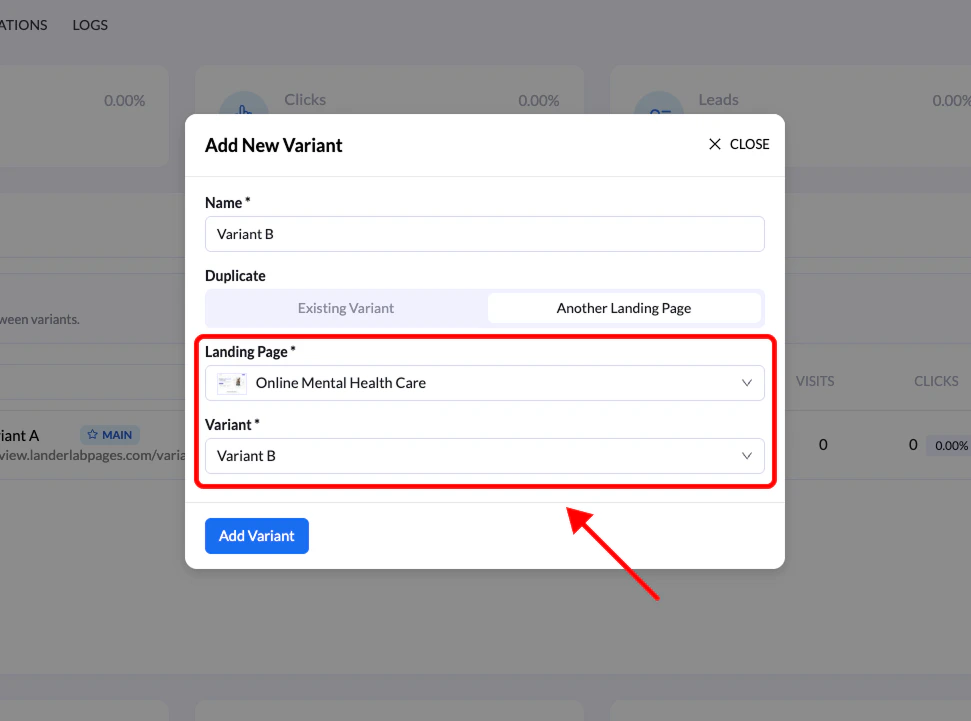
* Click **Add Variant**
* Select **Another Landing Page**
### 4. Select Source Page & Variant
* Choose the landing page that contains the variant you want
* Then select the specific **variant** to replicate
The selected variant will now be duplicated into your new page
 ### 5. Set as Main Variant
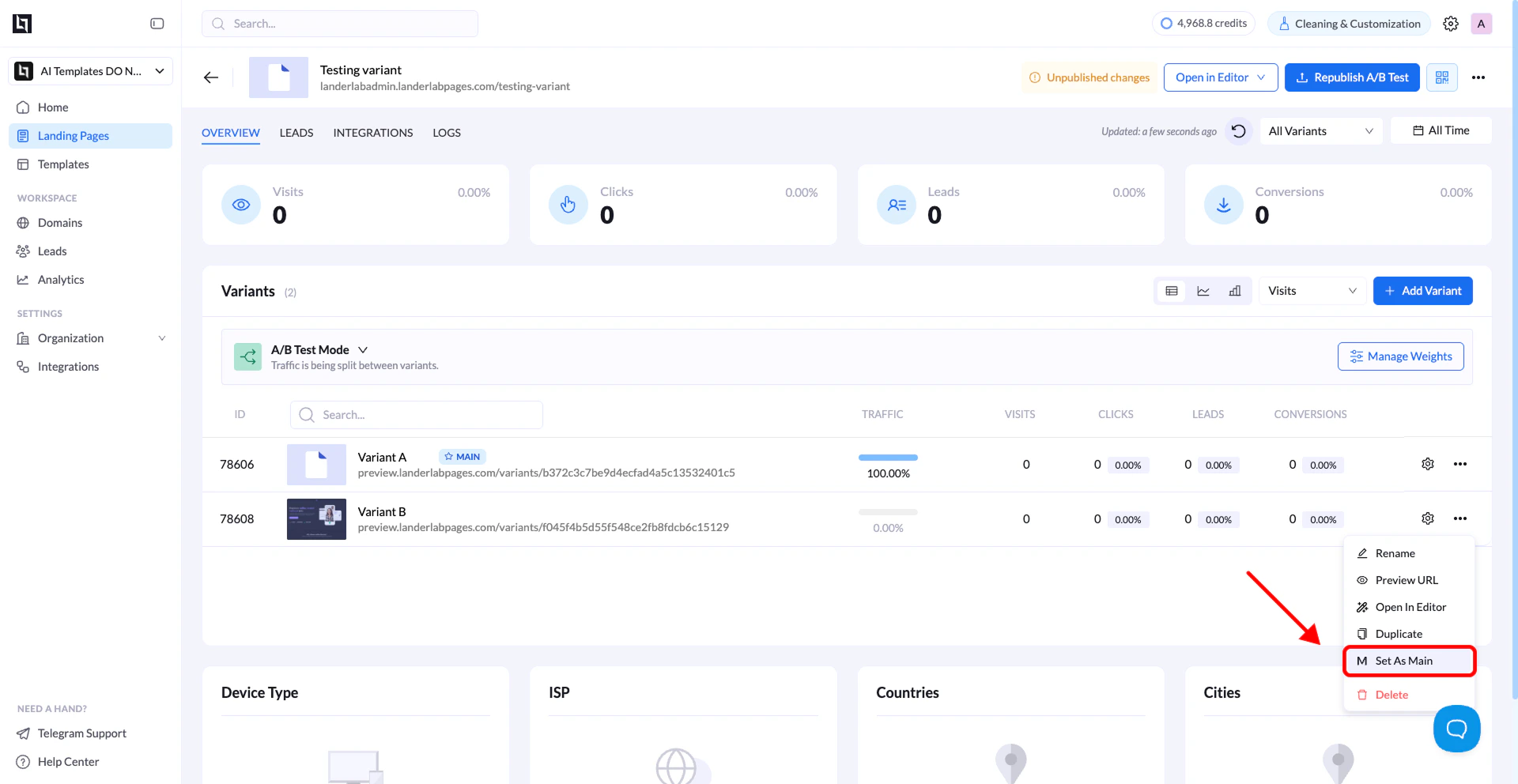
* Open the duplicated variant
* Set it as the [**Main Variant**](https://docs.landerlab.io/features/analytics/ab-testing)
### 5. Set as Main Variant
* Open the duplicated variant
* Set it as the [**Main Variant**](https://docs.landerlab.io/features/analytics/ab-testing)
 ### 6. Clean Up
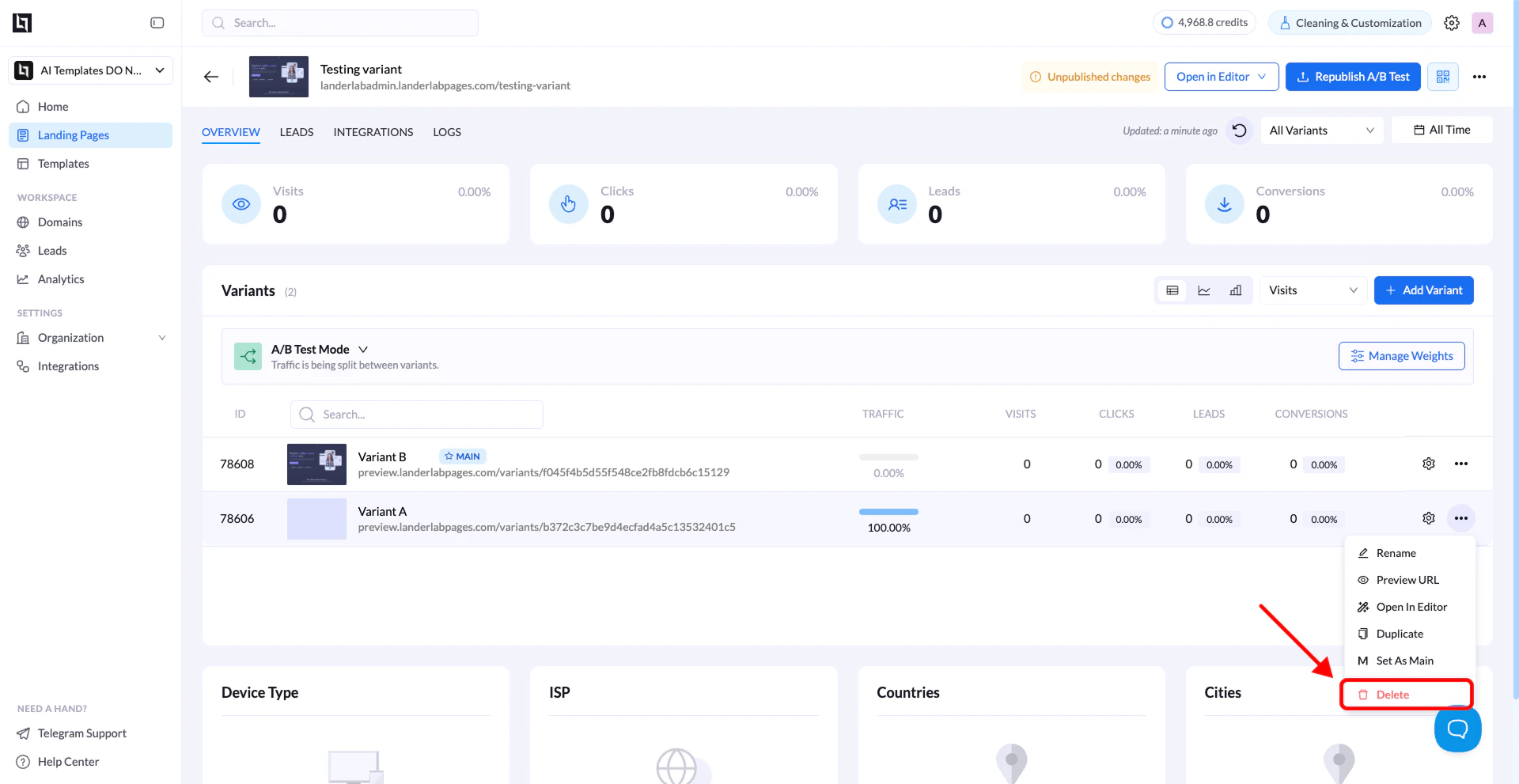
* Delete the default (blank) variant
* Disable **A/B Testing**
### 6. Clean Up
* Delete the default (blank) variant
* Disable **A/B Testing**
 ### Final Result
You now have a **fully separate landing page** based on the original variant.
***
## Important Notes
* The duplicated variant keeps:
* Design
* Content
* Structure
* It becomes fully independent from the original page
### Final Result
You now have a **fully separate landing page** based on the original variant.
***
## Important Notes
* The duplicated variant keeps:
* Design
* Content
* Structure
* It becomes fully independent from the original page